































Table of Contents
- Key Points
- Cloud-Based Writing Tools: An Overview
- Comparing Squibler and LivingWriter: A Detailed Analysis
- How to use Squibler
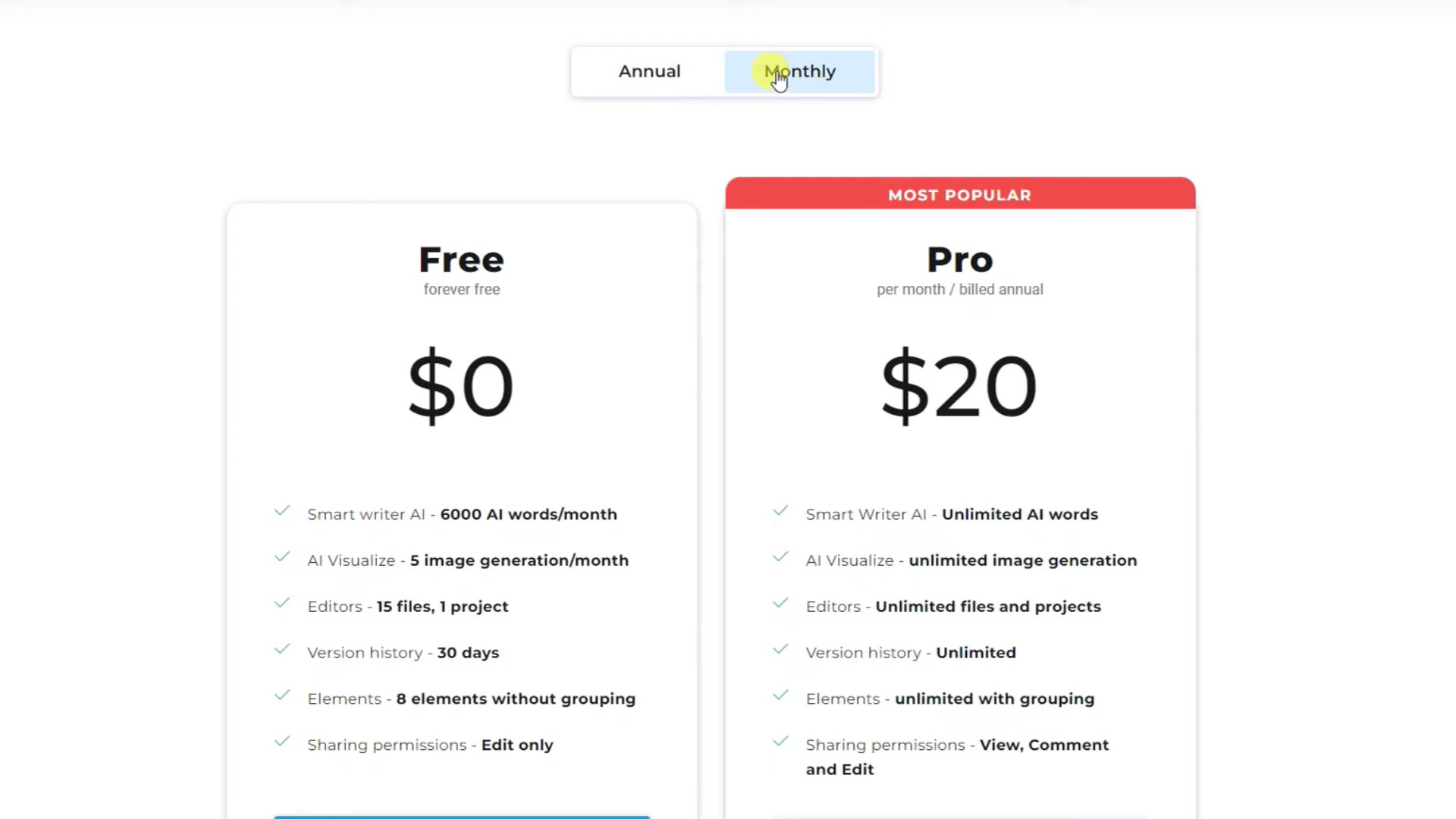
- Pricing and Subscription Details
- Pros and Cons
- Core Features Table
- Use Cases: Tailoring the Right Tool for Your Writing Needs
- Frequently Asked Questions
- Related Questions


Comparing Squibler and LivingWriter: A Detailed Analysis
Squibler: The AI-Powered Storytelling Companion
Squibler positions itself as an AI-powered storytelling platform designed to assist writers in overcoming writer's block and generating creative ideas.

It features a smart writer that uses artificial intelligence to help story writer to generate a range of prompts, helping to guide writers in generating different variations of their own work.
It emphasizes AI-assisted writing, elements generation, image and video generation, and Project Management, as well as a lot of features useful for an effective collaboration with co-workers, editors and publishers. Squibler aims to be a comprehensive writing software, designed to streamline the writing process for authors, bloggers, and content creators. Its AI assistance includes:
- AI-Assisted Writing
- AI Elements Generation
- AI Image Generation
- AI Video Generation
- Goal Tracking
- Project Management
- Collaboration
- Flexible Format Download
- Dark Mode
- Templates
- Split Screen
These elements allow for comprehensive work in one platform, giving writers the tools they need to create engaging and thought provoking content. Its emphasis is on storytelling and fiction writing.
LivingWriter: The Novelist's Dream
LivingWriter is a writing tool that offers an array of features, with a focus on assisting writers in achieving their peak productivity.

It prides itself on being intuitive, while providing writers with the right outlining capabilities and solid features for character development. This approach is very well adapted for Novel-writing, and fiction-writing in general.
LivingWriter does not rely as much on Artificial Intelligence. It positions itself as Google Docs, but for writers. Its menus are easy to navigate and specifically tailored for novel templates, outline creation, easy chapter-by-chapter navigation within a book, and character maintenance.
With LivingWriter, you can easily organize and color code, so no more post-it notes.
It integrates timeline features, and easily integrates characters into specific scenes, providing a holistic and complete approach to Creative Writing.
How to use Squibler
Generating Ideas with Smart Writer
After creating an account with Squibler, go to the Smart Writer page.
From there you can either chose one of their existing prompts or create your own to help guide the AI model to generate ideas. After writing a description, click generate and the AI model will provide a plot and story details. If you aren’t satisfied, click regenerate and the model will provide other options until you are satisfied.
Once you’ve picked the story and plot that you want, you can begin writing, modifying the generated text, and even creating timelines.
Use Cases: Tailoring the Right Tool for Your Writing Needs
Squibler: Ideal for Overcoming Writer's Block and Sparking Creativity
Squibler's AI-powered features make it a valuable asset for writers struggling with writer's block or seeking inspiration for new story ideas.
Whether you're outlining a novel, crafting a short story, or generating content for your blog, Squibler's AI assistance can provide a much-needed boost to your creativity. The plot generator can be a fun tool for authors seeking inspiration.
LivingWriter: Perfect for Novelists and Structured Writing Projects
LivingWriter's robust organization and outlining tools make it an excellent choice for novelists and writers working on complex, structured projects. If you're writing a novel with multiple characters, plot lines, and timelines, LivingWriter can help you stay on top of all the details and ensure a cohesive narrative. Its menus are easy to navigate and specifically tailored for novel templates, outline creation, easy chapter-by-chapter navigation within a book, and character maintenance. It’s also especially valuable for writers seeking to streamline their professional projects, since it offers a 14-day trial.


Most people like




































Report
Please select a reason for reporting
- 13 Reasons to Switch from Snapchat to Text Messaging
- 7 Powerful Speech to Text Apps to Boost Productivity
- 10 Best Speech to Text Tools for Effortless Transcription
- 13 Free Tools to Easily Transcribe Audio to Text
- 15 Surprising Ways Google's Speech-to-Text Boosts Productivity
- 7 Best Free Online Audio to Text Transcription Tools
- 9 Tips to Transcribe Speech to Text Faster and Better
- 13 Best Speech to Text Software for Windows 10 in 2023
- 7 Tips for Choosing the Best Transcriber for Audio to Text
- 11 Reasons Why Dragon Speech-to-Text Apps are Game-Changers
- 6 Secrets to Enhance Your Speech to Text Transcription
- 6 Brilliant Ways to Boost Productivity with Talk-to-Text on Your MacBook
- 6 Ways Transcription Software Converts Audio to Text
- 8 Tips to Transcribe Speech to Text Like a Pro
- 6 Reasons IBM Watson Speech to Text is a Game-Changer
- 14 Powerful Ways Talk-to-Text Improves Your Workflow
- 12 Top Windows Speech-to-Text Software for Efficient Transcription
- 12 Game-Changing Benefits of Apple's Speech to Text Technology
- 9 Powerful Use Cases for AWS Speech to Text Technology
- 10 Easy Steps to Transcribe YouTube Videos to Text
- transcription audio en texte
- online audio transcription
- free audio file transcription
- free ai audio transcription
- audio transcription service
- audio transcription online free
- audio transcription free online
- audio to transcription software
- audio and transcript
- ai audio transcription free
- voice recording to text converter
- translate voice recording to text
- record voice to text
- audio recording to text converter
- voice recording and transcription
- chatgpt voice to text
- gmail voice to text
- speech to text reader
- speech to text ai free
- speech to talk
- ChatGPT Knows Ford. It Just Doesn't Quote Ford
- Meshy AI: How to Create 3D Models from Text and Images
- How SEO and Marketing Dashboards Empower Agencies to Drive Results
- How to Use AI Tools to Find Internal Linking Opportunities Across a Business Website
- Discover Your Perfect Haircut with AI Hairstyle Apps
- Free Reputation Calculator Tools: How They're Adapting to Score AI Visibility, Not Just Rankings
- Design Professional Flyers for Free on Your Phone
- Best Free Flyer Maker Apps for Android: Design Like a Pro
- How to Know If Your Business Is Ready for an AI Customer Service Agent
- Revolutionizing Storytelling: From Novels to Screenplays with AI
- ChatGPT Knows Ford. It Just Doesn't Quote Ford
- Automate Lead Generation: A Comprehensive Guide with AI Agents
- Revideo.io: The Future of Reverse Video Search Technology
- Revolutionizing Email Marketing Agency with AI
- Breaking the Character Drift Dilemma: A Practical Test of Smart Shot
- Meshy AI: How to Create 3D Models from Text and Images
- ASOMobile Helps Teams Benchmark App Store Screenshots Against Competitors
- How to Match LMS Software With Your Organization's Training Plan
- How to Convert BTC to HNT
- Unleashing the Power of AI: Cognizant's Roadmap for Transformation

Copyright ©2026 toolify