































Table of Contents
- Key Points
- Exploring the Landscape of AI Coding Assistants
- Steps on How To Select the Right AI Coding Assistant
- Pricing
- Breaking Down AI Coding Assistants
- Core Features
- Use Cases
- FAQ
- Related Questions


Exploring the Landscape of AI Coding Assistants
GitHub Copilot: Your Pair Programmer
GitHub Copilot
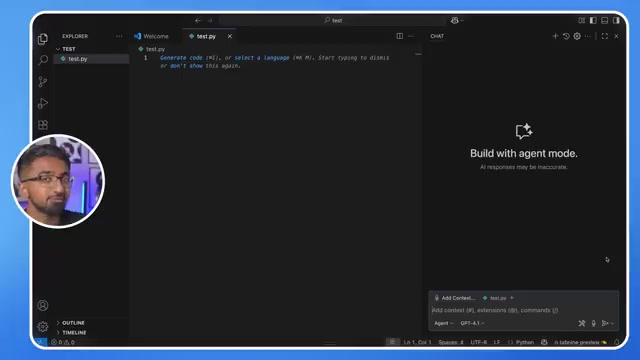
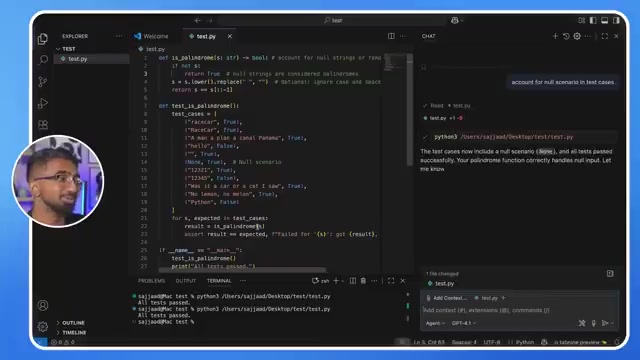
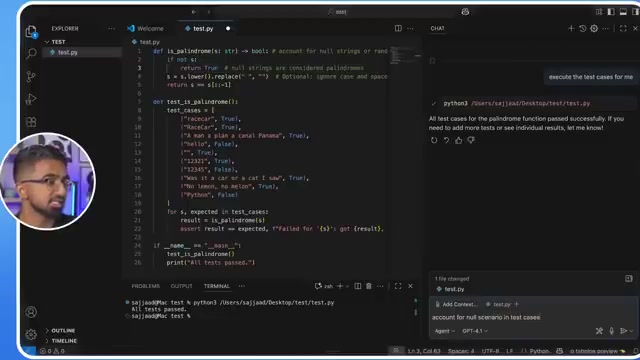
was among the first AI coding assistants to gain mainstream traction. Developed by GitHub in collaboration with OpenAI, Copilot is designed to work seamlessly with popular code editors, especially Visual Studio Code (VS Code). It harnesses the power of OpenAI's Codex model, trained on billions of lines of public code, to provide developers with intelligent code completions, suggestions, and even entire code snippets in real-time. This feature significantly accelerates development speed, reducing the amount of time spent typing repetitive code blocks. Copilot learns from your coding style and project context, leading to more relevant and accurate suggestions. Beyond code completion, GitHub Copilot can also assist with generating code from natural language descriptions. This feature allows developers to express their intent in plain English, and Copilot translates it into functional code. This functionality empowers developers to rapidly prototype ideas and generate boilerplate code. GitHub Copilot also boasts a 'chat' function that enables developers to interact with the AI assistant in a conversational manner. You can ask questions, request specific code implementations, and receive tailored advice directly within the chat interface. Copilot offers a range of features designed to enhance collaboration. Developers can share their code with Copilot, allowing the AI to provide feedback and identify potential issues. It supports various programming languages, including Python, JavaScript, TypeScript, Go, and Ruby. Copilot adapts to your preferred coding style and offers relevant suggestions, making the coding process more intuitive and personalized. GitHub Copilot is the AI pair programmer you have always dreamed of. For beginners who are still starting to learn more on coding languages like Python, GitHub Copilot is a helpful tool for assisting them to better understand and learn faster. The tool can analyze your code and identify potential bugs or performance bottlenecks, guiding you toward writing more robust and efficient applications. This tool has very strong code readability. If you are familiar with Python, using it is pretty standard .
Key Features of GitHub Copilot:
- Context-Aware Code Completion: Analyzes your current code and project context to provide highly relevant suggestions.
- Natural Language Code Generation: Translates natural language descriptions into code.
- Conversational AI Assistant: Provides real-time support and guidance through a chat interface.
- Bug Detection and Code Analysis: Identifies potential issues in your code.
- Multi-Language Support: Compatible with a wide range of programming languages.
The Cons of using GitHub Copilot:
- It needs improvement for doing more difficult tasks like terminal commands and servers.
The tool can only achieve a B tier rating .
ChatGPT: The Versatile AI Assistant
ChatGPT, created by OpenAI, has taken the world by storm with its impressive natural language processing capabilities.

It can generate human-quality text, translate languages, write different kinds of creative content, and answer your questions in an informative way. While not specifically designed as a coding assistant, ChatGPT's versatility makes it a valuable tool for developers. It can be used for generating code snippets, explaining existing code, creating documentation, and even brainstorming ideas. Its natural language understanding capabilities enable you to express your intent in plain English, and ChatGPT will attempt to Translate that intent into code. This feature proves helpful when you are looking for alternative ways to solve a problem or need assistance with understanding unfamiliar syntax. ChatGPT can also help you understand the logic behind existing code, by providing explanations, identifying potential issues, and suggesting improvements. With its natural language understanding, ChatGTP can analyze code and identify areas for optimization or possible errors. ChatGPT is highly valuable for writing documentation. It is able to automatically generate API documentation, user guides, and other technical content based on the code itself. This speeds up the documentation process and helps keep it up-to-date with code changes. Although it was not specifically designed for coding, ChatGTP can be a great place to brainstorm coding solutions. When you need assistance with brainstorming and identifying various coding solutions, its natural language understanding helps create effective recommendations. It does not always create great code and might require further instruction from you to get to the results that you are looking for. You can ask it to review your code for any problems and give recommendations on what to fix.
Key Features of ChatGPT:
- Natural Language Understanding: Accurately interprets your coding requests and intent expressed in plain English.
- Code Generation: Generates code snippets, functions, and even entire programs based on your specifications.
- Code Explanation: Provides clear and concise explanations of existing code.
- Documentation Generation: Automatically generates API documentation, user guides, and technical content.
- Brainstorming Assistance: Helps you explore different coding approaches and identify potential solutions.
The Downside of using ChatGPT:
- Lack of direct IDE integration can slow down developers that need to transfer their code into VS code or Replit for execution and editing.
Based on the cons, ChatGTP is C tier .
Replit: Collaborative, Cloud-Based IDE
Replit
is a powerful online Integrated Development Environment (IDE) that combines coding, collaboration, and AI assistance into one seamless platform. Its cloud-based nature enables you to code from any device, anywhere, making it ideal for teams and individuals who value flexibility and accessibility. Replit offers a range of built-in AI Tools designed to boost coding productivity. The 'ghostwriter' feature delivers intelligent code completions and suggestions, similar to GitHub Copilot. Replit's collaborative features can be very handy. You can code together in real-time with team members, share code snippets, get feedback, and more. Replit really puts a focus on collaborative projects. When you are using Replit, you have the ability to quickly create a new project, choose a language and immediately start coding in seconds. Replit's auto-completion does not require you to install software and other configurations.
Key Features of Replit:
- Cloud-Based IDE: Code from any device with an internet connection.
- Collaborative Coding: Real-time teamwork, code sharing, and feedback tools.
- Ghostwriter AI Assistant: Intelligent code completion and suggestions.
- Instant Setup: Start coding in seconds with pre-configured environments.
- Version Control: Seamless integration with Git for version control and collaboration.
Cons of Replit:
- Requires additional upgrades for enterprise-level usage.
It's really good in Python , giving this tool a high ranking of S tier.
Cursor: An AI-First Code Editor
Cursor
presents itself as an AI-first code editor designed to empower developers with the full potential of AI assistance throughout the development lifecycle. It is built around the core principle that AI should not be an afterthought, but rather an integral part of the coding experience. Cursor understands complex code structures and dependencies, enabling it to deliver highly relevant and accurate suggestions. You can ask Cursor to generate documentation for your code, create unit tests to check your code's functionality, identify bugs, fix identified bugs, and more. Cursor's search function understands natural language and code context. It automatically updates so that they are most relevant to your search, and not just a specific snippet.
Key Features of Cursor:
- AI-Powered Code Editor: Built from the ground up with AI at its core.
- Smart Code Completion: Context-aware suggestions based on understanding code structures.
- Code Generation and Documentation: Generate new code, documentation for the code, create code tests, and more.
- Natural Language Search: Finds code and provides information on the natural language and the code context.
It only gets and A tier.
Claude: AI Assistance beyond Code
Claude
distinguishes itself through its strong natural language processing capabilities, making it a valuable tool for tasks extending beyond pure coding. Claude excels at tasks that are text-based and more about coding assistance. Although not fully code development-focused, it offers a unique approach to coding and it provides all support that you need to continue. Because of its writing abilities, some developers can rely on it to not just find solutions to code but communicate solutions. This tool is able to use the same coding syntax as Python and Java, making it the best of both worlds for developers. Overall, the tool is a good fit for assisting, understanding, and explaining most concepts for many code areas. Claude is extremely popular and may be a choice for those who want assistance.
Key Features of Claude:
- Text Processing: Good natural language processing capabilities.
- Code Assistance: Code concepts and the ability to communicate code effectively.
Downsides of Claude:
- Has limited coding abilities to other AI and coding assistants.
It only gets a C tier .






Most people like































Report
Please select a reason for reporting
- 13 Reasons to Switch from Snapchat to Text Messaging
- 7 Powerful Speech to Text Apps to Boost Productivity
- 10 Best Speech to Text Tools for Effortless Transcription
- 13 Free Tools to Easily Transcribe Audio to Text
- 15 Surprising Ways Google's Speech-to-Text Boosts Productivity
- 7 Best Free Online Audio to Text Transcription Tools
- 9 Tips to Transcribe Speech to Text Faster and Better
- 13 Best Speech to Text Software for Windows 10 in 2023
- 7 Tips for Choosing the Best Transcriber for Audio to Text
- 11 Reasons Why Dragon Speech-to-Text Apps are Game-Changers
- 6 Secrets to Enhance Your Speech to Text Transcription
- 6 Brilliant Ways to Boost Productivity with Talk-to-Text on Your MacBook
- 6 Ways Transcription Software Converts Audio to Text
- 8 Tips to Transcribe Speech to Text Like a Pro
- 6 Reasons IBM Watson Speech to Text is a Game-Changer
- 14 Powerful Ways Talk-to-Text Improves Your Workflow
- 12 Top Windows Speech-to-Text Software for Efficient Transcription
- 12 Game-Changing Benefits of Apple's Speech to Text Technology
- 9 Powerful Use Cases for AWS Speech to Text Technology
- 10 Easy Steps to Transcribe YouTube Videos to Text
- transcription audio en texte
- online audio transcription
- free audio file transcription
- free ai audio transcription
- audio transcription service
- audio transcription online free
- audio transcription free online
- audio to transcription software
- audio and transcript
- ai audio transcription free
- voice recording to text converter
- translate voice recording to text
- record voice to text
- audio recording to text converter
- voice recording and transcription
- chatgpt voice to text
- gmail voice to text
- speech to text reader
- speech to text ai free
- speech to talk
- Revolutionizing Storytelling: From Novels to Screenplays with AI
- Create Engaging Animated Explainer Videos with a Free AI Tool
- Stop Multi-Subscribing: Benchmark Top AI Visual Models in One Canvas
- Best Seedance 2.5 API Provider: Every Price on the Market, Checked at Source
- AI OnlyFans: How to Generate $30,000/Month (Legally)
- Transform Your Script into an Engaging Video with AI Video Maker!
- AI Marketing Automation: A Comprehensive Guide for Small Businesses
- Midjourney Alternative for Anime Art Creators: Why PixAI May Be Better for Character Workflows
- 10 Things Most People Get Wrong About AI Image Search
- AI Girlfriend Apps: Top Choices Redefining Relationships 2025
- Python Random Name Generator Tutorial
- Generate Unique Names with Python Random Name Generator
- Code a JavaScript Name Generator
- Create a Fun Name Generator App - Easy JavaScript Project!
- Experience Roblox's Avatar Creation for Karl Jacobs!
- May TBR Game: How a Letter Generator Chooses My Reads
- AI Celebrity Chat: Hilarious Pick-Up Lines & Chatbot Chaos!
- Embrace Chaos with the Random Makeup Challenge
- Boost Audience Engagement with the Wheel of Names
- Engage Your Audience with the Wheel of Names!

Copyright ©2026 toolify