































Table of Contents



Essential Browser-Based Design Tools
Creating Stunning Mockups in Seconds with Shots.so

Mockups are vital for presenting your design work professionally. Traditional mockup tools can be clunky, outdated, or require too much effort. Shots.so addresses these issues by providing a streamlined, browser-based solution for digital mockups. Shots.so allows you to create high-quality mockups for a wide variety of digital devices in a very short period of time.
Its browser-based nature means you can access it anywhere, making it perfect for designers on the go. Shots.so's clear and intuitive interface ensures that even those new to mockup design can get up and running quickly.
Here is why you might consider using shots.so:
- Browser-Based Convenience: No software download or installation required.
- High-Quality Output: Create clean and professional-looking mockups.
- Customization: Adjust corner radius, shadows, and backgrounds to match your brand.
- Device Variety: Supports laptops, tablets, phones, and even Apple Watches.
- Efficiency: Creates mockups in a matter of seconds, saving valuable time.
Customizing Mockups in Shots.so Shots.so provides ample customization options to tailor your mockups to your specific needs. You can adjust the corner radius to create rounded edges or opt for sharper corners. Altering the background is also intuitive, with options for solid colors, gradients, or uploading custom images. Shadow and reflection options are available to add depth and realism to your presentations. The ability to customize the background by color or upload images provides a more professional look for any presentation.
By adjusting these settings, you can ensure that your mockups perfectly reflect the aesthetic and tone of your project or brand.
Use Cases
- Case Studies: Present your design solutions in a real-world context.
- Dribbble Presentations: Showcase your work with modern, clean mockups.
- Client Presentations: Impress clients with high-quality, professional visuals.
Shots.so provides a modern and effective approach to digital mockups. It lets you create professional presentations of your designs quickly and easily.
Free Image Editing with Photopea
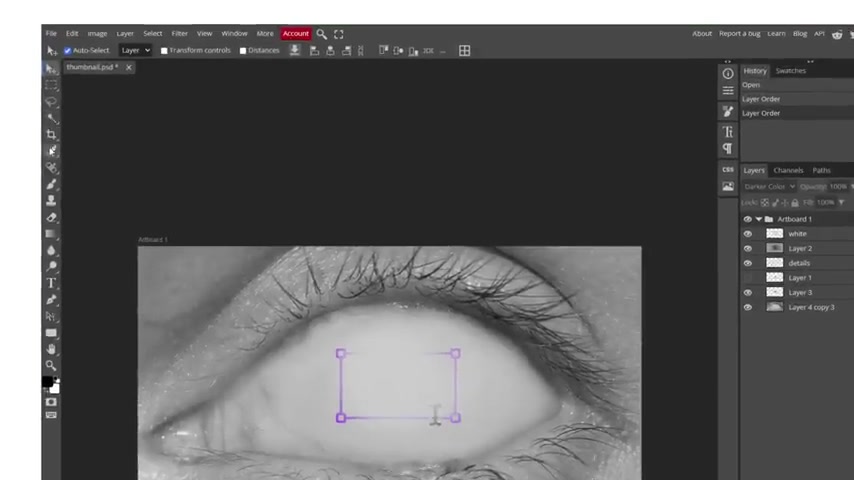
Photoshop is the industry standard for image editing, but its subscription costs can be a barrier. Photopea provides a robust, free alternative accessible directly in your browser. It is a versatile online image editor that supports various file formats, including PSD, AI, XD, and Sketch.
Photopea's interface is very similar to that of Photoshop and allows for editing of layers, masks, and blending modes. This makes it an accessible option for users looking for photo-editing software. Best of all, Photopea runs entirely in your browser, eliminating the need for installation and making it accessible across multiple devices. Its compatibility with various file formats ensures a smooth transition for designers accustomed to Adobe products.
For any designer looking for a no-cost photo editing software option, this is certainly worth exploring!
Key Features of Photopea:
- Browser-Based: Access it from any device without installation.
- PSD Compatibility: Fully supports PSD files with layers and masks.
- Multiple File Format Support: works with Sketch, XD, Illustrator, and RAW files.
- Free: A fully featured image editing tool at no cost.
Use Cases
- Quick Edits: Perfect for on-the-fly adjustments without Photoshop access.
- Collaborative Projects: Share and edit files with team members, regardless of their software.
- Budget-Conscious Design: Ideal for startups and freelancers needing robust features without subscription costs.
Photopea stands out as a practical solution for high-level image editing without Photoshop's subscription fees. It is an incredible asset for designers seeking affordability and accessibility.
Project Organization and Task Management with Notion and ClickUp
Designers often juggle multiple projects, sticky notes, scattered files, and numerous browser tabs, leading to a chaotic workflow. Effective Project Management is essential for keeping everything organized. Project and Task Management software will help to minimize the risk of missed deadlines or disorganized files.
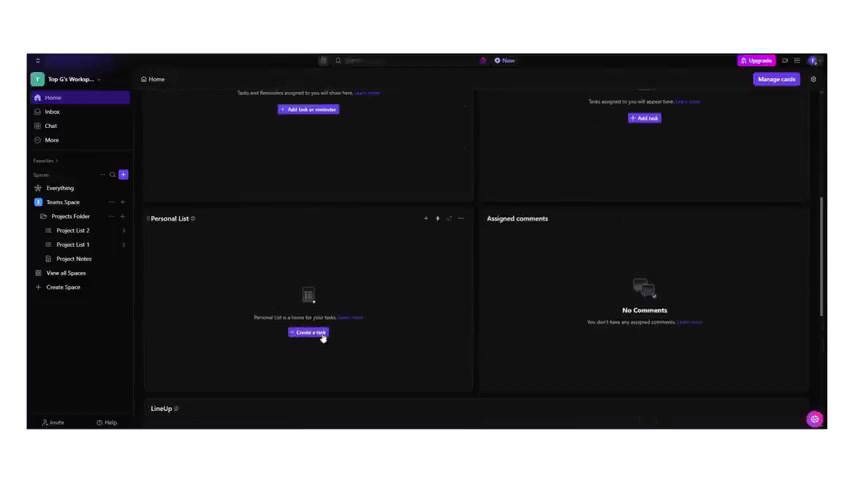
Two excellent browser-based tools to manage projects are Notion and ClickUp. While both offer robust features, they cater to slightly different needs. Notion is an all-in-one workspace ideal for organizing projects, client briefs, and design system documentation. It excels at creating a centralized hub for all creative assets and notes.
ClickUp is a more structured task manager, which helps to ensure that tasks are streamlined. It has features like time tracking and task prioritization.
Notion:
-
All-in-One Workspace: Organize projects, notes, and documents in one place.
-
Customizable: Highly flexible for various organizational needs.
-
Collaborative: Share workspaces and collaborate with team members seamlessly.
ClickUp:
- Task Prioritization: Manage and organize tasks using a flexible, cloud-based platform.
- Time Tracking: Monitor time spent on different tasks for better productivity analysis.
- Automation: Automate recurring tasks to save time and reduce manual effort.
Use Cases for Notion
- Creative Hub: Organize design system documentation.
- Client Management: Centralize client briefs and project assets.
- Visual Project Layout: Create gallery views for visual project tracking.
Use Cases for ClickUp
- Complex Project Tracking: Manages subtasks, dependencies, and deadlines.
- Team Collaboration: Supports time tracking and workload management for teams.
- Automated Workflows: Reduces manual overhead with task automations.
Choose the one that works best for your needs.
Streamlining Client Feedback with GoProof
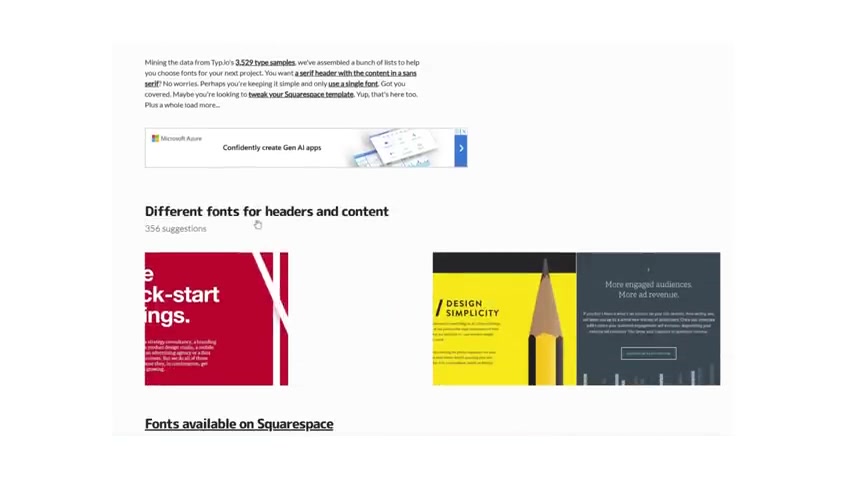
Managing client feedback can be a hassle, often involving multiple emails, conflicting comments, and lost attachments. GoProof simplifies this process by providing a centralized platform for creative approval.
GoProof consolidates feedback into one dashboard. Clients and team members can drop comments directly onto the design, eliminating confusion. Version control ensures everyone is on the same page, and automated URL detection prevents broken links.
- Centralized Dashboard: Keeps all feedback in one easy-to-access location.
- Direct Commenting: Enables clients to comment directly on the design.
- Version Control: Tracks every change to ensure clarity.
- Automated URL Detection: Prevents broken links.
GoProof’s functionality will allow you to simplify communication and project management for you and your clients.
GoProof Features:
| Feature | Description |
|---|---|
| Centralized Dashboard | Provides a single location for all project-related feedback and communication. |


Most people like



































Report
Please select a reason for reporting
- 13 Reasons to Switch from Snapchat to Text Messaging
- 7 Powerful Speech to Text Apps to Boost Productivity
- 10 Best Speech to Text Tools for Effortless Transcription
- 13 Free Tools to Easily Transcribe Audio to Text
- 15 Surprising Ways Google's Speech-to-Text Boosts Productivity
- 7 Best Free Online Audio to Text Transcription Tools
- 9 Tips to Transcribe Speech to Text Faster and Better
- 13 Best Speech to Text Software for Windows 10 in 2023
- 7 Tips for Choosing the Best Transcriber for Audio to Text
- 11 Reasons Why Dragon Speech-to-Text Apps are Game-Changers
- 6 Secrets to Enhance Your Speech to Text Transcription
- 6 Brilliant Ways to Boost Productivity with Talk-to-Text on Your MacBook
- 6 Ways Transcription Software Converts Audio to Text
- 8 Tips to Transcribe Speech to Text Like a Pro
- 6 Reasons IBM Watson Speech to Text is a Game-Changer
- 14 Powerful Ways Talk-to-Text Improves Your Workflow
- 12 Top Windows Speech-to-Text Software for Efficient Transcription
- 12 Game-Changing Benefits of Apple's Speech to Text Technology
- 9 Powerful Use Cases for AWS Speech to Text Technology
- 10 Easy Steps to Transcribe YouTube Videos to Text
- transcription audio en texte
- online audio transcription
- free audio file transcription
- free ai audio transcription
- audio transcription service
- audio transcription online free
- audio transcription free online
- audio to transcription software
- audio and transcript
- ai audio transcription free
- voice recording to text converter
- translate voice recording to text
- record voice to text
- audio recording to text converter
- voice recording and transcription
- chatgpt voice to text
- gmail voice to text
- speech to text reader
- speech to text ai free
- speech to talk
- ChatGPT Knows Ford. It Just Doesn't Quote Ford
- Meshy AI: How to Create 3D Models from Text and Images
- How SEO and Marketing Dashboards Empower Agencies to Drive Results
- How to Use AI Tools to Find Internal Linking Opportunities Across a Business Website
- Discover Your Perfect Haircut with AI Hairstyle Apps
- Free Reputation Calculator Tools: How They're Adapting to Score AI Visibility, Not Just Rankings
- Design Professional Flyers for Free on Your Phone
- Best Free Flyer Maker Apps for Android: Design Like a Pro
- How to Know If Your Business Is Ready for an AI Customer Service Agent
- Revolutionizing Storytelling: From Novels to Screenplays with AI
- Your Business Data Could Be Worth Up to $4M. Find Out Without Uploading a Single File.
- Can an eSIM Plan Save You Time During Travel Setup?
- AI Video Editor Review: A Hands-On Look at Prompt-Based Video Editing
- Keep Characters Consistent Across Scenes With Image-to-Video AI
- How to Convert BTC to HNT
- ProxyWing DuckDuckGo Proxy Review: Plans, Setup and Who It Is For
- ChatGPT Knows Ford. It Just Doesn't Quote Ford
- Automate Lead Generation: A Comprehensive Guide with AI Agents
- Revideo.io: The Future of Reverse Video Search Technology
- Revolutionizing Email Marketing Agency with AI

Copyright ©2026 toolify