































Table of Contents
- Key Points
- Unveiling the Webware.ai QR Code Wallet
- Key Features of the Webware.ai QR Code Wallet
- How to Use the Webware.ai QR Code Wallet: A Step-by-Step Guide
- Webware.ai Pricing
- Pros and Cons of Using the Webware.ai QR Code Wallet
- Core Features of Webware.ai
- Use Cases: Real-World Applications of the Webware.ai QR Code Wallet
- FAQ
- Related Questions


Unveiling the Webware.ai QR Code Wallet
What is the Webware.ai QR Code Wallet?
The Webware.ai QR Code Wallet is a newly launched feature designed to simplify and enhance how businesses interact with potential customers and automate marketing processes. This innovative tool allows users to store, manage, and generate various QR codes within the Webware.ai platform, turning a smartphone into a dynamic hub for real-world engagement.

With business cards becoming increasingly outdated, and QR codes gaining significant traction, Webware.ai leverages this trend to provide a modern, efficient solution for lead capture and marketing automation. The QR Code Wallet aims to be an essential tool for businesses looking to streamline their operations and improve customer interactions.
Imagine attending a conference or networking event: Instead of exchanging traditional business cards, which often end up lost or forgotten, you can Present a QR code that Instantly directs individuals to your contact details, website, or a specific landing page. This not only saves time but also ensures that potential customers have immediate access to your information, increasing the likelihood of follow-up and engagement.
Why QR Codes are Essential in Modern Business
QR codes are rapidly becoming a staple in modern business, and for good reason. These versatile tools offer a seamless way to bridge the gap between the physical and digital worlds, providing Instant access to information and actions. Unlike traditional business cards or outdated marketing methods, QR codes are dynamic and can be easily updated to reflect changes in your business or marketing strategy.

Several factors contribute to the growing importance of QR codes:
- Contactless Information Exchange: In a post-pandemic world, contactless solutions are more important than ever. QR codes enable the exchange of information without physical contact, providing a safe and convenient alternative to traditional methods.
- Direct Access to Information: QR codes can instantly direct users to specific URLs, landing pages, forms, or contact details, eliminating the need for manual typing or searching. This streamlined process improves user experience and increases engagement.
- Enhanced Marketing Automation: QR codes can be integrated with marketing automation tools to track scans, measure engagement, and trigger automated follow-up actions. This allows businesses to personalize their marketing efforts and optimize their campaigns for maximum effectiveness.
- Versatility and Adaptability: QR codes can be used in a wide range of applications, from sharing contact details and website links to promoting products, collecting customer reviews, and facilitating referral programs. Their versatility makes them an invaluable tool for businesses of all sizes and industries.
Key Features of the Webware.ai QR Code Wallet
Simplified QR Code Generation and Management
The Webware.ai QR Code Wallet provides a user-friendly interface for generating and managing QR codes, allowing businesses to create custom codes tailored to their specific needs.

Located in the top left corner of the Webware.ai dashboard, this feature is easily accessible and intuitive to use.
With the Webware.ai QR Code Wallet, users can:
- Store Multiple QR Codes: The QR Code Wallet acts as a central repository for all your QR codes, allowing you to organize and access them easily.
- Generate Custom QR Codes: Create QR codes that link to specific URLs, website pages, forms, or contact details. Tailor each code to a particular marketing campaign or customer interaction.
- Customize QR Code Appearance: Webware.ai may offer options to customize the appearance of your QR codes, allowing you to Align them with your brand identity.
- Track Scan Analytics: Monitor the performance of your QR codes by tracking scan data, such as the number of scans, location of scans, and device type. This data provides valuable insights into the effectiveness of your marketing efforts.
Seamless Integration with Webware.ai's CRM and Marketing Automation Tools
One of the most powerful aspects of the Webware.ai QR Code Wallet is its seamless integration with the platform's CRM and marketing automation tools. This integration allows businesses to capture leads, automate drip marketing campaigns, and personalize customer interactions with unparalleled efficiency.
Key benefits of this integration include:
- Automated Lead Capture: When a potential customer scans a QR code and fills out a form, their contact information is automatically added to your Webware.ai CRM, eliminating the need for manual data entry.
- Drip Marketing Automation: Trigger automated drip marketing campaigns based on QR code scans, delivering personalized messages and offers to potential customers. This ensures that leads receive Timely and Relevant information, increasing the likelihood of conversion.
- Personalized Customer Interactions: Use QR codes to identify individual customers and deliver personalized content, offers, and support. This tailored approach enhances customer experience and builds stronger relationships.
- Data-Driven Marketing Optimization: Leverage scan data and CRM insights to optimize your marketing campaigns and improve ROI. Identify which QR codes are most effective and refine your strategy accordingly.
Practical Applications for Various Business Needs
The Webware.ai QR Code Wallet offers a wide range of practical applications for various business needs, from Lead Generation and customer engagement to marketing automation and data collection.
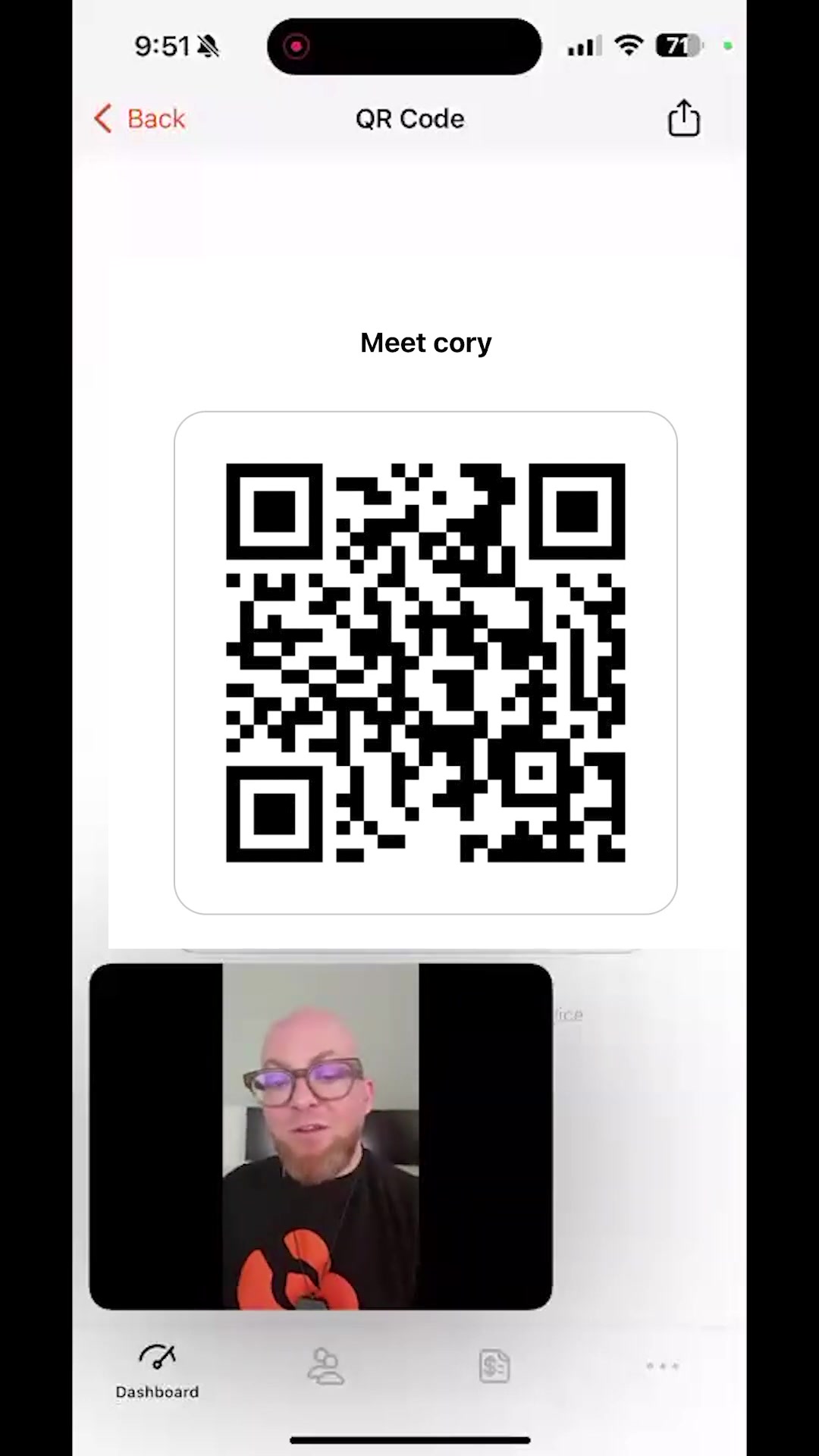
Here are just a few examples of how businesses can leverage this powerful tool:
- Contactless Business Cards: Create a QR code that instantly directs potential customers to your contact details and professional profile, providing a modern and efficient alternative to traditional business cards.
- Event Registration: Use QR codes to facilitate event registration, allowing attendees to quickly check in and access event information.
- Product Promotion: Display QR codes on product packaging or marketing materials to provide customers with additional information, such as product specifications, user manuals, or promotional offers.
- Customer Reviews: Encourage customers to leave reviews by providing them with a QR code that directs them to your review platform of choice.
- Referral Programs: Implement QR codes for referral programs, making it easy for existing customers to refer new business.
- New Team Member Introduction: Create QR codes that introduce new team members to clients and colleagues, providing them with quick access to their contact details and professional profiles.
How to Use the Webware.ai QR Code Wallet: A Step-by-Step Guide
Accessing the QR Code Wallet
- Locate the QR Code Icon: Open the Webware.ai app and look for the QR code icon in the top left corner of your screen.
- Tap the Icon: Tap the icon to access the QR Code Wallet. This will open a new screen where you can manage your existing QR codes or create new ones.
Creating a New QR Code
-
Tap the "+" Icon: In the top right corner of the QR Code Wallet screen, tap the orange "+" icon to create a new QR code.
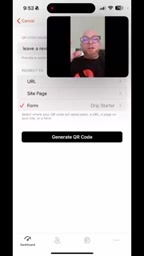
-
Enter QR Code Name: Provide a descriptive name for your QR code to easily identify it. For example, "LinkedIn Profile" or "Newsletter Signup."
-
Select Redirect Type: Choose the type of redirect you want your QR code to perform:
- URL: Redirect users to a specific URL, such as your website, a landing page, or a product page.
- Site Page: Redirect users to a specific page on your Webware.AI Website.
- Form: Redirect users to a Webware.ai form, such as a contact form, registration form, or survey.
-
Enter Redirect Details: Depending on the redirect type you selected, enter the required details:
- URL: Enter the full URL that you want the QR code to redirect to.
- Site Page: Select the specific page on your Webware.ai website that you want the QR code to redirect to.
- Form: Select the Webware.ai form that you want the QR code to redirect to.
-
Generate QR Code: Tap the "Generate QR Code" button to create your QR code.
-
Save and Share: Your new QR code will now be saved in your QR Code Wallet. You can share the QR code image by tapping the share icon and selecting your preferred sharing method.
Sharing and Printing Your QR Codes
- Select QR Code: In the QR Code Wallet, tap the QR code that you want to share or print.
- Tap the Share Icon: Tap the share icon in the top right corner of the screen.
- Choose Sharing Method: Select your preferred sharing method, such as email, messaging app, or social media. You can also save the QR code image to your device.
- Print QR Code: To print your QR code, save the image to your device and then print it using your preferred printing method. You can print the QR code on business cards, marketing materials, or any other physical surface.





Most people like


































Report
Please select a reason for reporting
- 13 Reasons to Switch from Snapchat to Text Messaging
- 7 Powerful Speech to Text Apps to Boost Productivity
- 10 Best Speech to Text Tools for Effortless Transcription
- 13 Free Tools to Easily Transcribe Audio to Text
- 15 Surprising Ways Google's Speech-to-Text Boosts Productivity
- 7 Best Free Online Audio to Text Transcription Tools
- 9 Tips to Transcribe Speech to Text Faster and Better
- 13 Best Speech to Text Software for Windows 10 in 2023
- 7 Tips for Choosing the Best Transcriber for Audio to Text
- 11 Reasons Why Dragon Speech-to-Text Apps are Game-Changers
- 6 Secrets to Enhance Your Speech to Text Transcription
- 6 Brilliant Ways to Boost Productivity with Talk-to-Text on Your MacBook
- 6 Ways Transcription Software Converts Audio to Text
- 8 Tips to Transcribe Speech to Text Like a Pro
- 6 Reasons IBM Watson Speech to Text is a Game-Changer
- 14 Powerful Ways Talk-to-Text Improves Your Workflow
- 12 Top Windows Speech-to-Text Software for Efficient Transcription
- 12 Game-Changing Benefits of Apple's Speech to Text Technology
- 9 Powerful Use Cases for AWS Speech to Text Technology
- 10 Easy Steps to Transcribe YouTube Videos to Text
- transcription audio en texte
- online audio transcription
- free audio file transcription
- free ai audio transcription
- audio transcription service
- audio transcription online free
- audio transcription free online
- audio to transcription software
- audio and transcript
- ai audio transcription free
- voice recording to text converter
- translate voice recording to text
- record voice to text
- audio recording to text converter
- voice recording and transcription
- chatgpt voice to text
- gmail voice to text
- speech to text reader
- speech to text ai free
- speech to talk
- Meshy AI: How to Create 3D Models from Text and Images
- How SEO and Marketing Dashboards Empower Agencies to Drive Results
- How to Use AI Tools to Find Internal Linking Opportunities Across a Business Website
- Discover Your Perfect Haircut with AI Hairstyle Apps
- Free Reputation Calculator Tools: How They're Adapting to Score AI Visibility, Not Just Rankings
- Design Professional Flyers for Free on Your Phone
- Best Free Flyer Maker Apps for Android: Design Like a Pro
- How to Know If Your Business Is Ready for an AI Customer Service Agent
- Revolutionizing Storytelling: From Novels to Screenplays with AI
- Create Engaging Animated Explainer Videos with a Free AI Tool
- Automate Lead Generation: A Comprehensive Guide with AI Agents
- Revideo.io: The Future of Reverse Video Search Technology
- Revolutionizing Email Marketing Agency with AI
- Breaking the Character Drift Dilemma: A Practical Test of Smart Shot
- Meshy AI: How to Create 3D Models from Text and Images
- ASOMobile Helps Teams Benchmark App Store Screenshots Against Competitors
- How to Match LMS Software With Your Organization's Training Plan
- How to Convert BTC to HNT
- Unleashing the Power of AI: Cognizant's Roadmap for Transformation
- Frame to Video Review: A Practical Look at Turning Two Still Frames Into Motion

Copyright ©2026 toolify