


AddSubtitle


What is AddSubtitle?
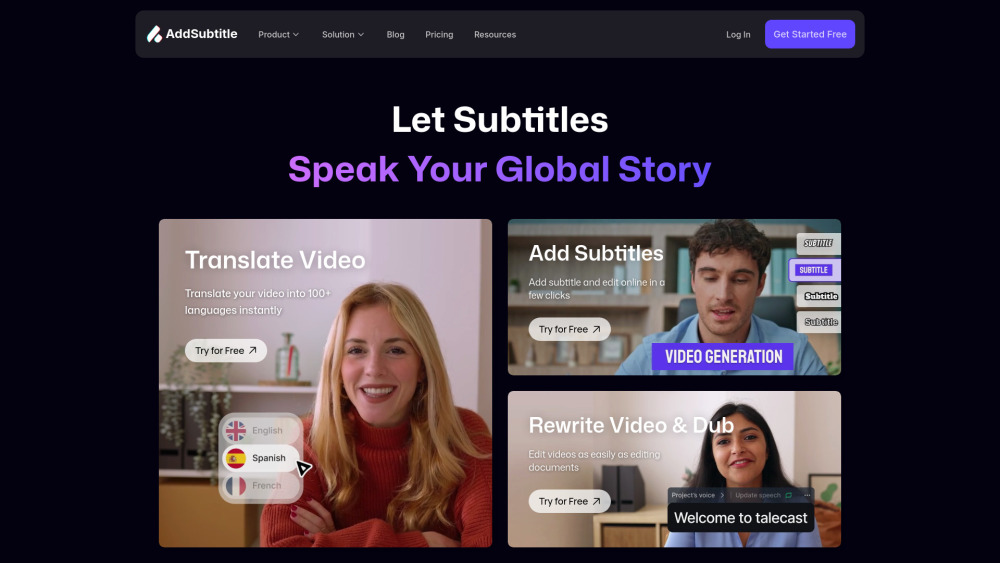
AddSubtitle gives creators full control over how your message meets the world. Subtitles, voiceover, and translation—all in one tool to speed up your video workflow. Experience the perfect balance of efficiency and creative control. ● Lightning-Fast Production — Transform your workflow with intelligent automation. Instantly generate styled subtitles, translate voices and captions across 60+ languages, create natural AI voiceovers, and edit videos as easily as editing text. ● Total Creative Freedom — Every element remains fully customizable. Choose from hundreds of natural AI voices or clone your own for that personal touch. Fine-tune subtitle styles, positioning, and sizing with pixel-perfect precision. Translate content into any language on demand. No software needed. Just pure creative power, accessible anywhere, anytime.
How to use AddSubtitle?
Begin by navigating to your dashboard and choose your desired workflow: Add Subtitles, Translate Video, Add Voiceover, or Rewrite Video. Upload your media files, customize your settings to match your vision, and click Submit to begin processing. Once complete, click on your project to enter the editing panel where you'll discover powerful features like bilingual subtitles, subtitles editing, voice cloning, voice translation and other advanced tools to perfect your content. For additional support or to adjust your personal settings, click your profile icon in the top-right corner, where you can also join our thriving Discord community for tips, inspiration, and direct support from fellow creators.
AddSubtitle's Core Features
Auto subtitles generation in 60+ languages
Accurate subtitles translation
Context-Aware AI voice translation & Dubing
Natural-sounding AI voiceovers
Voice cloning from 10 seconds recording
Edit video by editing text
Cloud-based, no install required
Edit via YouTube link
AddSubtitle's Use Cases
Content Creators
Online Educators
Marketing Teams
Filmmakers
E-commerce Brands
Social Media Managers
Corporate Training
Journalist & News Organizations
FAQ from AddSubtitle
How is Addsubtitle different from other online video editor?
How many languages does your AI video translator support?
Do I need to download any software to use this video editor?
Can I add multi-language subtitles to a single video?
Does Addsubtitle offer mobile compatibility?
Is this video translator free to use?
How secure are my videos and data using your video editor?
AddSubtitle Support Email & Customer service contact & Refund contact etc.
More Contact, visit the contact us page(https://docs.google.com/forms/d/e/1FAIpQLScBaS1yTVtpE-gKVkCYteKhQF1KZKPR2Hfldhqfg_C-vjld5w/viewform?usp=sharing)
AddSubtitle Company
AddSubtitle Company name: AddSubtitle Inc. .
AddSubtitle Company address: .
More about AddSubtitle, Please visit the about us page().
AddSubtitle Login
AddSubtitle Login Link: https://web.addsubtitle.ai/home
AddSubtitle Sign up
AddSubtitle Sign up Link: https://web.addsubtitle.ai/home
AddSubtitle Pricing
AddSubtitle Pricing Link: https://addsubtitle.ai/pricing
AddSubtitle Youtube
AddSubtitle Youtube Link: https://www.youtube.com/@Addsubtitle_AI
AddSubtitle Linkedin
AddSubtitle Linkedin Link: https://www.linkedin.com/company/talecast
AddSubtitle Reviews (0)
AddSubtitle Pricing
Stanadrd
$0/mo
30 Credits
Starter
$18/mo
100 Credits
Creator
$32/mo
200 Credits
Enterprise
Let’s talk
Unlimited Credits
For the latest pricing, please visit this link: https://addsubtitle.ai/pricing
Analytic of AddSubtitle
AddSubtitle Website Traffic Analysis
Geography
Top 5 Regions


AddSubtitle Launch embeds
Use website badges to drive support from your community for your Toolify Launch. They're easy to embed on your homepage or footer.



Alternative of AddSubtitle
 12.85%
Social Listening