


AI Perfect Assistant





What is AI Perfect Assistant?
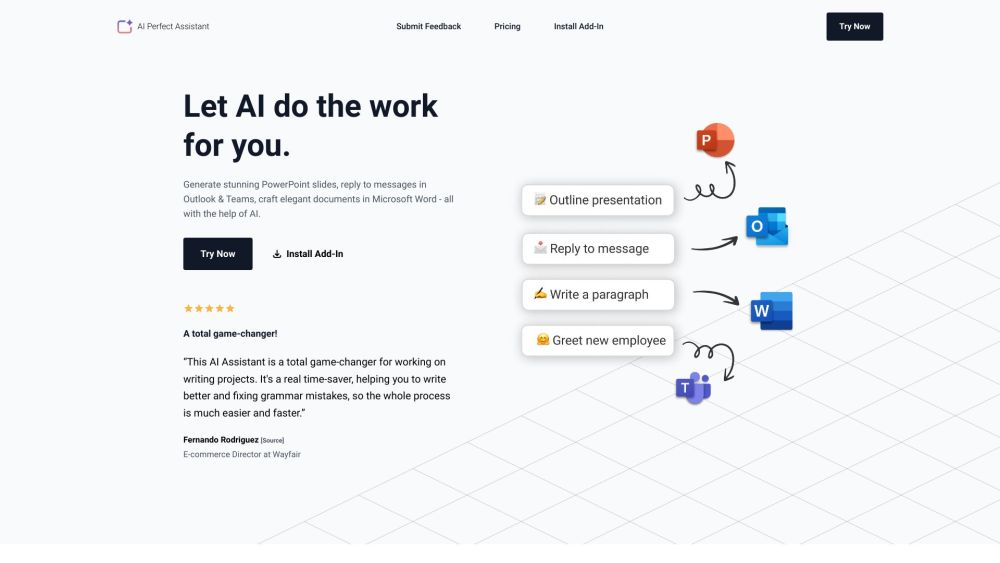
AI Perfect Assistant seamlessly integrates into Microsoft business suite and helps you and your team to be more productive. Generate PowerPoint slides, reply to mailings in Outlook & Teams, write elegant documents in Microsoft Word. It automates mundane business tasks with AI, working inside applications like PowerPoint, Word, Outlook, Teams, and Excel to generate replies, summarize threads, enhance drafts, create formulas, normalize data, and more.
How to use AI Perfect Assistant?
Install the AI Perfect Assistant add-in for your desired Microsoft application (PowerPoint, Word, Outlook, Teams, Excel). Sign in with your Microsoft work or school account. Use the AI features within the application to generate content, reply to messages, check grammar, and more.
AI Perfect Assistant's Core Features
PowerPoint slide generation
Email reply generation and summarization in Outlook & Teams
Document writing and grammar checking in Word
Formula creation and data normalization in Excel
Message translation and tone customization in Teams
AI Perfect Assistant's Use Cases
Generating PowerPoint presentations from outlines
Quickly replying to emails in Outlook
Improving grammar and simplifying language in Word documents
Automating data normalization in Excel
Translating chat messages in Teams
FAQ from AI Perfect Assistant
What should I do if I can't install the AI Assistant add-in?
How do I cancel my subscription?
What methods of payment do you accept?
Can I get a refund?
AI Perfect Assistant Support Email & Customer service contact & Refund contact etc.
Here is the AI Perfect Assistant support email for customer service: [email protected] . More Contact, visit the contact us page(mailto:[email protected])
AI Perfect Assistant Company
AI Perfect Assistant Company name: IE Ilia Pirozhenko .
AI Perfect Assistant Pricing
AI Perfect Assistant Pricing Link: https://perfectassistant.ai/pricing
AI Perfect Assistant Reviews (0)
AI Perfect Assistant Pricing
Free
$0 / user / month
Daily Token Limit: 3 tokens, AI Model: ChatGPT 3, Query Limits: Standard, Full Integration with Office 365, Regular Updates, Professional Support: Unavailable
Premium
$5 / user / month
Daily Token Limit: Unlimited, AI Model: ChatGPT 4, Query Limits: Extended, Full Integration with Office 365, Regular Updates, Professional Support
Pro (Annual)
$99.99 / annually
Monthly Token Limit: 100 tokens, ChatGPT version: 4.0, Query Limits: Standard, Full Integration with Office 365, Full Integration with Telegram, Chrome Extension, Regular Updates, Professional Support: Unavailable
Premium (Annual)
$299.99 / annually
Monthly Token Limit: 3,000 tokens, ChatGPT version: 4.0-omega, Query Limits: Extended, Full Integration with Office 365, Full Integration with Telegram, Chrome Extension, Regular Updates, Professional Support
For the latest pricing, please visit this link: https://perfectassistant.ai/pricing
Analytic of AI Perfect Assistant
AI Perfect Assistant Website Traffic Analysis
Geography
Top 5 Regions


AI Perfect Assistant Launch embeds
Use website badges to drive support from your community for your Toolify Launch. They're easy to embed on your homepage or footer.



Alternative of AI Perfect Assistant

AI Perfect Assistant Comparisons
More Content About AI Perfect Assistant

6 Voice Recognition Tips to Master Microsoft Word
By Asher on July 22 2024
Unlock the power of voice recognition with these 6 expert tips to boost your productivity in Microsoft Word. Click now to start typing with ease!
13 Voice Recognition Tips to Master Microsoft Word
By Nitish Singh on August 05 2024
Master Microsoft Word with these 13 Voice Recognition tips! Boost your productivity and efficiency with these simple yet effective strategies.
14 Reasons Why the Best AI Office Assistant Boosts Productivity
By Sebastian on April 04 2024
Boost productivity with the best AI office assistant! Discover 14 reasons why Toolify AI is a game-changer.
12 Ways an AI-Powered Assistant Can Revolutionize Your Life
By Amelia on April 05 2024
Discover the 12 ways Toolify AI can transform your daily routine and streamline your tasks. Unleash the power of AI!
13 Ways an AI Office Assistant Can Boost Your Productivity
By Theodore on April 05 2024
Maximize Your Efficiency with Toolify AI - 13 Tips for AI Office Assistants. Click now!
10 Ways a Craft AI Assistant Can Revolutionize Your Work
By Tanish Chowdhary on April 05 2024
Revolutionize your work with Craft AI Assistant - 10 game-changing tools from Toolify AI. Click now!
14 Ways an AI PowerPoint Generator Can Elevate Your Presentations
By Asher on March 31 2024
Transform your presentations with Toolify AI's 14 powerful features. Say goodbye to boring slides and hello to engaging, professional presentations!
10 Creative Ways to Use an AI Word Generator
By Eira on March 29 2024
Unlock Your Creativity with Toolify AI - 10 Unique Ways to Utilize an AI Word Generator!
11 AI-Powered Ways to Elevate Your PowerPoint Game
By Oliver on March 29 2024
Unleash the Power of AI in Your Presentations with Toolify AI - Elevate Your PowerPoint Game Now!
Social Listening