Sponsored by
YouArt



Ask The Page - Chrome Extension
3.3
4 Reviews
0 Saved
Introduction:
Browser extension for easy interaction between web content and AI tools.
Updated Time
Oct 23 2024
Active Users
207

Nextbrowser
Automate logins, scraping, outreach, and more — just by chatting with AI.

Clico
AI assistant that brings writing, summarization, and search to every browser text box.

YouArt
Agentic Creative OS

PostMcpAi
AI-powered social media publishing across seven networks

APIMart
AI API, 99.9% SLA. Your AI, Always On.

Ask The Page AI Chrome Extension Information
What is Ask The Page ai chrome extension?
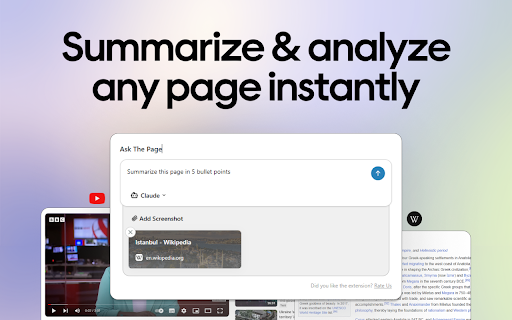
Ask The Page is a browser extension designed to streamline the interaction between web content and AI tools like ChatGPT, Claude, Google Gemini, and Mistral AI. It allows users to quickly summarize webpages, capture screenshots, and send content to AI chat applications with a single click, eliminating the need for manual copying and pasting.
How to use Ask The Page ai chrome extension?
Install the Ask The Page extension. Use the ALT + Q shortcut or click the extension icon to send content to your chosen AI tool. Summarize pages, capture screenshots, and send prompts with ease.
Ask The Page ai chrome extension's Core Features
Summarize webpages and YouTube videos with one click.
Capture and send screenshots to AI tools.
Seamless integration with multiple websites.
Free to use.
Keyboard shortcut (ALT + Q) for quick access.
Ask The Page ai chrome extension's Use Cases
#1
Summarizing lengthy content for quick understanding.
#2
Analyzing visual data by sending screenshots to AI tools.
#3
Processing and summarizing large datasets for research.
FAQ from Ask The Page
Is Ask The Page free to use?
Which AI chat applications are integrated with Ask The Page?
How do I send content to AI tools using Ask The Page?
Agentkit
AI agents trained on business content for support, lead capture, and automation
Try Now
AD
Tripo AI
AI-powered 3D model generator from images and text.
Try Now
AD
Analytic of Ask The Page AI Chrome Extension
Ask The Page Active Users
Total Installed User
207 (16)