Sponsored by
APIDot


Autolicious - Chrome Extension
0
0 Reviews
0 Saved
Introduction:
Chrome extension that automatically organizes bookmarks using ChatGPT.
Updated Time
--
Active Users
0

Demi AI
Proactive AI assistant for sales professionals to automate emails, scheduling, and deal prioritization.

Raccoon AI
The AI Coworker for Apps, Research, Docs & Everything Else. Raccoon AI is a collaborative AI agent and workspace for getting real work done. You describe what you need and build it together with an AI agent that has its own computer, terminal, browser, and internet. You see every thought, every file it creates, every decision it makes. You steer when it drifts. You ship when it's right. Deploy web apps. Run deep research. Analyze data. Create pitch decks, videos, images, documents and more.

Free
Chatbot App
Multi-Model AI Chat Platform that lets you switch between 30+ leading AI models instantly or run them side by side, including ChatGPT, Claude, Gemini, and more, all in one place.

Nextbrowser
Automate logins, scraping, outreach, and more — just by chatting with AI.

Runable
Runable is a general AI agent that can execute any task, from building web apps, slides, reports, and documents to generating images, videos, and podcasts, all in one place. It doesn’t just create it connects. Runable integrates with thousands of your favorite apps so you can simply ask it to do the work for you.

Autolicious AI Chrome Extension Information
What is Autolicious ai chrome extension?
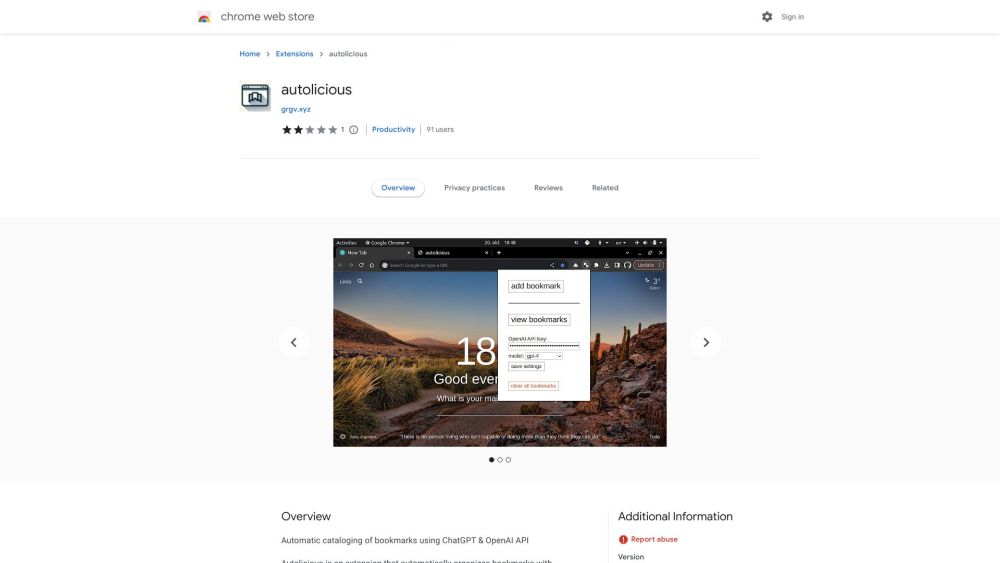
Autolicious is a Chrome extension that automatically organizes bookmarks using ChatGPT and the OpenAI API. It allows users to add bookmarks with a single click, automatically categorizing them, adding sub-categories, and providing descriptions. However, users are responsible for the costs associated with OpenAI API requests.
How to use Autolicious ai chrome extension?
To use Autolicious, install the extension from the Chrome Web Store. After installation, you need to obtain an OpenAI API key by registering on the OpenAI website and creating a key. Then, open the extension's popup window, enter the API key, and save the settings. Once configured, you can add bookmarks with one click, and the extension will automatically categorize and describe them.
Autolicious ai chrome extension's Core Features
Automatic bookmark categorization using ChatGPT
One-click bookmark saving
Automatic sub-category and description generation
Autolicious ai chrome extension's Use Cases
#1
Automatically organize and categorize newly added bookmarks.
FAQ from Autolicious
How much does it cost to use Autolicious?
Is my browsing data secure when using Autolicious?
How do I get an OpenAI API key?
PaioClaw
Managed, secure platform for deploying and automating OpenClaw AI assistants in 60 seconds.
Try Now
AD
Flowith 2.0
AI Creation Workspace for knowledge transformation and collaboration with AI models.
Try Now
AD
Analytic of Autolicious AI Chrome Extension
Autolicious Active Users
Total Installed User
0
Alternative of Autolicious AI Chrome Extension

Open site
684 users