Sponsored by
APIMart



Ollama - Chrome Extension
0
0 Reviews
0 Saved
Introduction:
Run open-source LLMs locally with ease.
Updated Time
Sep 12 2024
Active Users
45

APIMaster
GPT up to 95% off + $20 trial. Fingerprint-verified APIs. Low-cost and stable.

Agentkit
AI agents trained on business content for support, lead capture, and automation

iMean AI Trip Planner
AI trip planner that creates personalized itineraries, finds cheap flights and hotels, and helps you plan an entire trip in one chat.

Free
PoYo.AI
High concurrency. Stable AI API. Better pricing.

Anna For Creators
The best AI chat bot that chats and sells on OnlyFans 24/7 for models and agencies. 0% commission.

Ollama AI Chrome Extension Information
What is Ollama ai chrome extension?
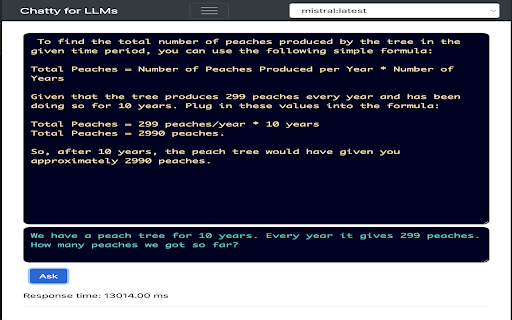
Ollama allows you to run open-source large language models (LLMs) locally. It bundles model weights, configuration, and dependencies into a single package, making it easy to get started. Ollama supports a wide range of models and provides a simple command-line interface for interacting with them. It's designed to be accessible to developers and researchers who want to experiment with LLMs without relying on cloud-based services.
How to use Ollama ai chrome extension?
First, download and install Ollama from the official website. Then, use the command line to download a model (e.g., `ollama pull llama2`). Finally, run the model using `ollama run llama2` and start chatting.
Ollama ai chrome extension's Core Features
Local LLM execution
Model bundling and management
Simple command-line interface
Support for various open-source models
Ollama ai chrome extension's Use Cases
#1
Chatting with LLMs locally
#2
Experimenting with different LLMs
#3
Developing applications that use LLMs without internet access
#4
Researching LLM behavior and capabilities
FAQ from Ollama
What models are supported by Ollama?
What are the system requirements for running Ollama?
Is Ollama free to use?
Triple Whale
Agent-powered intelligence platform for ecommerce brands to drive profitable growth.
Try Now
AD
Teammates.ai
AI-powered customer service, sales, and lead generation solutions.
Try Now
AD
Analytic of Ollama AI Chrome Extension
Ollama Active Users
Total Installed User
45 (5)
Alternative of Ollama AI Chrome Extension
Website
Freemium
AI ChatbotAI Customer ServiceAI SchedulingAI Sales AssistantAI Lead GenerationAI Email MarketingLarge Language Models (LLMs)AI APIAI For Data AnalyticsAI PDF
Open site
--
Mail (0.00%)
GenAi (0.00%)
Direct (0.00%)
Open site
190 users
