


Ethertext


What is Ethertext?
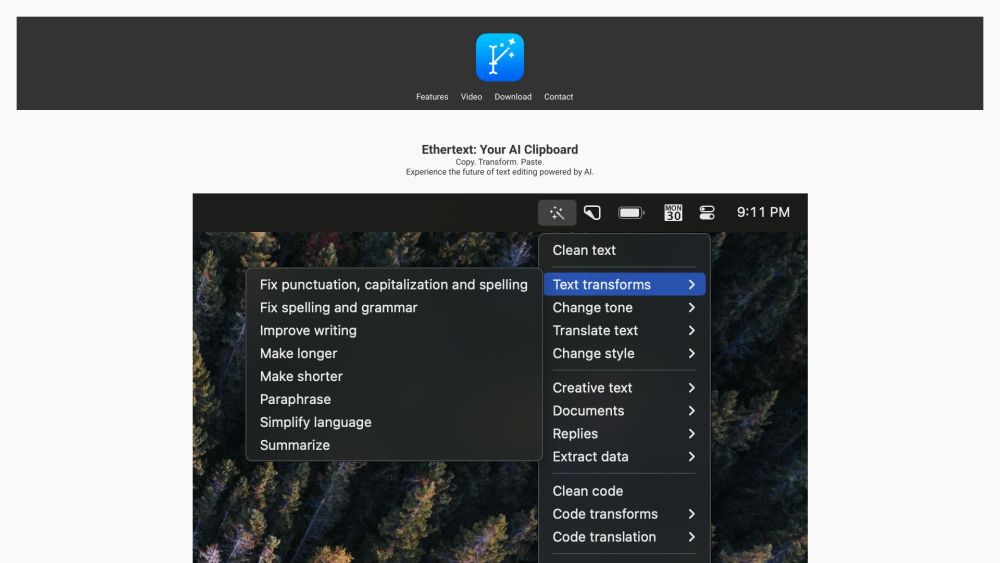
Ethertext is an AI clipboard that enhances productivity with AI-driven text editing. It allows users to copy, transform, and paste text using various AI-powered features. Ethertext supports integration with OpenAI, Google Gemini, Anthropic, and Ollama for local AI model support. It offers features like one-click text transformations, customizable tone and style, code debugging and translation, and text memorization and recall.
How to use Ethertext?
1. Copy text to your clipboard (⌘C). 2. Select a transformation option from the Ethertext dropdown. 3. Paste the transformed text (⌘V). Alternatively, use keyboard shortcuts like ⌘⇧T to clean text, ⌘⇧M to memorize text, ⌘⇧D to dictate and transcribe voice, ⌘⇧S to capture screen text, and ⌘⇧R to recall past text.
Ethertext's Core Features
AI-powered text transformation
Text memorization and recall
Code debugging and translation
Voice dictation and transcription
Screenshot text capture
Integration with OpenAI, Google Gemini, Anthropic, and Ollama
Ethertext's Use Cases
Transforming text to different tones and styles
Debugging and translating code snippets
Memorizing and recalling important text
Transcribing voice recordings
Capturing and extracting text from screenshots
FAQ from Ethertext
What AI models does Ethertext support?
What are some of the key features of Ethertext?
What are the system requirements for Ethertext?
How do I add my API keys for OpenAI, Google Gemini, or Anthropic?
How do I use Ollama with Ethertext?
Ethertext Support Email & Customer service contact & Refund contact etc.
Here is the Ethertext support email for customer service: [email protected] . More Contact, visit the contact us page(https://ethertext.app/#contact)
Ethertext Reviews (0)
Analytic of Ethertext
Ethertext Website Traffic Analysis
Ethertext Launch embeds
Use website badges to drive support from your community for your Toolify Launch. They're easy to embed on your homepage or footer.



Alternative of Ethertext

Social Listening