


FlashLean.ai





What is FlashLean.ai?
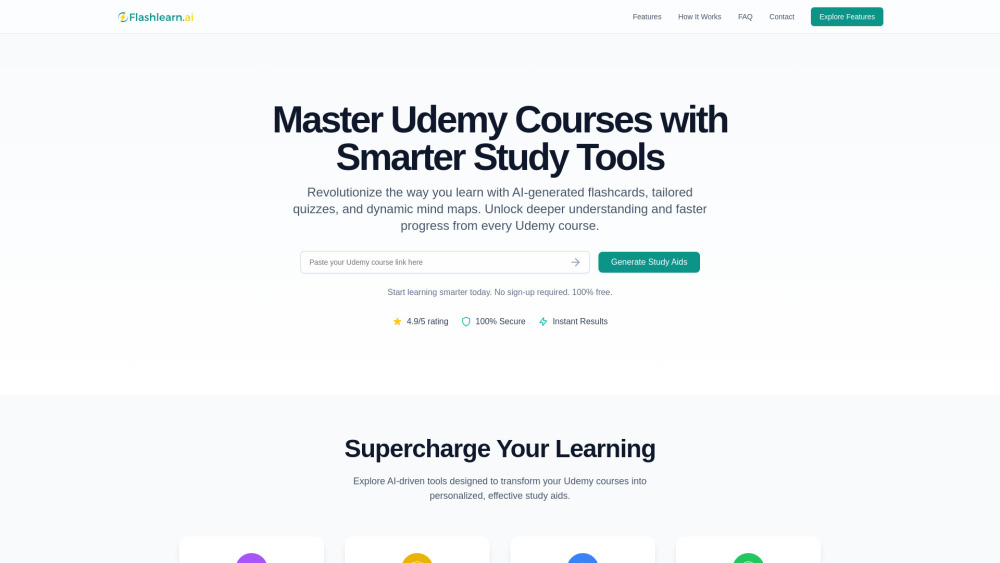
FlashLean.ai is an AI-powered study tool designed for Udemy users. It instantly transforms course content into smart flashcards, custom quizzes, and dynamic mind maps. The platform aims to help users study smarter, faster, and more effectively, and it is completely free to use. It helps unlock deeper understanding and faster progress from every Udemy course.
How to use FlashLean.ai?
To use FlashLean.ai, provide a Udemy course link. The AI analyzes the content and generates flashcards, personalized quizzes, and mind maps. Then, leverage these tools to master concepts, track progress, and achieve learning goals.
FlashLean.ai's Core Features
AI Quiz Generator
AI Flashcard Generator
Interactive Mind Maps
FlashLean.ai's Use Cases
Turn Udemy courses into flashcards, quizzes, and mind maps.
Boost understanding and memory with AI-driven study aids.
Avoid manual note-taking with AI-crafted study tools.
FAQ from FlashLean.ai
Is this tool free to use?
How long does it take to process a course?
Are my Udemy credentials safe?
Can I use this for any Udemy course?
How accurate are the generated quizzes and flashcards?
Can I customize the generated study materials?
FlashLean.ai Support Email & Customer service contact & Refund contact etc.
More Contact, visit the contact us page(https://flashlearn.ai/?utm_source=toolify#contact)
FlashLean.ai Company
FlashLean.ai Company name: FLashLean.ai .
FlashLean.ai Facebook
FlashLean.ai Facebook Link: https://www.facebook.com/profile.php?id=61569051374232
FlashLean.ai Youtube
FlashLean.ai Youtube Link: https://www.youtube.com/@Flashlearn.ai_official
FlashLean.ai Tiktok
FlashLean.ai Tiktok Link: https://www.tiktok.com/@flashlearn.ai
FlashLean.ai Instagram
FlashLean.ai Instagram Link: https://www.instagram.com/flashlearn.ai_official/
FlashLean.ai Reviews (0)
Analytic of FlashLean.ai
FlashLean.ai Website Traffic Analysis
FlashLean.ai Launch embeds
Use website badges to drive support from your community for your Toolify Launch. They're easy to embed on your homepage or footer.



Alternative of FlashLean.ai


 68.62%
Social Listening