


Lexi: write well by talking
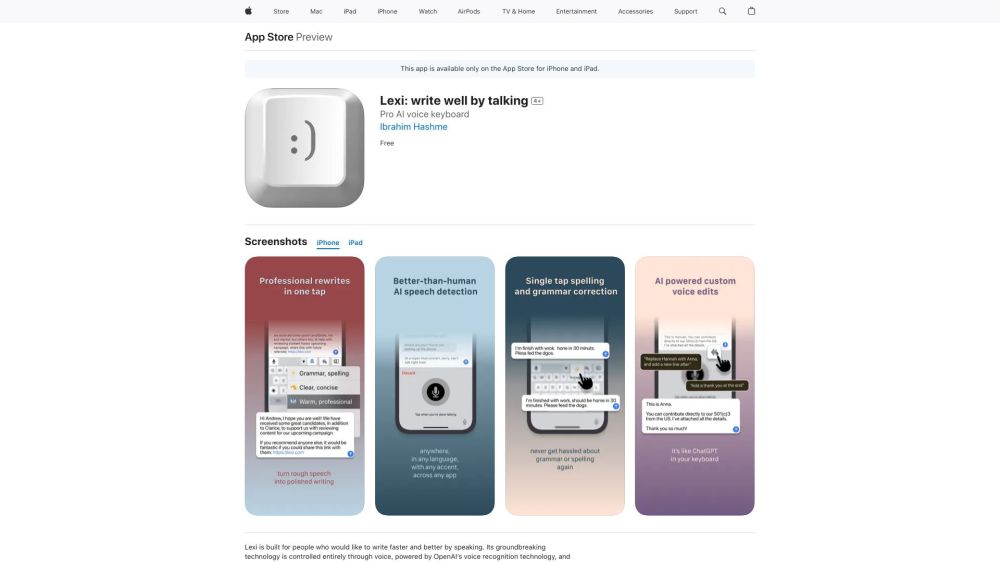


What is Lexi: write well by talking?
Lexi is a keyboard that allows you to use AI and voice commands in any app to craft your text. It uses Whisper for dictation and GPT-4 to edit. Features include multi-lingual dictation, one-tap rewrites, custom voice GPT edits, and a sandbox for iteration. It's designed for people who want to write faster and better by speaking, leveraging OpenAI's voice recognition technology and ChatGPT as its intelligence engine.
How to use Lexi: write well by talking?
Download Lexi from the App Store. Once installed, enable the Lexi keyboard in your device settings. Use the microphone icon to dictate text in almost any app. Use voice commands to edit, rewrite, or adjust the tone of your text. Utilize the Longform mode for complex messages and iterate within the app.
Lexi: write well by talking's Core Features
Multi-lingual dictation
Voice-powered edits
One-tap proofreading
Adjustable tones
Longform mode
Works in almost any app
Lexi: write well by talking's Use Cases
Dictate emails, messages, and notes hands-free.
Edit and refine text using voice commands.
Adjust the tone of your writing for different situations.
Proofread and correct grammar with a single tap.
Iterate on complex messages in Longform mode.
FAQ from Lexi: write well by talking
What is Lexi?
What technologies does Lexi use?
Does Lexi support multiple languages?
Is Lexi free?
Lexi: write well by talking Reviews (0)
Lexi: write well by talking Launch embeds
Use website badges to drive support from your community for your Toolify Launch. They're easy to embed on your homepage or footer.



