Sponsored by
iMean AI Trip Planner



Map My Blog - Chrome Extension
5
4 Reviews
0 Saved
Introduction:
Transforms blog posts into interactive maps to engage readers and boost conversions.
Updated Time
Apr 24 2026
Active Users
357
Browser Extension
Freemium
AI Map GeneratorNo-Code&Low-CodeAI For Data AnalyticsAI Productivity ToolsAI Digital MarketingAI Advertising 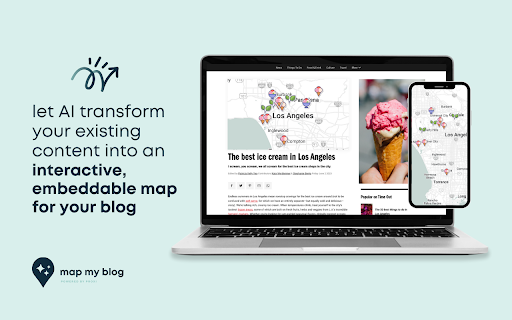

PoYo.AI
High concurrency. Stable AI API. Better pricing.

iMean AI Trip Planner
AI trip planner that creates personalized itineraries, finds cheap flights and hotels, and helps you plan an entire trip in one chat.

Free
APIMart
AI API, 99.9% SLA. Your AI, Always On.

YouArt
Agentic Creative OS

Agentkit
AI agents trained on business content for support, lead capture, and automation

Map My Blog AI Chrome Extension Information
What is Map My Blog ai chrome extension?
Map My Blog transforms blog posts into interactive maps using AI. It extracts key points and details from a list of places in a blog post and converts them into a Proxi map. This map can be embedded on the blog to engage readers, increase page views, and boost conversions. It leverages proximity to enhance advertising efforts and act as a conversion tool by helping viewers discover convenient places that cater to their needs.
How to use Map My Blog ai chrome extension?
1. Scan your blog and select points with Map My Blog. 2. Refine your map and add your brand’s personal touch within Proxi’s no-code tool. 3. Easily embed your map on your blog page and share your map link anywhere!
Map My Blog ai chrome extension's Core Features
AI-powered blog post scanning and key point extraction
Automatic conversion of lists into interactive Proxi maps
Customizable map design to match brand identity
Embeddable maps for increased reader engagement
Proximity-based advertising enhancement
Audience insights and engagement tracking
Map My Blog ai chrome extension's Use Cases
#1
Transforming a travel blog post listing destinations into an interactive map for readers to explore.
#2
Creating a map of local businesses mentioned in a blog post to drive conversions.
#3
Enhancing a real estate blog with a map showcasing property locations and nearby amenities.
FAQ from Map My Blog
How does Map My Blog create interactive maps?
Can I customize the appearance of the map?
Where can I embed the map?
PostMcpAi
AI-powered social media publishing across seven networks
Try Now
AD
Tripo AI
AI-powered 3D model generator from images and text.
Try Now
AD
Analytic of Map My Blog AI Chrome Extension
Map My Blog Active Users
Total Installed User
357 (1)
