


Native AI






What is Native AI?
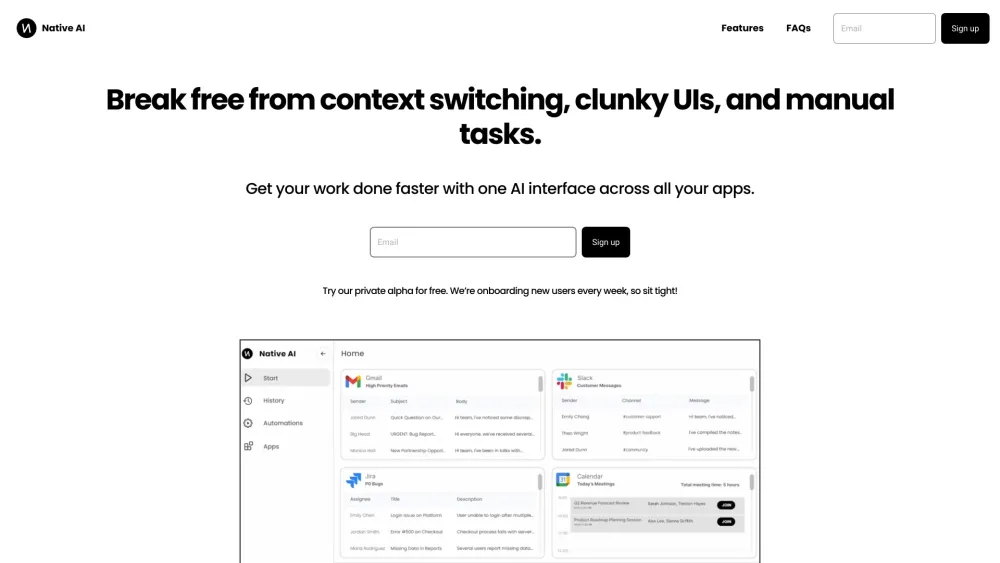
Native AI is a companion that works across apps like Gmail, Slack, and Jira, allowing users to operate these apps from a single interface without context switching. It aims to streamline workflows with a simple UI, replacing clunky interfaces and enabling effortless automations to get work done faster. It provides one AI interface to interact with all your apps.
How to use Native AI?
Use Native AI to interact with your apps through a single interface. Type, speak, or click to interact with AI. Use commands or autocomplete options to speed up your interactions. Right click to get suggestions from AI based on context. Ask AI to file jira tickets or add an invoice from email to Quickbooks.
Native AI's Core Features
Unified AI interface for multiple apps
Context switching elimination
Effortless automations
Simple UI
Native AI's Use Cases
Managing communications across Slack, Gmail, and other platforms in one place
Automating tasks like filing Jira tickets or sharing messages on Slack
Interacting with apps using natural language commands
FAQ from Native AI
What makes Native AI different?
Is Native AI free?
How do you ensure security and privacy?
Native AI Company
Native AI Company name: GetAI Inc. .
Native AI Reviews (0)
Analytic of Native AI
Native AI Website Traffic Analysis
Native AI Launch embeds
Use website badges to drive support from your community for your Toolify Launch. They're easy to embed on your homepage or footer.



Alternative of Native AI

 61.46%
Social Listening