


patronsAI




What is patronsAI?
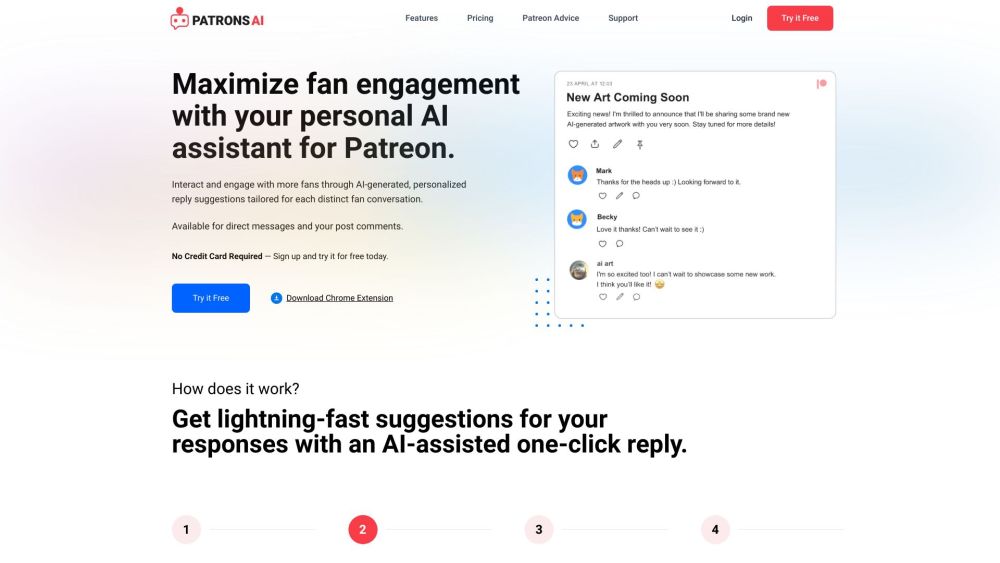
patronsAI is an AI assistant designed to help Patreon creators engage with their fans more efficiently. It offers personalized reply suggestions tailored to each fan interaction, saving time and increasing engagement. The tool is available as a Chrome extension and works within Patreon's direct messages and post comments sections.
How to use patronsAI?
1. Install the patronsAI Chrome extension. 2. Navigate to your Patreon DMs or content comments section. 3. Click the 'AI Suggest Reply' button. 4. Review and personalize the AI-generated reply suggestion before sending.
patronsAI's Core Features
AI-powered personalized reply suggestions
Chrome extension integration for easy access
Privacy-focused design
Customizable responses with emojis and tone adjustments
patronsAI's Use Cases
Responding to patron direct messages with tailored suggestions
Engaging with comments on Patreon posts using AI-generated replies
Saving time on fan interaction while maintaining a personal touch
Increasing revenue through boosted engagement
FAQ from patronsAI
How does patronsAI generate such great responses?
Can I personalize my responses?
What are credits?
What are bonus credits?
patronsAI Support Email & Customer service contact & Refund contact etc.
More Contact, visit the contact us page(https://patronsai.com/contact)
patronsAI Company
patronsAI Company name: AI Digital, LLC .
patronsAI Login
patronsAI Login Link: https://patronsai.com/login
patronsAI Sign up
patronsAI Sign up Link: https://patronsai.com/signup
patronsAI Pricing
patronsAI Pricing Link: https://patronsai.com/coming-soon
patronsAI Reviews (0)
Analytic of patronsAI
patronsAI Website Traffic Analysis
patronsAI Launch embeds
Use website badges to drive support from your community for your Toolify Launch. They're easy to embed on your homepage or footer.



Alternative of patronsAI


 35.30%
Social Listening