


Pixno
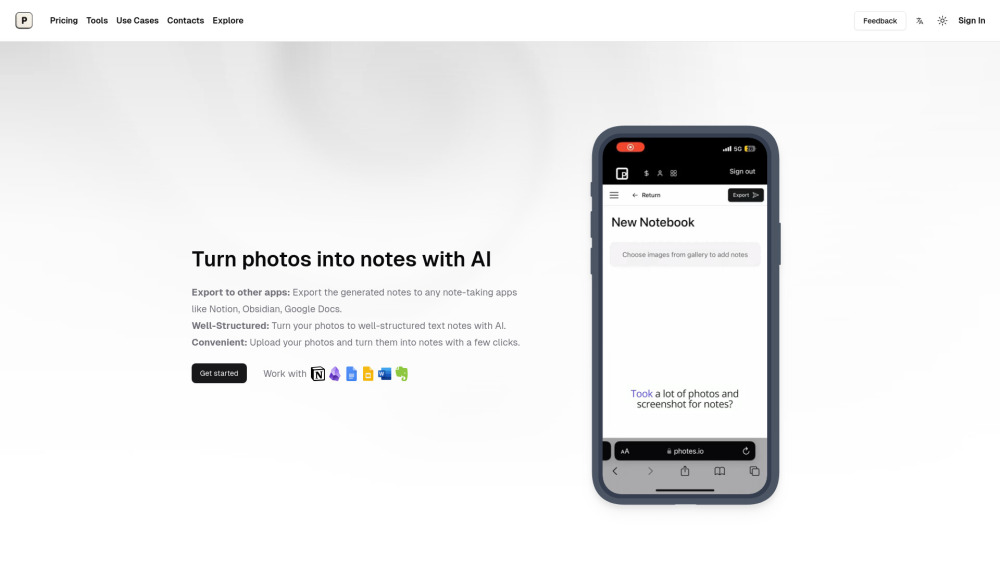


What is Pixno?
Pixno is an AI note-taking assistant that turns photos, PDFs, audio, and videos into text notes. It uses AI, including GPT-4 Vision and GPT-4o, to understand the context and content of images and generate well-structured notes. Pixno helps users focus and be more productive by providing features like AI-enhanced clarity, deeper understanding of charts and graphs, and seamless integration with popular note apps.
How to use Pixno?
Snap a photo, upload a PDF, audio, or video file to Pixno. The AI will automatically create an organized text note in seconds. You can then export the notes to your favorite apps like Notion, Google Docs, or Microsoft Word.
Pixno's Core Features
AI-powered note generation from images, documents, and audio
Integration with popular note-taking apps
Seamless multi-device sync
AI-powered text extraction and contextual understanding
External readings and summaries to enhance notes
Pixno's Use Cases
Turning lecture recordings into concise notes
Converting textbooks into study notes
Transforming slides into comprehensive text notes
Extracting knowledge from images of meetups and classes
FAQ from Pixno
What are the advantages of Pixno?
Does my notes sync automatically between my phone and laptop?
Can I turn my photos into text notes for free?
How to export my notes to Obsidian?
What is the relation between Pixno and Photes.io?
Pixno Support Email & Customer service contact & Refund contact etc.
More Contact, visit the contact us page()
Pixno Company
Pixno Company name: .
Pixno Company address: .
More about Pixno, Please visit the about us page().
Pixno Login
Pixno Sign up
Pixno Pricing
Pixno Pricing Link: https://photes.io/pricing
Pixno Reviews (0)
Pixno Pricing
Pixno Basic
$3/month
Generate notes from photos and pdfs, 1500 credits every month, Access to all reasoning models like deepseek-R1, 1GB Cloud Storage Space, 10MB Image Size Limit, 1200 min Audio to notes + transcription, 4x Simultaneous Processing, Export notes to Notion, Google Docs, etc.
Pixno Pro
$6/month
Generate notes from photos and pdfs, 3500 credits every month, Access to all reasoning models like deepseek-R1, 5GB Cloud Storage Space, 30MB Image Size Limit, 3600 min Audio to notes + transcription, 10x Simultaneous Processing, Export notes to Notion, Google Docs, etc.
Hobby
Free
Generate notes from photos, 30 credits per month (about 3 images), Generate notes with 4o model, 1x Simultaneous Processing
Lifetime Membership
$99
Lifetime access with same feature as Pixno Pro.
For the latest pricing, please visit this link: https://photes.io/pricing
Analytic of Pixno
Pixno Website Traffic Analysis
Geography
Top 5 Regions


Pixno Launch embeds
Use website badges to drive support from your community for your Toolify Launch. They're easy to embed on your homepage or footer.



Alternative of Pixno
 49.81%
Social Listening