Sponsored by
APIMart



QuickVision - Chrome Extension
5
2 Reviews
0 Saved
Introduction:
Chrome extension for easy screenshot sharing and custom prompts in ChatGPT.
Updated Time
Dec 09 2023
Active Users
157

iDox.ai Guardrail
Real-time AI guardrails that prevent sensitive data exposure in AI tools, copilots, and autonomous AI agents.

Maxworker.ai
Max is an AI coworker for your team inside Slack. He connects to 25+ essential work tools today, with 3,000+ tools coming soon, and turns your team’s context into ready-to-review work. Fixed price, no surprise.

Nextbrowser
Automate logins, scraping, outreach, and more — just by chatting with AI.

Qoder
Agentic coding platform for real software development with AI agents.

Free
Chatbot App
Multi-Model AI Chat Platform that lets you switch between 30+ leading AI models instantly or run them side by side, including ChatGPT, Claude, Gemini, and more, all in one place.

QuickVision AI Chrome Extension Information
What is QuickVision ai chrome extension?
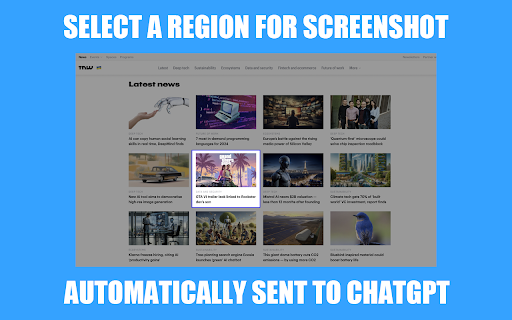
QuickVision is a Chrome extension designed for ChatGPT Plus users that simplifies sharing screenshots to ChatGPT and allows setting custom prompts for smarter GPT-4 chats. It streamlines the workflow by enabling users to quickly capture and send screenshots directly to ChatGPT, enhancing visual discussions. Additionally, it allows users to set and save custom prompts, eliminating the need to repeat them and making ChatGPT sessions more convenient and tailored.
How to use QuickVision ai chrome extension?
Install the QuickVision Chrome extension. Once installed, it seamlessly integrates into the ChatGPT interface with GPT-4. Use the extension to select, capture, and automatically send screenshots to ChatGPT. Set and save custom prompts for personalized AI chats.
QuickVision ai chrome extension's Core Features
Fast Screenshot Sharing
Practical Custom Prompts
Automatic ChatGPT Integration
No Extra Tokens Needed
QuickVision ai chrome extension's Use Cases
#1
Quickly share screenshots with ChatGPT for visual discussions.
#2
Personalize AI chats with custom prompts.
#3
Streamline workflow by eliminating the need to repeat prompts.
FAQ from QuickVision
What is QuickVision?
Do I need a ChatGPT Plus account to use QuickVision?
Does QuickVision cost extra tokens?
CrePal
All-in-one AI video agent that helps you create viral AI videos
Try Now
AD
APIMart
AI API, 99.9% SLA. Your AI, Always On.
Try Now
AD
Analytic of QuickVision AI Chrome Extension
QuickVision Active Users
Total Installed User
157 (-8)
Alternative of QuickVision AI Chrome Extension
Website
AI CopilotAI ChatbotAI QR Code GeneratorAI SchedulingAI Customer ServiceAI AssistantAI For Data AnalyticsAI Productivity ToolsLarge Language Models (LLMs)
Open site
--
Mail (0.00%)
GenAi (0.00%)
Direct (0.00%)