



StreamAlive - Chrome Extension





What is StreamAlive ai chrome extension?
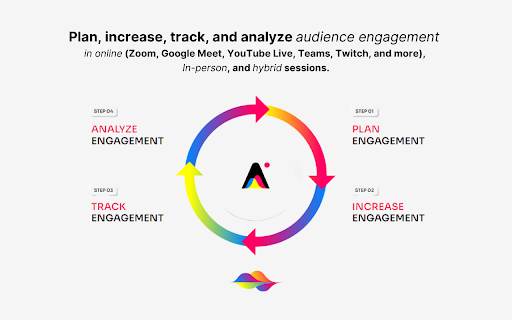
StreamAlive is a platform designed to boost audience engagement during live sessions by visualizing chat messages in real-time. It offers interactive features like polls, word clouds, Q&As, spinner wheels, and interactive maps, all integrated directly into the native chat of platforms like Vimeo, Google Meet, Microsoft Teams, Cisco Webex, and YouTube Live. StreamAlive reads the chat as it happens, updating interactive elements and curating questions and links for later use.
How to use StreamAlive ai chrome extension?
To use StreamAlive, simply ask your audience questions and have them respond in the native chat of your chosen platform. StreamAlive automatically reads the chat, updating polls, word clouds, and other interactive elements in real-time. For platforms not directly supported by the Chrome Extension, access the browser app at app.streamalive.com.
StreamAlive ai chrome extension's Core Features
Real-time polls with chat integration
AI-powered Q&A curation
Word clouds, bubbles, and tiles visualization
Interactive spinner wheels
Real-time interactive maps
Engagement analytics
AI-assisted question generation
StreamAlive ai chrome extension's Use Cases
Running interactive polls during webinars
Curating audience questions for a Q&A session
Visualizing audience feedback as a word cloud
Selecting a speaker using a spinner wheel
Mapping audience locations in real-time
FAQ from StreamAlive
Which platforms does StreamAlive support?
How does StreamAlive handle inappropriate content?
Can StreamAlive help me come up with questions to ask my audience?
Analytic of StreamAlive AI Chrome Extension
StreamAlive Active Users
Total Installed User
Alternative of StreamAlive AI Chrome Extension