


SuperKeen AI
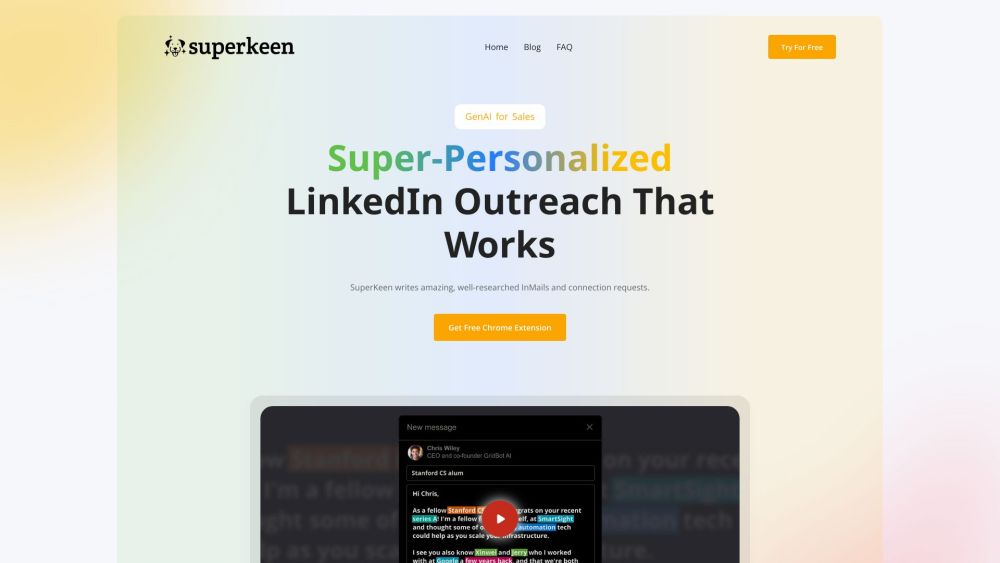


What is SuperKeen AI?
SuperKeen is a Chrome plugin that uses AI to personalize LinkedIn messages. It finds similarities between you and the person you're messaging - companies, schools, majors, and connections - and drafts InMails that convert. It helps with sales outreach, hiring, job seeking, and getting feedback.
How to use SuperKeen AI?
Install the SuperKeen Chrome extension. The AI will then analyze LinkedIn profiles and suggest personalized messages based on shared connections, education, employers, and experiences. Choose from various templates for sales, recruiting, job seeking, or feedback.
SuperKeen AI's Core Features
AI-powered personalized LinkedIn message drafting
Mutual connection highlighting
Shared experience identification
Turnkey templates for various outreach purposes
SuperKeen AI's Use Cases
Sales outreach to potential clients
Recruiting prospective job candidates
Job seeking by connecting with hiring managers
Getting feedback from relevant professionals
Establishing initial connections based on commonalities
FAQ from SuperKeen AI
What does SuperKeen AI do?
What kind of templates does SuperKeen offer?
How does SuperKeen improve response rates?
SuperKeen AI Support Email & Customer service contact & Refund contact etc.
More Contact, visit the contact us page(https://superkeen.ai/contact/)
SuperKeen AI Reviews (0)
Analytic of SuperKeen AI
SuperKeen AI Website Traffic Analysis
SuperKeen AI Launch embeds
Use website badges to drive support from your community for your Toolify Launch. They're easy to embed on your homepage or footer.



Alternative of SuperKeen AI


Social Listening