






















AI Thumbnail Generation: A Step-by-Step Tutorial

Updated on May 08,2025

Creating eye-catching thumbnails is crucial for attracting viewers to your content. Traditional thumbnail creation can be time-consuming, often taking hours to perfect. However, with the advent of artificial intelligence, you can now generate compelling thumbnails in a fraction of the time, significantly boosting your video's click-through rate. This tutorial provides a comprehensive guide to using AI tools for quick and efficient thumbnail creation, making your content stand out in a crowded digital landscape.

Key Points

Discover how AI can drastically reduce thumbnail creation time.

Learn to use AI tools for generating unique and engaging thumbnails.

Explore the best practices for AI-assisted thumbnail design.

Step-by-step instructions to create thumbnails using AI.

Tips for optimizing AI-generated thumbnails for better performance.

Understand the integration of AI tools into your existing workflow.

Introduction to AI Thumbnail Generation

The Importance of Effective Thumbnails

Thumbnails are your first impression. A well-designed thumbnail can be the difference between a viewer scrolling past your video and clicking to watch it. Effective thumbnails are visually appealing, clearly communicate the video's content, and pique the viewer's Curiosity. They need to stand out on various devices, from smartphones to large desktop screens. Investing time in creating high-quality thumbnails is an investment in your content's success. High-quality, engaging thumbnails contribute to a higher click-through rate (CTR), which directly impacts viewership and channel growth. A visually appealing thumbnail is more likely to grab attention in a sea of content, prompting potential viewers to click and explore your video. Furthermore, consistent branding across your thumbnails creates a recognizable visual identity for your Channel, fostering viewer loyalty and recognition.

Traditional Thumbnail Creation vs. AI-Powered Generation

Traditional thumbnail creation often involves using graphic design software like Adobe Photoshop or GIMP, requiring skills in image editing, typography, and visual composition. This process can be lengthy, involving multiple iterations and revisions to achieve the desired result. AI-powered thumbnail generation automates much of this process, allowing you to create thumbnails quickly and easily. AI Tools use advanced algorithms to analyze your video's content and generate thumbnails that are visually appealing and Relevant to the video's theme. This not only saves time but also opens up thumbnail creation to those without extensive Graphic Design skills. Traditional methods rely heavily on manual effort and creative skill. Designers spend hours tweaking images, experimenting with layouts, and ensuring the final product aligns with the video’s content. AI, on the other HAND, provides a rapid prototyping environment. It can generate multiple thumbnail variations in minutes, allowing creators to A/B test and optimize their thumbnails based on data-driven insights. This approach is particularly beneficial for channels that need to produce a high volume of content regularly. AI helps maintain consistency in visual appeal and branding without sacrificing efficiency.

Benefits of Using AI for Thumbnail Creation

Using AI for thumbnail creation offers numerous benefits:

  • Time Savings: Generate thumbnails in minutes instead of hours.
  • Cost-Effectiveness: Reduce the need for expensive graphic design services.
  • Accessibility: Enables anyone to create high-quality thumbnails, regardless of their design skills.
  • Consistency: Maintain a consistent visual style across your thumbnails.
  • Optimization: AI algorithms can help you create thumbnails that are optimized for click-through rates.
  • Scalability: Easily create thumbnails for a large volume of videos. AI tools not only accelerate the creation process but also provide data-driven insights. These tools analyze viewer behavior and feedback to optimize thumbnails for maximum engagement. The result is a more effective thumbnail that attracts more clicks and drives more views, boosting channel growth and overall content performance. By integrating AI into the thumbnail creation workflow, content creators can focus on producing high-quality videos, knowing that their thumbnails will be equally compelling and effective.

Step-by-Step Tutorial: Generating Thumbnails with AI

Step 1: Downloading a Thumbnail

First, you will need a reference thumbnail.
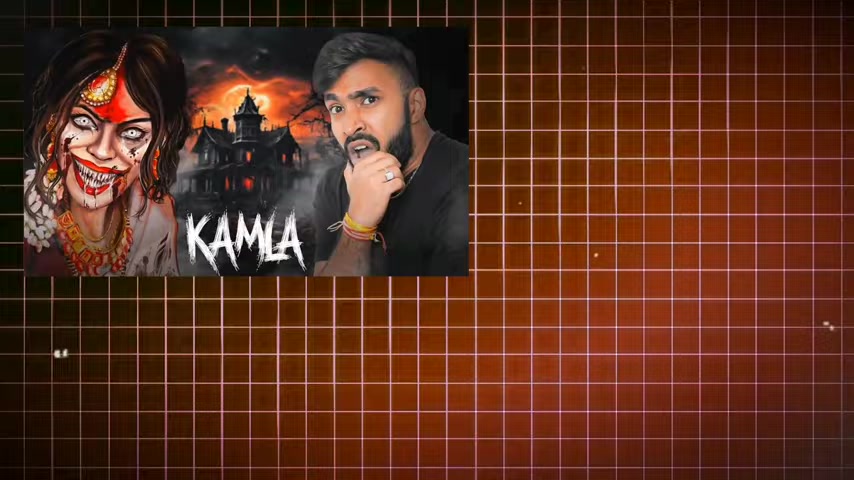
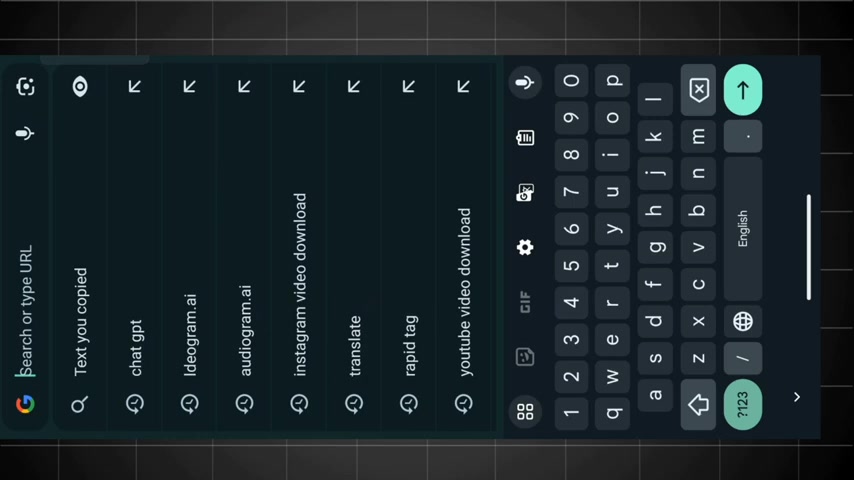
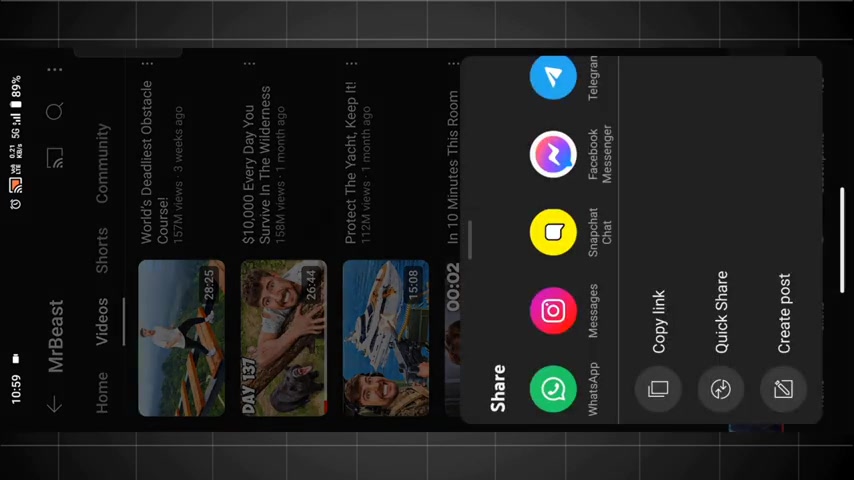
To download a thumbnail from YouTube, copy the video link. Then go to a YouTube thumbnail downloader website. A quick Google search will give you a list of options. I recommend using "youtube thumbnail download" as your search keyword.

1. Copy the Video Link: Navigate to the YouTube video whose thumbnail you want to download and copy the URL from the address bar.

2. Use a YouTube Thumbnail Downloader Website: Search for "youtube thumbnail download" on Google or your preferred Search Engine. Choose a reputable website from the search results.

3. Paste the Link: Paste the copied YouTube video link into the provided field on the thumbnail downloader website.

4. Download the Thumbnail: Select the desired resolution and click the download button. Save the thumbnail to your device. This process allows you to acquire existing thumbnails for analysis and inspiration, which is a critical step in understanding what design elements resonate with audiences. Once you've downloaded the thumbnail, you can use it as a basis for creating your own AI-generated versions, incorporating elements that you find particularly effective.

Step 2: Using ChatGPT to Create a Prompt

1. Access ChatGPT: Open the ChatGPT application or website. Ensure you are logged in.

2. Upload the Thumbnail:
In ChatGPT, use the image upload feature to upload the thumbnail you downloaded in Step 1.

3. Request a Prompt: Type the following prompt: “Give me a prompt for this image.” This instructs ChatGPT to analyze the image and generate a detailed text Prompt that describes its key features and elements.

4. Copy the Generated Prompt: Once ChatGPT generates the prompt, carefully review it and copy the text for use in the next step. The quality of the prompt is critical to achieving the best results with AI image generation, so ensure it accurately captures the essence of the thumbnail. By using ChatGPT, you are leveraging AI to understand the visual composition and thematic elements of the reference thumbnail, ensuring that the AI-generated variations retain the essential qualities that make the thumbnail engaging.

Step 3: Generating the Thumbnail with Ideogram.ai

1. Access Ideogram.ai: Open your web browser and navigate to the Ideogram.AI Website.

2. Sign Up or Log In: If you’re a new user, sign up for an account. Existing users can log in with their credentials.

3. Paste the ChatGPT Prompt:
In the Ideogram.ai interface, locate the prompt input field and paste the prompt you copied from ChatGPT.

4. Configure Settings: Adjust settings such as the image ratio (e.g., 16:9 for YouTube thumbnails) and visibility (set to public for general use).

5. Generate the Thumbnail: Click the “Generate” button. Ideogram.ai will use the prompt to create multiple thumbnail options.

6. Review and Download: Once the thumbnails are generated, browse through the options and select the one that best matches your vision. Download the selected thumbnail to your device. If you're not satisfied, you can re-run the prompt or tweak it for different results. Using Ideogram.ai enables you to quickly translate textual descriptions into visually compelling thumbnails, automating the design process and offering a range of creative options. This tool is designed to make AI-driven thumbnail creation accessible to everyone, regardless of their design expertise.

Pricing

Ideogram.ai Pricing Plans

Ideogram.ai offers a range of pricing plans to suit different needs:

  • Free Plan: This plan provides a limited number of generations per month, suitable for casual users or those just starting to explore AI thumbnail creation.
  • Paid Plans: Paid plans offer higher generation limits, faster processing times, and additional features. These plans are designed for professional content creators and businesses that require a high volume of thumbnails. For detailed pricing information, visit the Ideogram.ai website.

Advantages and Disadvantages of AI Thumbnail Generation

👍 Pros

Significant time savings in thumbnail creation

Reduced costs compared to hiring professional designers

Increased accessibility for users without graphic design skills

Consistent visual style across all thumbnails

Data-driven optimization for improved click-through rates

Ability to generate a high volume of thumbnails quickly

👎 Cons

Potential for generic or unoriginal designs

Dependence on the quality of the AI algorithm

Limited creative control compared to manual design methods

Possible ethical concerns regarding AI-generated content

Need for refinement and customization to avoid a cookie-cutter look

Requires careful prompt engineering to get desired outcomes

Core Features of Ideogram.ai

Key Features for AI-Powered Thumbnail Creation

Ideogram.ai is packed with features designed to make thumbnail creation efficient and effective:

  • AI-Powered Image Generation: Generate thumbnails based on text prompts using advanced AI algorithms.
  • Customizable Settings: Adjust various settings such as image ratio, visibility, and generation parameters to fine-tune your results.
  • Multiple Thumbnail Options: Create multiple thumbnail variations from a single prompt, allowing you to choose the best option.
  • User-Friendly Interface: The intuitive interface makes it easy for anyone to create high-quality thumbnails, regardless of their design skills.
  • Fast Processing Times: Generate thumbnails quickly, saving you valuable time.
  • High-Quality Output: Produce visually appealing thumbnails that are optimized for click-through rates.

Use Cases for AI Thumbnail Generation

Applications of AI in Thumbnail Design

AI thumbnail generation can be applied across various use cases:

  • YouTube Content Creators: Generate eye-catching thumbnails for videos to increase click-through rates and viewership.
  • Social Media Marketers: Create visually appealing thumbnails for social media posts to drive engagement.
  • Bloggers: Design engaging featured images for blog posts to attract readers.
  • E-commerce Businesses: Produce high-quality product images for online stores to boost sales.
  • Educational Institutions: Create visually appealing thumbnails for online courses and educational content to attract students.

Frequently Asked Questions (FAQ)

Is Ideogram.ai easy to use for beginners?
Yes, Ideogram.ai is designed with a user-friendly interface that makes it easy for beginners to create high-quality thumbnails, regardless of their design skills.
Can I customize the AI-generated thumbnails?
Yes, Ideogram.ai allows you to customize various settings such as image ratio, visibility, and generation parameters to fine-tune your results.
What is ChatGPT?
ChatGPT is an advanced AI language model developed by OpenAI, designed to engage in conversations, answer questions, and generate human-like text based on prompts and inputs. It leverages deep learning techniques to understand and respond to a wide range of topics, making it a versatile tool for content creation, customer service, and more. In the context of thumbnail creation, ChatGPT is used to create detailed text prompts that guide AI image generation tools.
What is Ideogram.ai?
Ideogram.ai is an AI-powered platform specializing in image generation, particularly for creating visually appealing thumbnails and graphics. It uses advanced algorithms to translate text prompts into high-quality images, offering customizable settings and various output options. This tool is designed to make AI-driven thumbnail creation accessible to users of all skill levels, saving time and resources while ensuring effective visual content.

Related Questions

How can AI enhance video content creation?
AI can enhance video content creation in several ways. It can automate tasks such as video editing, transcription, and thumbnail generation, saving creators time and effort. AI can also provide insights into audience preferences, helping creators optimize their content for better engagement. Furthermore, AI can be used to generate scripts, add visual effects, and even create entire videos from scratch. By integrating AI into the video creation process, creators can improve efficiency, enhance content quality, and stay ahead of the competition. AI enables rapid prototyping, allowing creators to A/B test different concepts and optimize their videos based on data-driven insights. AI automates many repetitive tasks, like video editing and transcription, so content creators can focus on the more creative aspects of production. AI algorithms analyze audience engagement metrics to give precise feedback on which content types and styles are most effective, thus optimizing videos for better performance. AI drives scalability and cost-effectiveness, and allows the creation of high-quality video content at scale, without significant increases in manual labor or production costs.
What are the best practices for designing effective thumbnails?
Designing effective thumbnails involves several key practices. Use high-resolution images, incorporate clear and concise text, and create a visually appealing design that captures the essence of the video. Consider using contrasting colors and bold fonts to make your thumbnail stand out. A/B test different thumbnail designs to see which performs best. Also, consider your branding. Use consistent visual elements (like your logo or color scheme) to build brand recognition with your audience. Mobile optimization is crucial. Make sure your thumbnails look great on small screens, as a significant portion of viewers will be using mobile devices. Keep it simple, aim for clarity. Cluttered thumbnails overwhelm viewers and reduce the likelihood of a click. Ensure key visual and textual elements are easy to understand at a glance.

Most people like













