































Table of Contents
- Key Points
- Unveiling DeepSeek Engineer: The Next-Gen Coding Assistant
- DeepSeek Engineer and Zapier: Automating Your AI Workflows
- Getting Started with DeepSeek Engineer
- DeepSeek R1 API: Pricing and Access
- Pros and Cons of DeepSeek Engineer
- DeepSeek R1: Core Features and Performance Highlights
- DeepSeek Engineer: Use Cases and Applications
- Frequently Asked Questions (FAQ)
- Related Questions


Unveiling DeepSeek Engineer: The Next-Gen Coding Assistant
What is DeepSeek Engineer?
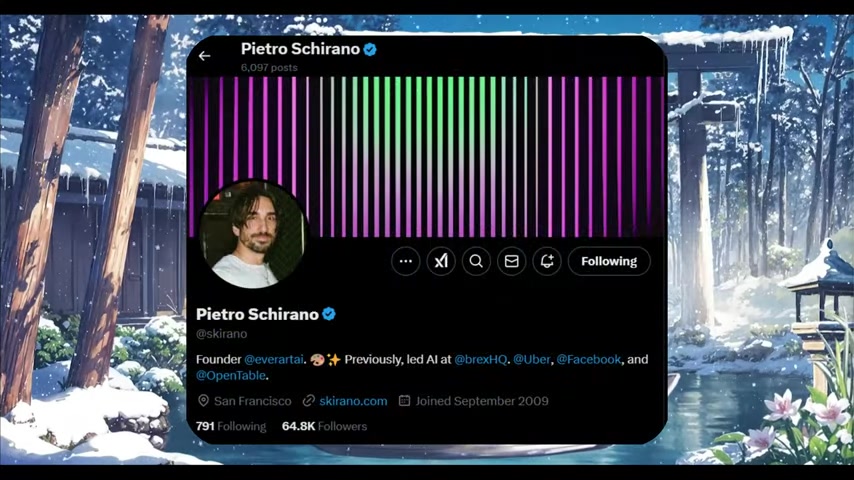
DeepSeek Engineer is a cutting-edge AI coding assistant developed by Pietro Schirano. Building upon the foundation laid by Claude Engineer, this new framework harnesses the power of the DeepSeek R1 model to provide developers with an intelligent and efficient coding experience.

It represents a significant leap forward in AI-assisted software development, offering features that go beyond simple code completion and into the realm of automated reasoning and problem-solving.
At its core, DeepSeek Engineer is designed to understand and respond to natural language prompts, allowing developers to express their intentions in a clear and intuitive way. The framework then uses its AI engine to Translate these prompts into actionable code, saving developers countless hours of manual coding and debugging. By integrating with popular tools and platforms, DeepSeek Engineer seamlessly fits into existing development workflows, further enhancing its usability and impact.
The DeepSeek R1 model that powers DeepSeek Engineer is a groundbreaking open-source large language model (LLM) that rivals proprietary giants like OpenAI's O1, GPT-4 Omni, and Anthropic's Claude 3.5 Sonnet. This makes DeepSeek Engineer an attractive alternative for developers seeking cost-effective and transparent AI solutions for their coding needs. Its reasoning capabilities empower it to engage in complex conversations with users, process unstructured data, and generate high-quality code that meets specific requirements.
Core Functionalities: Empowering Developers at Every Stage
DeepSeek Engineer distinguishes itself through a range of powerful functionalities designed to assist developers throughout the entire software development lifecycle:
- Reading Local File Content:
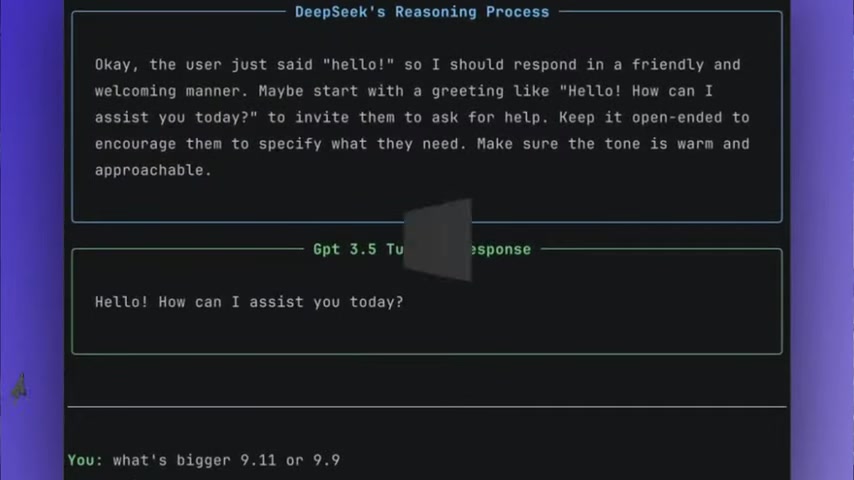
DeepSeek Engineer can access and understand the contents of local files, providing developers with valuable context and insights for code generation and modification.
- Creating New Files: Developers can instruct DeepSeek Engineer to generate new files from scratch, specifying the file type, content, and structure. This feature streamlines the creation of new components and modules within a project.
- Applying Diff Edits: DeepSeek Engineer can apply changes to existing files using diff edits, allowing developers to easily incorporate modifications and updates without manually editing the code.
- Real-Time Collaboration: The framework provides a real-time collaboration environment, enabling multiple developers to work together on the same project with AI assistance.
These core functionalities, combined with DeepSeek Engineer's intelligent reasoning and problem-solving abilities, empower developers to tackle complex coding tasks with greater efficiency and precision.
DeepSeek R1: A Revolutionary Open-Source LLM
The engine behind DeepSeek Engineer's impressive capabilities is the DeepSeek R1 model, a revolutionary open-source large language model (LLM).
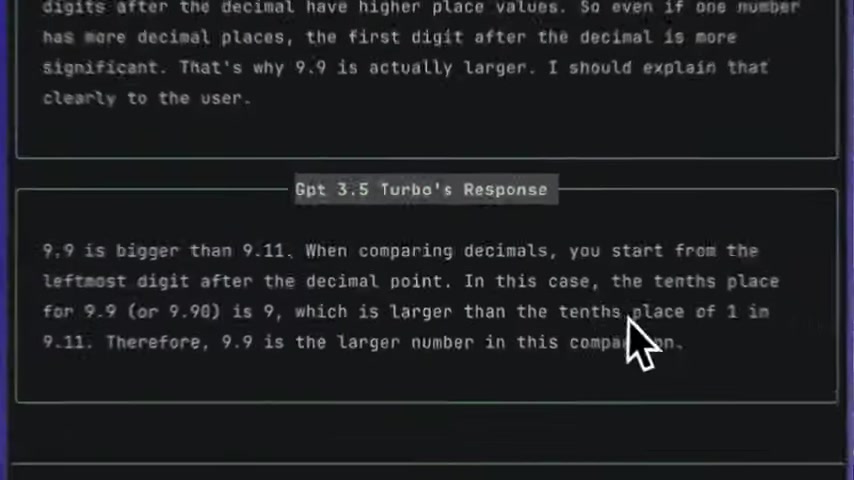
DeepSeek R1 is not just another LLM; it's a transformative force in the AI landscape, challenging the dominance of proprietary models and paving the way for more accessible and affordable AI solutions.
What sets DeepSeek R1 apart is its exceptional performance across a wide range of benchmarks, including coding, mathematics, and multilingual tasks. It outperforms proprietary giants like OpenAI's O1, GPT-4 Omni, and Anthropic's Claude 3.5 Sonnet, making it a compelling alternative for developers seeking top-tier AI capabilities. DeepSeek R1's affordability, accessibility, and superior performance make it a Game-changer for developers, researchers, and startups worldwide.
DeepSeek Engineer and Zapier: Automating Your AI Workflows
Streamlining AI Workflows with Zapier Integration
DeepSeek Engineer extends its reach and impact by seamlessly integrating with Zapier, a powerful automation platform that connects over 7,000 apps.
This integration empowers developers to automate their AI workflows, boost productivity, and streamline various tasks related to software development.
Save new Gmail emails matching certain traits to a Google Sheet [t:00:59].
Zapier's ability to connect diverse applications, including popular AI Tools, unlocks a new level of automation for DeepSeek Engineer users. Developers can create custom workflows that automate code deployments, AI-powered insights, and business scaling efforts, freeing up valuable time and resources for more creative and strategic endeavors.
Automated Code Deployments: DeepSeek Engineer, combined with Zapier, can automate the process of deploying code changes to various environments, ensuring seamless and efficient updates to software applications.
AI-Powered Insights: Zapier can trigger AI-powered insights within DeepSeek Engineer based on specific events or data triggers, allowing developers to gain real-time feedback and optimize their code for performance and efficiency.
Business Scaling: DeepSeek Engineer and Zapier can work together to automate tasks related to business scaling, such as customer onboarding, Lead Generation, and marketing campaigns, freeing up developers to focus on core product development.
By leveraging the power of Zapier, DeepSeek Engineer transcends its role as a coding assistant and transforms into a comprehensive AI-powered automation solution for software development teams.
Saving Time and Effort with Zapier
Zapier has been proven to save its users an average of 10 hours per week. This translates to more time and effort being able to be used towards other things. Zapier is perfect for anyone looking to automate AI workflows. Zapier, through Agents allows the automation of complex AI workflows saving countless hours.
Combining tools like AI training models to data processing apps allows the schedule of automatic reports for your AI projects. If you are interested in finding a tool to assist with saving time and effort then Zapier is perfect for you.
The Tables tool of Zapier allows the creation of workflows that save even more time and effort. Create customized workflows to automate just about anything to enhance productivity for the user.
Zapier’s Free Two-Week Trial
To allow you to have the most streamlined automation, Zapier allows a free trial for the tool. A free trial of two weeks grants access to all the features you could want from the tool. To make AI workflows even more simple, start with a free email today
. A two-week free trial to help you save an average of 10 hours a week.
| Zapier Feature | Description |
|---|---|
| 7,000+ Apps | Integrates with thousands of apps, including AI tools. |
| Workflow Automation | Automates code deployments and insights. |
| Business Scaling | Helps scale customer onboarding, leads, and marketing. |
| Time Savings | Saves users an average of 10 hours per week. |
| Customized Workflows | Automates many different features to better help the user. |








Most people like

































Report
Please select a reason for reporting
- 13 Reasons to Switch from Snapchat to Text Messaging
- 7 Powerful Speech to Text Apps to Boost Productivity
- 10 Best Speech to Text Tools for Effortless Transcription
- 13 Free Tools to Easily Transcribe Audio to Text
- 15 Surprising Ways Google's Speech-to-Text Boosts Productivity
- 7 Best Free Online Audio to Text Transcription Tools
- 9 Tips to Transcribe Speech to Text Faster and Better
- 13 Best Speech to Text Software for Windows 10 in 2023
- 7 Tips for Choosing the Best Transcriber for Audio to Text
- 11 Reasons Why Dragon Speech-to-Text Apps are Game-Changers
- 6 Secrets to Enhance Your Speech to Text Transcription
- 6 Brilliant Ways to Boost Productivity with Talk-to-Text on Your MacBook
- 6 Ways Transcription Software Converts Audio to Text
- 8 Tips to Transcribe Speech to Text Like a Pro
- 6 Reasons IBM Watson Speech to Text is a Game-Changer
- 14 Powerful Ways Talk-to-Text Improves Your Workflow
- 12 Top Windows Speech-to-Text Software for Efficient Transcription
- 12 Game-Changing Benefits of Apple's Speech to Text Technology
- 9 Powerful Use Cases for AWS Speech to Text Technology
- 10 Easy Steps to Transcribe YouTube Videos to Text
- transcription audio en texte
- online audio transcription
- free audio file transcription
- free ai audio transcription
- audio transcription service
- audio transcription online free
- audio transcription free online
- audio to transcription software
- audio and transcript
- ai audio transcription free
- voice recording to text converter
- translate voice recording to text
- record voice to text
- audio recording to text converter
- voice recording and transcription
- chatgpt voice to text
- gmail voice to text
- speech to text reader
- speech to text ai free
- speech to talk
- How to Use AI Tools to Find Internal Linking Opportunities Across a Business Website
- Discover Your Perfect Haircut with AI Hairstyle Apps
- Free Reputation Calculator Tools: How They're Adapting to Score AI Visibility, Not Just Rankings
- Design Professional Flyers for Free on Your Phone
- Best Free Flyer Maker Apps for Android: Design Like a Pro
- How to Know If Your Business Is Ready for an AI Customer Service Agent
- Revolutionizing Storytelling: From Novels to Screenplays with AI
- Create Engaging Animated Explainer Videos with a Free AI Tool
- Stop Multi-Subscribing: Benchmark Top AI Visual Models in One Canvas
- Best Seedance 2.5 API Provider: Every Price on the Market, Checked at Source
- Top AI Social Media Management Tools: Automate Your Content Strategy
- Free AI Text to Video Generator: Create Stunning Videos from Text
- Discover 17 ChatGPT Alternatives: A Comprehensive Comparison
- Character.AI vs. Janitor AI: Which AI Chat Platform Reigns Supreme?
- Top Virtual Assistant Companies in 2026: Reviews, Pricing, and Plans Compared
- Unveiling FaceCheck.ID: Revolutionizing Reverse Image Searches with AI
- 11 Best AI Dialers in 2026: Features, Pricing, Pros and Cons
- How I Direct Consistent AI Clips: A Hands-On Guide to Multi-Model Generation
- A Realistic Review of the Photo Generator Image Tool
- Playwright MCP Server: Automated Web Testing with Agent Mode

Copyright ©2026 toolify