































Table of Contents
- Key Points
- Understanding GitHub Copilot
- GitHub Copilot in Action: Seeing the AI at Work
- Getting Started with GitHub Copilot: How to Install and Use
- GitHub Copilot Pricing Plans
- GitHub Copilot: Pros and Cons
- GitHub Copilot Core Features
- GitHub Copilot Use Cases
- Frequently Asked Questions About GitHub Copilot
- Related Questions about AI and Software Development


Understanding GitHub Copilot
What is GitHub Copilot?
GitHub Copilot is an AI-powered coding assistant developed by GitHub in collaboration with OpenAI. It operates as a pair programmer, leveraging machine learning models trained on vast amounts of publicly available code to provide contextual code suggestions in real-time.
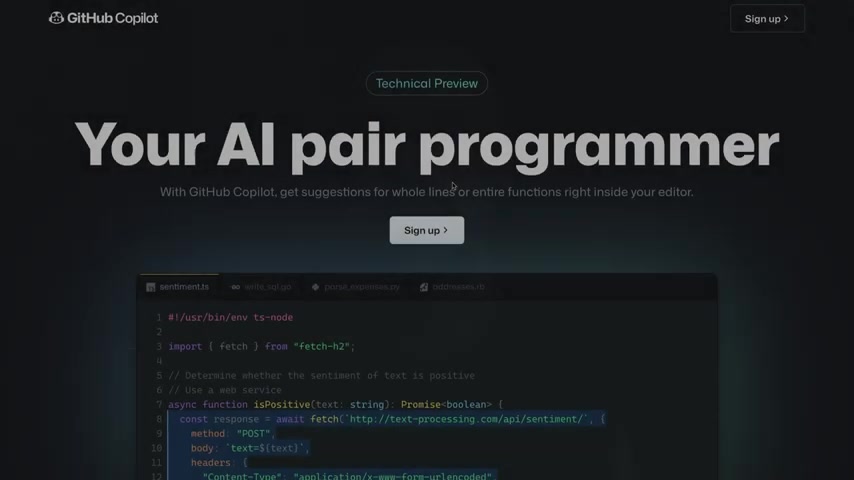
The goal is to help developers write code more efficiently by automating repetitive tasks and offering intelligent code completion.
GitHub Copilot analyzes the code you're currently writing, taking into account factors like function names, comments, and even the overall structure of your project. Based on this analysis, it suggests code snippets, entire functions, or even entire blocks of code that it believes are relevant to what you're trying to achieve. These suggestions are displayed directly within your code editor, allowing you to easily accept or reject them. Copilot integrates with popular code editors such as Visual Studio Code. This integration provides a seamless experience for developers, as code suggestions appear directly within their familiar coding environment.
GitHub Copilot is powered by Codex, a new AI system created by OpenAI. Copilot puts the knowledge you need at your fingertips, saving you time and helping you stay focused.
Here’s a markdown table highlighting some key aspects of GitHub Copilot:
| Feature | Description |
|---|---|
| AI Pair Programmer | Provides real-time code suggestions. |
| Code Completion | Suggests code snippets and entire functions. |
| Context Analysis | Analyzes current code, comments, and function names to provide relevant suggestions. |
| Visual Studio Code Integration | Works seamlessly with Visual Studio Code. |
| Code Generation | Autocompletes boilerplate and repetitive code patterns. |
How Does GitHub Copilot Work?
GitHub Copilot's code generation capabilities are based on its ability to understand the context of the code you're writing.
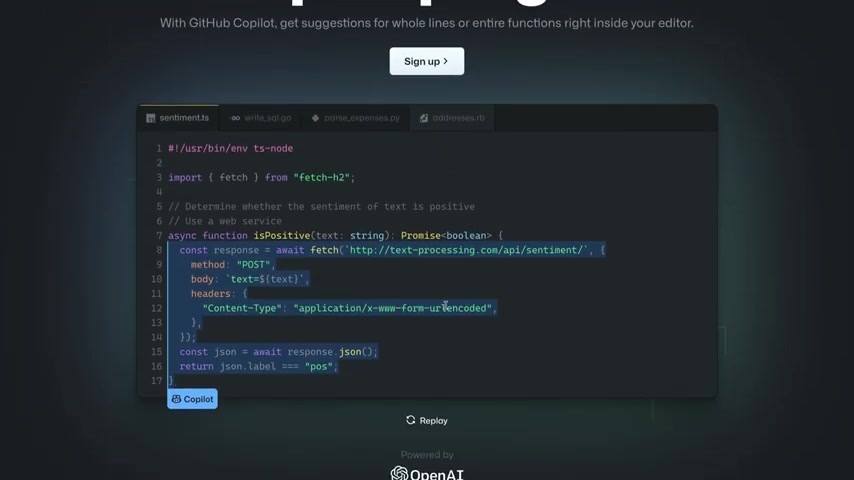
Here's a breakdown of how it works:
-
Contextual Analysis: Copilot examines the code in your current file, including comments, docstrings, function names, and even the project's file structure. This analysis provides Copilot with an understanding of what you're trying to accomplish.
-
Machine Learning Model: Copilot uses a massive machine learning model trained on a vast dataset of public code repositories. This model has learned to recognize patterns and relationships in code, allowing it to predict what code is likely to be needed in a given situation.
-
Code Suggestion: Based on the contextual analysis and its machine-learning knowledge, Copilot generates code suggestions. These suggestions can range from simple code snippets to entire functions or even larger blocks of code.
-
Inline Display: Copilot displays these suggestions directly within your code editor as inline grayed-out text. You can then easily accept the suggestion (usually with the Tab key) or reject it (by simply continuing to type your own code).
-
Continuous Learning: Copilot continuously learns and improves based on your feedback. When you accept or reject a suggestion, Copilot uses this information to refine its model and provide better suggestions in the future.
The process is designed to be as seamless and unobtrusive as possible. Copilot works in the background, providing suggestions as you type without interrupting your workflow. It's like having a very knowledgeable and helpful coding partner who is always ready to offer assistance.
GitHub Copilot in Action: Seeing the AI at Work
Real-World Code Generation Examples
To truly appreciate the power of GitHub Copilot, it's helpful to see it in action.
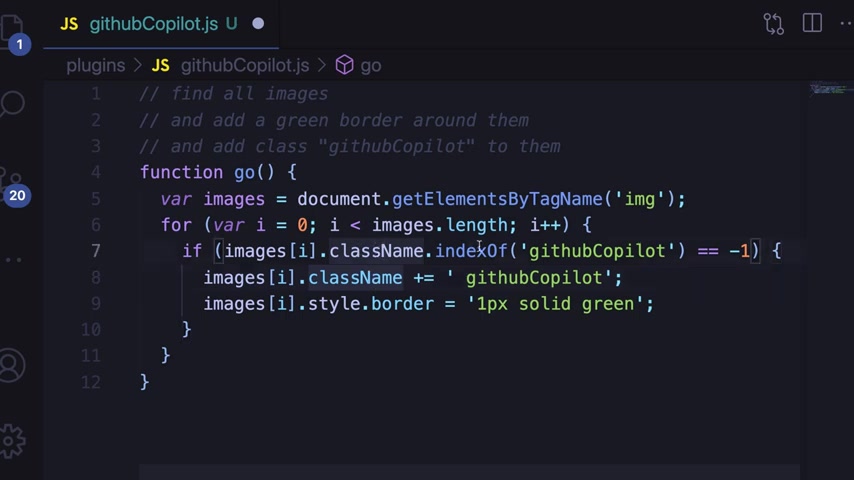
The tool's ability to generate code from simple comments or function names is impressive. Here are some examples:
-
Generating Function Implementation: By simply writing a comment like '// find all images and add a green border around them,' Copilot can generate the JavaScript code to select all image elements on a webpage and apply a green border style.
-
Boilerplate Code Autocompletion: If you start writing a common code pattern, such as creating an Express server, Copilot can autocomplete the rest of the code, including setting up the port and adding middleware. This is an express function which makes github copilot’s work a lot faster and better.
-
Test Case Creation: Copilot can even suggest test cases for your code. If you define a function and write a comment indicating that you want to test it, Copilot can generate the test code with assertions.
Here are some code examples generated by GitHub Copilot:
// find all images and add a green border around them
function go() {
 var images = document.getElementsByTagName('img');
 for (var i = 0; i < images.length; i++) {
 if (images[i].className.indexOf('githubCopilot') == -1) {
 images[i].className += ' githubCopilot';
 images[i].style.border = '1px solid green';
 }
 }
}
// create Express server
var app = express();
// set up port
var port = process.env.PORT || 3000;
// set up environment
app.set('port', port);
// Express middleware
app.use(bodyParse.urlencoded({ extended: true }));





Most people like

































Report
Please select a reason for reporting
- 13 Reasons to Switch from Snapchat to Text Messaging
- 7 Powerful Speech to Text Apps to Boost Productivity
- 10 Best Speech to Text Tools for Effortless Transcription
- 13 Free Tools to Easily Transcribe Audio to Text
- 15 Surprising Ways Google's Speech-to-Text Boosts Productivity
- 7 Best Free Online Audio to Text Transcription Tools
- 9 Tips to Transcribe Speech to Text Faster and Better
- 13 Best Speech to Text Software for Windows 10 in 2023
- 7 Tips for Choosing the Best Transcriber for Audio to Text
- 11 Reasons Why Dragon Speech-to-Text Apps are Game-Changers
- 6 Secrets to Enhance Your Speech to Text Transcription
- 6 Brilliant Ways to Boost Productivity with Talk-to-Text on Your MacBook
- 6 Ways Transcription Software Converts Audio to Text
- 8 Tips to Transcribe Speech to Text Like a Pro
- 6 Reasons IBM Watson Speech to Text is a Game-Changer
- 14 Powerful Ways Talk-to-Text Improves Your Workflow
- 12 Top Windows Speech-to-Text Software for Efficient Transcription
- 12 Game-Changing Benefits of Apple's Speech to Text Technology
- 9 Powerful Use Cases for AWS Speech to Text Technology
- 10 Easy Steps to Transcribe YouTube Videos to Text
- transcription audio en texte
- online audio transcription
- free audio file transcription
- free ai audio transcription
- audio transcription service
- audio transcription online free
- audio transcription free online
- audio to transcription software
- audio and transcript
- ai audio transcription free
- voice recording to text converter
- translate voice recording to text
- record voice to text
- audio recording to text converter
- voice recording and transcription
- chatgpt voice to text
- gmail voice to text
- speech to text reader
- speech to text ai free
- speech to talk
- How to Use AI Tools to Find Internal Linking Opportunities Across a Business Website
- Discover Your Perfect Haircut with AI Hairstyle Apps
- Free Reputation Calculator Tools: How They're Adapting to Score AI Visibility, Not Just Rankings
- Design Professional Flyers for Free on Your Phone
- Best Free Flyer Maker Apps for Android: Design Like a Pro
- How to Know If Your Business Is Ready for an AI Customer Service Agent
- Revolutionizing Storytelling: From Novels to Screenplays with AI
- Create Engaging Animated Explainer Videos with a Free AI Tool
- Stop Multi-Subscribing: Benchmark Top AI Visual Models in One Canvas
- Best Seedance 2.5 API Provider: Every Price on the Market, Checked at Source
- Top AI Social Media Management Tools: Automate Your Content Strategy
- Free AI Text to Video Generator: Create Stunning Videos from Text
- Discover 17 ChatGPT Alternatives: A Comprehensive Comparison
- Character.AI vs. Janitor AI: Which AI Chat Platform Reigns Supreme?
- Top Virtual Assistant Companies in 2026: Reviews, Pricing, and Plans Compared
- Unveiling FaceCheck.ID: Revolutionizing Reverse Image Searches with AI
- 11 Best AI Dialers in 2026: Features, Pricing, Pros and Cons
- How I Direct Consistent AI Clips: A Hands-On Guide to Multi-Model Generation
- A Realistic Review of the Photo Generator Image Tool
- Playwright MCP Server: Automated Web Testing with Agent Mode

Copyright ©2026 toolify