































Table of Contents
- Key Points
- OpenAI's New Development Tools: Agents SDK and Responses API
- Enhancing Agent Capabilities with Web Search, File Search, and Computer Use
- Practical Applications: How to Use OpenAI's New Tools [t:26]
- OpenAI Services Pricing Overview
- Evaluating OpenAI's New Developer Tools: A Balanced Perspective
- Harnessing the Core Features of OpenAI's Tools
- Practical Use Cases for OpenAI's Latest Innovations
- Frequently Asked Questions About OpenAI's New Tools
- Explore More About AI Agents and OpenAI


OpenAI's New Development Tools: Agents SDK and Responses API
Unveiling OpenAI's Latest Developer Toolkit
On March 11, 2025, OpenAI introduced its newest set of Developer Tools, designed to empower developers in building sophisticated AI applications with greater ease.
This release focuses on simplifying the development process and enhancing the capabilities of AI agents.
These tools are intended to streamline core agent logic, orchestration, and interactions, making it significantly easier for developers to create and manage AI agents effectively. The new toolkit is poised to accelerate innovation in the field of AI development by providing developers with a comprehensive and user-friendly platform.
This new toolkit boasts several key components:
- Responses API: Combining the simplicity of the Chat Completions API with the tool use capabilities of the Assistants API.
- Built-in Tools: Including web search, file search, and computer use functionalities.
- Agents SDK: For orchestrating single-agent and multi-agent workflows.
- Integrated Observability Tools: For tracing and inspecting agent workflow execution.
The Components of OpenAI's Enhanced Developer Toolkit
OpenAI’s latest release focuses on empowering developers to build AI applications with increased efficiency and sophistication. The core of this release comprises several key components that work together to streamline the development process. Understanding each component is essential for developers aiming to leverage the full potential of this new toolkit.
- Responses API: This API combines the simplicity of the Chat Completions API with advanced tool usage capabilities.
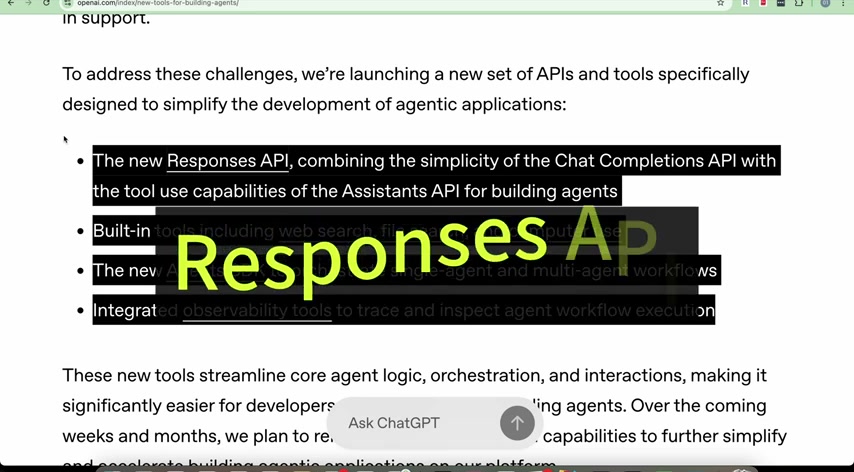
The Responses API allows developers to seamlessly integrate tools like web search, file retrieval, and even computer operations directly into their AI agents. This integration makes it easier to create agents that can access and utilize external data and services to provide more informed and comprehensive responses. The key benefit here is the simplification of the development process, enabling developers to build more capable agents without the complexity of managing tool interactions manually.
- Built-in Tools: OpenAI has included several built-in tools to augment the capabilities of AI agents. These tools include:
- Web Search: Enables agents to access real-time information from the internet, allowing them to provide up-to-date answers and insights.
- File Search: Allows agents to retrieve information from specified files, making it ideal for applications requiring access to proprietary data or documentation.
- Computer Use: Provides agents with the ability to execute computer tasks, enhancing their ability to automate complex workflows and perform actions beyond simple information retrieval.
- Agents SDK: The Agents SDK is designed to simplify the orchestration of both single-agent and multi-agent workflows. This SDK provides developers with the tools to define how agents interact with each other and with external systems. It facilitates the creation of complex, multi-step tasks that can be executed by a coordinated group of agents. The orchestration capabilities of the Agents SDK are particularly useful for building applications that require a collaborative approach, such as automated Customer Service systems or complex data processing pipelines.
- Integrated Observability Tools: To ensure the reliability and performance of AI agents, OpenAI has included integrated observability tools. These tools allow developers to Trace and inspect agent workflow execution, providing insights into how agents are making decisions and utilizing tools. This observability is critical for debugging and optimizing agent performance, ensuring that they operate effectively and efficiently.
By understanding and utilizing these components, developers can create AI applications that are not only more powerful but also easier to develop, deploy, and maintain. These tools represent a significant step forward in the democratization of AI development, making it accessible to a wider range of developers.
Diving Deeper into Responses API: Enhancing Chat Completions
The Responses API is a significant enhancement to OpenAI’s Chat Completions API, bringing tool use capabilities to the forefront.
By combining the simplicity of the Chat Completions API with the power of external tools, the Responses API enables developers to build more versatile and intelligent AI agents.
Key Enhancements: The Responses API adds the ability to seamlessly integrate external tools into chat completions. This means that AI agents can now perform actions such as:
- Searching the web for real-time information.
- Retrieving data from local or remote files.
- Executing simple computer commands.
How It Works: Developers can specify which tools an AI agent should use when processing a query. The agent then intelligently decides whether to use these tools based on the context of the query and formulates a response that incorporates the results. This process is managed by the API, reducing the complexity for developers.
Use Cases: The Responses API opens up a wide range of possibilities for AI applications. Some examples include:
- Customer Service Bots: Agents can use web search to provide up-to-date answers to customer inquiries.
- Data Analysis Tools: Agents can retrieve and analyze data from files to provide insights and reports.
- Automated Task Managers: Agents can execute computer commands to automate tasks such as Scheduling appointments or sending emails.
Agents SDK: Orchestrating Intelligent Workflows
The Agents SDK is designed to simplify the creation and management of AI agent workflows.
This SDK is particularly useful for building complex applications that require multiple agents to work together to achieve a common goal. The Agents SDK is equipped with several features that make it easier to define how agents interact with each other and with external systems.
Key Features:
- Agent Orchestration: Define how agents interact and delegate tasks.
- Workflow Management: Streamline multi-step processes involving multiple agents.
- Integration with External Systems: Connect agents to external databases, APIs, and services.
How It Works: Developers use the Agents SDK to define the roles and responsibilities of each agent, as well as the rules for how they interact. The SDK then manages the execution of the workflow, ensuring that tasks are completed in the correct order and that data is passed between agents seamlessly.
Use Cases: The Agents SDK is ideal for applications that require a collaborative approach. Examples include:
- Supply Chain Management: Agents can coordinate logistics, track inventory, and manage orders.
- Financial Analysis: Agents can Gather data from multiple sources, analyze it, and generate investment recommendations.
- Research Assistance: Agents can conduct literature reviews, summarize findings, and generate reports.
Monitoring and Debugging with Observability Tools
OpenAI's integrated observability tools are designed to provide developers with insights into the behavior and performance of their AI agents.
These tools enable developers to trace and inspect agent workflow execution, identify bottlenecks, and debug issues.
Key Features:
- Real-time Tracing: Track the execution of agent workflows in real-time.
- Performance Monitoring: Identify performance bottlenecks and optimize agent efficiency.
- Debugging Tools: Identify and resolve issues in agent logic and tool usage.
How It Works: Developers can use the observability tools to monitor agent behavior, view execution logs, and analyze performance metrics. This information can be used to fine-tune agent configurations, improve tool usage, and ensure that agents are operating effectively.
Use Cases: Observability tools are essential for ensuring the reliability and performance of AI agents in production environments. Examples include:
- Identifying Performance Bottlenecks: Quickly identify and resolve performance issues in agent workflows.
- Debugging Logic Errors: Pinpoint errors in agent logic and improve decision-making.
- Optimizing Tool Usage: Fine-tune tool configurations and usage Patterns to maximize efficiency.
Practical Applications: How to Use OpenAI's New Tools [t:26]
Step-by-Step Guide to Responses API
To effectively utilize the Responses API, follow these steps:
Step 1: Access OpenAI Playground Navigate to the OpenAI Playground to access and experiment with the new API.
The playground provides a user-friendly interface to interact with the API and explore its capabilities.
Step 2: Select Responses API In the Playground, ensure that the Responses API is selected in the upper right corner. This ensures that you are using the new API with tool usage capabilities.
Step 3: Configure Tools Select the tools you want your AI agent to use. Options include web search, file search, and function execution. You can enable or disable tools based on the requirements of your application.
Step 4: Enter User Message Enter the user message or query in the chat window. This is the input that the AI agent will process and respond to.
Step 5: Review the Response Review the AI agent’s response to ensure that it has effectively utilized the selected tools and provided a relevant and informative answer.
Step 6: Analyze the Code Click the "Code" option to review the underlying code for the API call. This allows you to understand how the API is being used and replicate the functionality in your own applications.
Example User Input: What is the latest sports news?
AI Agent Response: Provides a summary of the latest Sports news, including links to relevant articles.
By following these steps, you can effectively use the Responses API to build AI agents that can access and utilize external data and services, providing more informed and comprehensive responses.
Practical Guide to Agents SDK
To effectively utilize Agents SDK, follow these steps:
Step 1: Set up a virtual environment in python
create a directory mkdir my_project
Navigate to the directory cd my_project
create virtual environment python -m venv .venv
Step 2: Activate the virtual environment
Activate the virtual environment every time you start a new terminal session source .venv/bin/activate
Step 3: Install Agents SDK
Install the agents sdk package to your environment pip install openai-agents
Step 4: Set an OpenAI API Key
Set your open AI api key. If you don't have one, follow these instructions to create an OpenAI API key.
export OPENAI_API_KEY=sk-...
Step 5: Implement the sample code to your python environment
Copy and paste the code below to your python application agents.py
from agents import Agent

history_tutor_agent = Agent(
 name="History Tutor",
 handoff_description="Specialist agent for historical questions",
 instructions="You provide assistance with historical queries. Explain important events and context clearly.",
)

math_tutor_agent = Agent(
 name="Math Tutor",
 handoff_description="Specialist agent for math questions",
 instructions="You provide help with math problems. Explain your reasoning at each step and include examples.",
)

triage_agent = Agent(
 name="Triage Agent",
 instructions="You determine which agent to use based on the user's homework question",
 handoffs=[history_tutor_agent, math_tutor_agent],
)

from agents import Runner

result = await Runner.run(triage_agent, "What is the capital of France?")
print(result.final_output)
Step 6: View results
Running your application will provide the answer to the Homework question.
By following these steps, you can effectively use the Agents SDK to build and monitor AI agents for any use cases.





Most people like




































Report
Please select a reason for reporting
- 13 Reasons to Switch from Snapchat to Text Messaging
- 7 Powerful Speech to Text Apps to Boost Productivity
- 10 Best Speech to Text Tools for Effortless Transcription
- 13 Free Tools to Easily Transcribe Audio to Text
- 15 Surprising Ways Google's Speech-to-Text Boosts Productivity
- 7 Best Free Online Audio to Text Transcription Tools
- 9 Tips to Transcribe Speech to Text Faster and Better
- 13 Best Speech to Text Software for Windows 10 in 2023
- 7 Tips for Choosing the Best Transcriber for Audio to Text
- 11 Reasons Why Dragon Speech-to-Text Apps are Game-Changers
- 6 Secrets to Enhance Your Speech to Text Transcription
- 6 Brilliant Ways to Boost Productivity with Talk-to-Text on Your MacBook
- 6 Ways Transcription Software Converts Audio to Text
- 8 Tips to Transcribe Speech to Text Like a Pro
- 6 Reasons IBM Watson Speech to Text is a Game-Changer
- 14 Powerful Ways Talk-to-Text Improves Your Workflow
- 12 Top Windows Speech-to-Text Software for Efficient Transcription
- 12 Game-Changing Benefits of Apple's Speech to Text Technology
- 9 Powerful Use Cases for AWS Speech to Text Technology
- 10 Easy Steps to Transcribe YouTube Videos to Text
- transcription audio en texte
- online audio transcription
- free audio file transcription
- free ai audio transcription
- audio transcription service
- audio transcription online free
- audio transcription free online
- audio to transcription software
- audio and transcript
- ai audio transcription free
- voice recording to text converter
- translate voice recording to text
- record voice to text
- audio recording to text converter
- voice recording and transcription
- chatgpt voice to text
- gmail voice to text
- speech to text reader
- speech to text ai free
- speech to talk
- Meshy AI: How to Create 3D Models from Text and Images
- How SEO and Marketing Dashboards Empower Agencies to Drive Results
- How to Use AI Tools to Find Internal Linking Opportunities Across a Business Website
- Discover Your Perfect Haircut with AI Hairstyle Apps
- Free Reputation Calculator Tools: How They're Adapting to Score AI Visibility, Not Just Rankings
- Design Professional Flyers for Free on Your Phone
- Best Free Flyer Maker Apps for Android: Design Like a Pro
- How to Know If Your Business Is Ready for an AI Customer Service Agent
- Revolutionizing Storytelling: From Novels to Screenplays with AI
- Create Engaging Animated Explainer Videos with a Free AI Tool
- Meshy AI: How to Create 3D Models from Text and Images
- ASOMobile Helps Teams Benchmark App Store Screenshots Against Competitors
- How to Match LMS Software With Your Organization's Training Plan
- Revolutionizing Email Marketing Agency with AI
- How to Convert BTC to HNT
- Unleashing the Power of AI: Cognizant's Roadmap for Transformation
- Frame to Video Review: A Practical Look at Turning Two Still Frames Into Motion
- NVIDIA NIM: Revolutionizing Supply Chain Data Analysis with AI
- Top AI Tools That Help Brands Stand Out Offline (Not Just Online)
- Top 5 Cold Email Software: Maximize Your Outreach in 2025

Copyright ©2026 toolify