































Table of Contents
- Key Points
- Understanding OpenAI's New AI Agent Tools
- Step-by-Step Guide: Building an AI Agent with OpenAI and Cursor AI
- How to Use OpenAI Agent with Cursor AI?
- Understanding OpenAI Pricing for AI Agents
- Advantages and Disadvantages of Using OpenAI Agents
- Explore Core Features and Benefits of OpenAI Agents
- Use Cases for AI Agents
- FAQ
- Related Questions


Understanding OpenAI's New AI Agent Tools
The Power of OpenAI's Agents SDK and Responses API
OpenAI's introduction of the Agents SDK and Responses API marks a significant leap in accessible AI development. These tools empower users to craft intelligent agents capable of various tasks, including interacting with the web and managing local files. These agents can be tailored to specific needs, allowing for highly personalized and automated assistance. The goal is to provide powerful functionalities with a streamlined and intuitive design, especially helpful for individuals without extensive coding knowledge. By using vector store allows information stored into the agents using document files. This also increases the agent's ability to use file search.
Simplified Development with No-Code Tools
Traditionally, AI development demanded considerable coding expertise. However, the advent of no-code platforms like Cursor AI are revolutionizing the field. These platforms allow users to develop sophisticated applications through visual interfaces, requiring minimal to no direct coding. This greatly broadens access to AI development, making it accessible to a wider audience, including entrepreneurs, small businesses, and hobbyists.
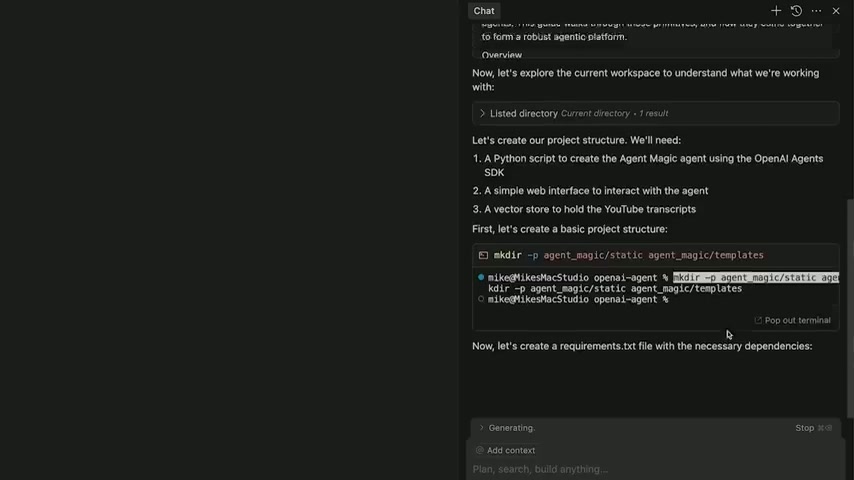
Cursor AI also allowed user to create the documentation from OpenAI and store it into local files. So when the AI Agent is under construction, it can use those documents.
Leveraging Vector Stores for Efficient Data Management
Effective AI agents rely on organized and accessible data. OpenAI's vector stores provide a robust solution for this, enabling efficient storage and retrieval of information. A vector store acts as a centralized repository for data embeddings, facilitating rapid searches and comparisons. This is particularly useful for AI agents that need to quickly access and process large volumes of textual or numerical data, enhancing their decision-making and response times. A vector store in OpenAI developer playground is new.
You can start using the features now. If you have experience on using quadrant, rag database, etc, it is very useful for your AI Agents construction.
Key Features: Web Search, File Search, and Computer Control
The capabilities of AI agents are defined by their features. OpenAI's Agents SDK and Responses API provide a suite of features, including:
- Web Search: Enables the AI agent to scour the internet for up-to-date information.
- File Search: Allows the agent to search through local files and documents.
- Computer Control: Offers the potential for agents to interact directly with computer systems and applications.
These features combined make AI agents versatile tools for automation, research, and personalized assistance. The power to allow an AI agent direct access to computer can have many potential problems, though.
Step-by-Step Guide: Building an AI Agent with OpenAI and Cursor AI
Setting Up Cursor AI
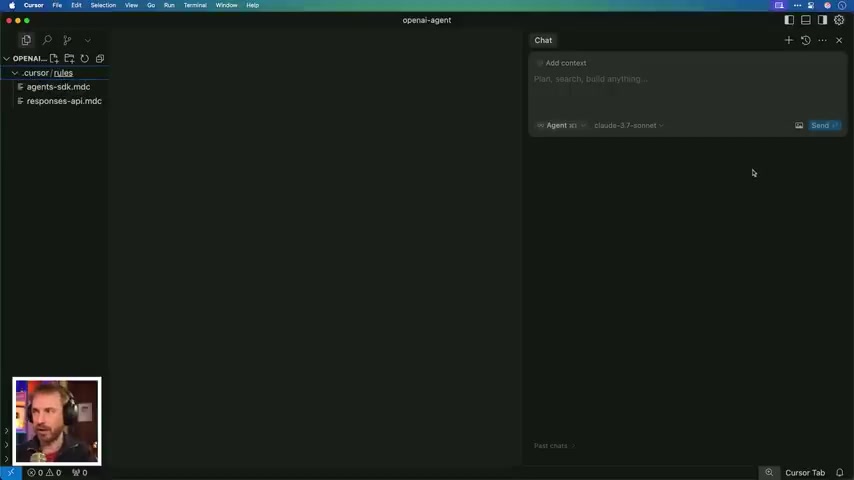
To begin, install Cursor AI. This no-code tool is ideal for building AI agents because of its user-friendly interface and integration with OpenAI's SDK. To train Cursor AI with OpenAI's documentation, navigate to settings within the Cursor AI interface.
From there, select 'Rules' to add project-specific rules. These rules help the AI understand and follow project conventions. This will help the AI remember every API names.
Training Cursor AI with OpenAI Documentation
Within the Rules settings in Cursor AI, you can upload OpenAI's documentation to train the AI. This step is crucial for ensuring that the AI agent adheres to OpenAI's best practices and guidelines.
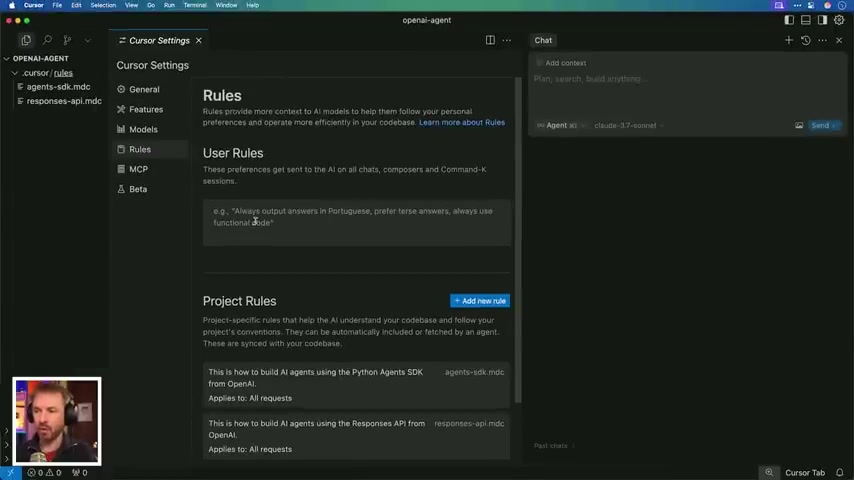
By training the AI with the SDK documentation, you're equipping it with the knowledge needed to generate code snippets, manage file searches, and perform other tasks effectively.
Creating Your AI Agent
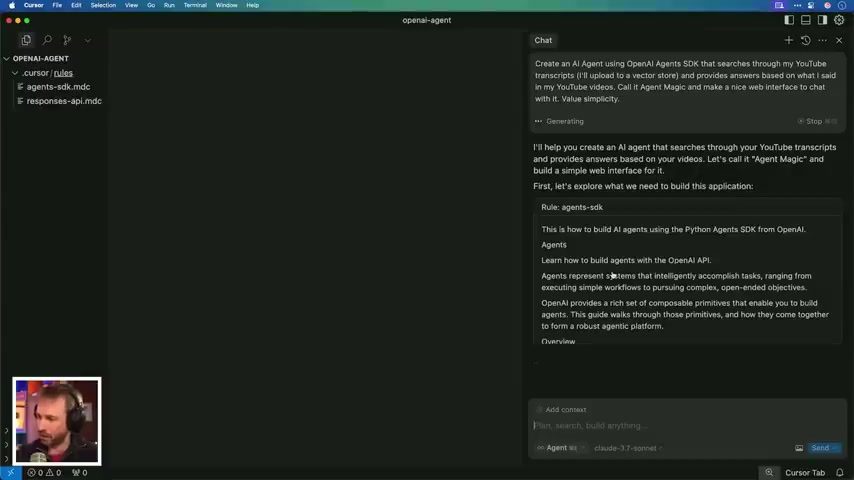
With Cursor AI set up and trained, you can begin creating your AI agent. Start by giving Cursor AI a directive. For instance, you might instruct it to create an AI agent that searches through YouTube transcripts, uploads them to a vector store, and provides answers based on the content found in the video transcripts.
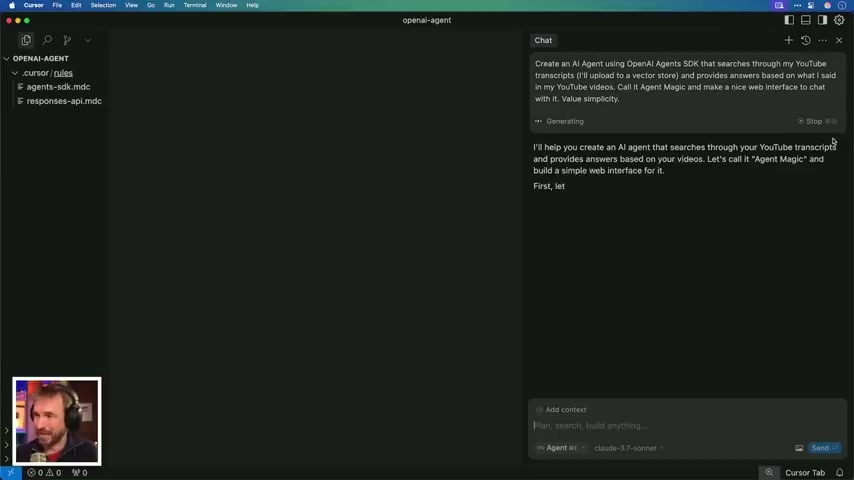
Remember to specify simplicity as a key consideration to ensure the agent’s design remains user-friendly.
Managing Your OpenAI API Key
AI Magic will need an OpenAI API Key to function properly. Navigate to the OpenAI developer playground, create a new secret key, and copy the API key.
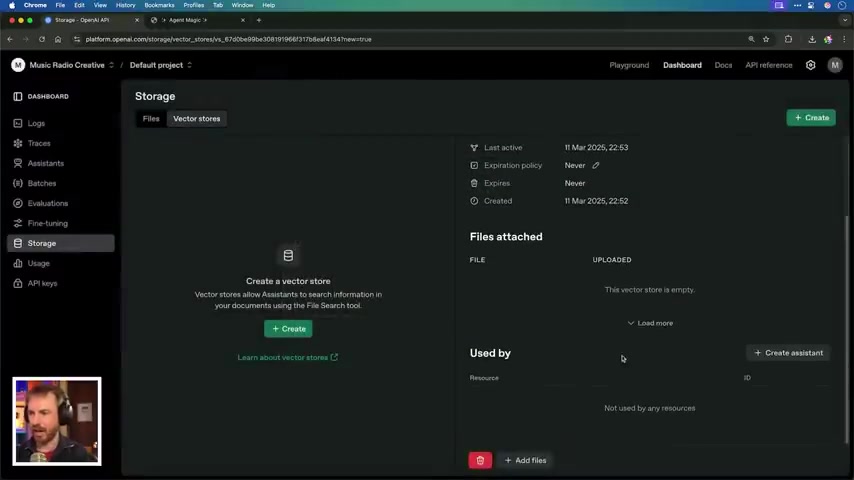
To keep your work well, store this API key into your env file, and the file won't be visible to external. So your API key can be stored very carefully. Please don't expose your API key when you have the screen Recording.
Running and Testing Your AI Agent
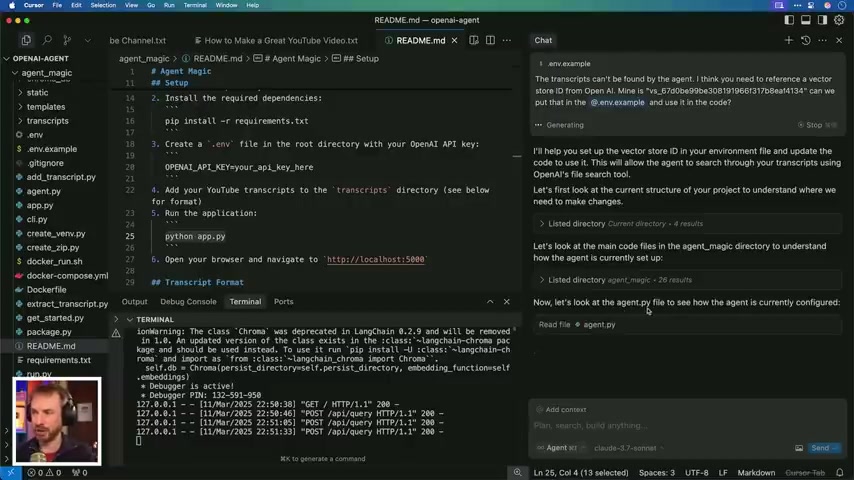
Once Cursor AI has finished, run the Python app to run your AI Agent. You can open localhost to see your AI Agent is set correctly. Ask some questions or upload your document file to test your AI Agent. Uploading document files to AI Mike OpenAI vector store, so you can test from there.





Most people like






































Report
Please select a reason for reporting
- 13 Reasons to Switch from Snapchat to Text Messaging
- 7 Powerful Speech to Text Apps to Boost Productivity
- 10 Best Speech to Text Tools for Effortless Transcription
- 13 Free Tools to Easily Transcribe Audio to Text
- 15 Surprising Ways Google's Speech-to-Text Boosts Productivity
- 7 Best Free Online Audio to Text Transcription Tools
- 9 Tips to Transcribe Speech to Text Faster and Better
- 13 Best Speech to Text Software for Windows 10 in 2023
- 7 Tips for Choosing the Best Transcriber for Audio to Text
- 11 Reasons Why Dragon Speech-to-Text Apps are Game-Changers
- 6 Secrets to Enhance Your Speech to Text Transcription
- 6 Brilliant Ways to Boost Productivity with Talk-to-Text on Your MacBook
- 6 Ways Transcription Software Converts Audio to Text
- 8 Tips to Transcribe Speech to Text Like a Pro
- 6 Reasons IBM Watson Speech to Text is a Game-Changer
- 14 Powerful Ways Talk-to-Text Improves Your Workflow
- 12 Top Windows Speech-to-Text Software for Efficient Transcription
- 12 Game-Changing Benefits of Apple's Speech to Text Technology
- 9 Powerful Use Cases for AWS Speech to Text Technology
- 10 Easy Steps to Transcribe YouTube Videos to Text
- transcription audio en texte
- online audio transcription
- free audio file transcription
- free ai audio transcription
- audio transcription service
- audio transcription online free
- audio transcription free online
- audio to transcription software
- audio and transcript
- ai audio transcription free
- voice recording to text converter
- translate voice recording to text
- record voice to text
- audio recording to text converter
- voice recording and transcription
- chatgpt voice to text
- gmail voice to text
- speech to text reader
- speech to text ai free
- speech to talk
- How to Use AI Tools to Find Internal Linking Opportunities Across a Business Website
- Discover Your Perfect Haircut with AI Hairstyle Apps
- Free Reputation Calculator Tools: How They're Adapting to Score AI Visibility, Not Just Rankings
- Design Professional Flyers for Free on Your Phone
- Best Free Flyer Maker Apps for Android: Design Like a Pro
- How to Know If Your Business Is Ready for an AI Customer Service Agent
- Revolutionizing Storytelling: From Novels to Screenplays with AI
- Create Engaging Animated Explainer Videos with a Free AI Tool
- Stop Multi-Subscribing: Benchmark Top AI Visual Models in One Canvas
- Best Seedance 2.5 API Provider: Every Price on the Market, Checked at Source
- Top AI Social Media Management Tools: Automate Your Content Strategy
- Free AI Text to Video Generator: Create Stunning Videos from Text
- Discover 17 ChatGPT Alternatives: A Comprehensive Comparison
- Character.AI vs. Janitor AI: Which AI Chat Platform Reigns Supreme?
- Top Virtual Assistant Companies in 2026: Reviews, Pricing, and Plans Compared
- Unveiling FaceCheck.ID: Revolutionizing Reverse Image Searches with AI
- 11 Best AI Dialers in 2026: Features, Pricing, Pros and Cons
- How I Direct Consistent AI Clips: A Hands-On Guide to Multi-Model Generation
- A Realistic Review of the Photo Generator Image Tool
- Playwright MCP Server: Automated Web Testing with Agent Mode

Copyright ©2026 toolify