































Table of Contents
- Key Points
- Building a Complex Math Word Problem Solver
- Detailed Code Explanation
- Step-by-Step Guide to Using the Application
- Pros and Cons of Using This Application
- Frequently Asked Questions
- Related Questions


Building a Complex Math Word Problem Solver
Understanding the Application's Architecture
This application integrates three major components: Streamlit, Langchain, and OpenAI. Streamlit provides the user interface, allowing users to input math word problems easily. Langchain acts as the central orchestrator, managing the flow of information between Streamlit and OpenAI. OpenAI's language models are the brains behind the operation, interpreting the text of the WORD problem and generating the corresponding mathematical expression.
The application allows you to input a word math problem and receive a solution.
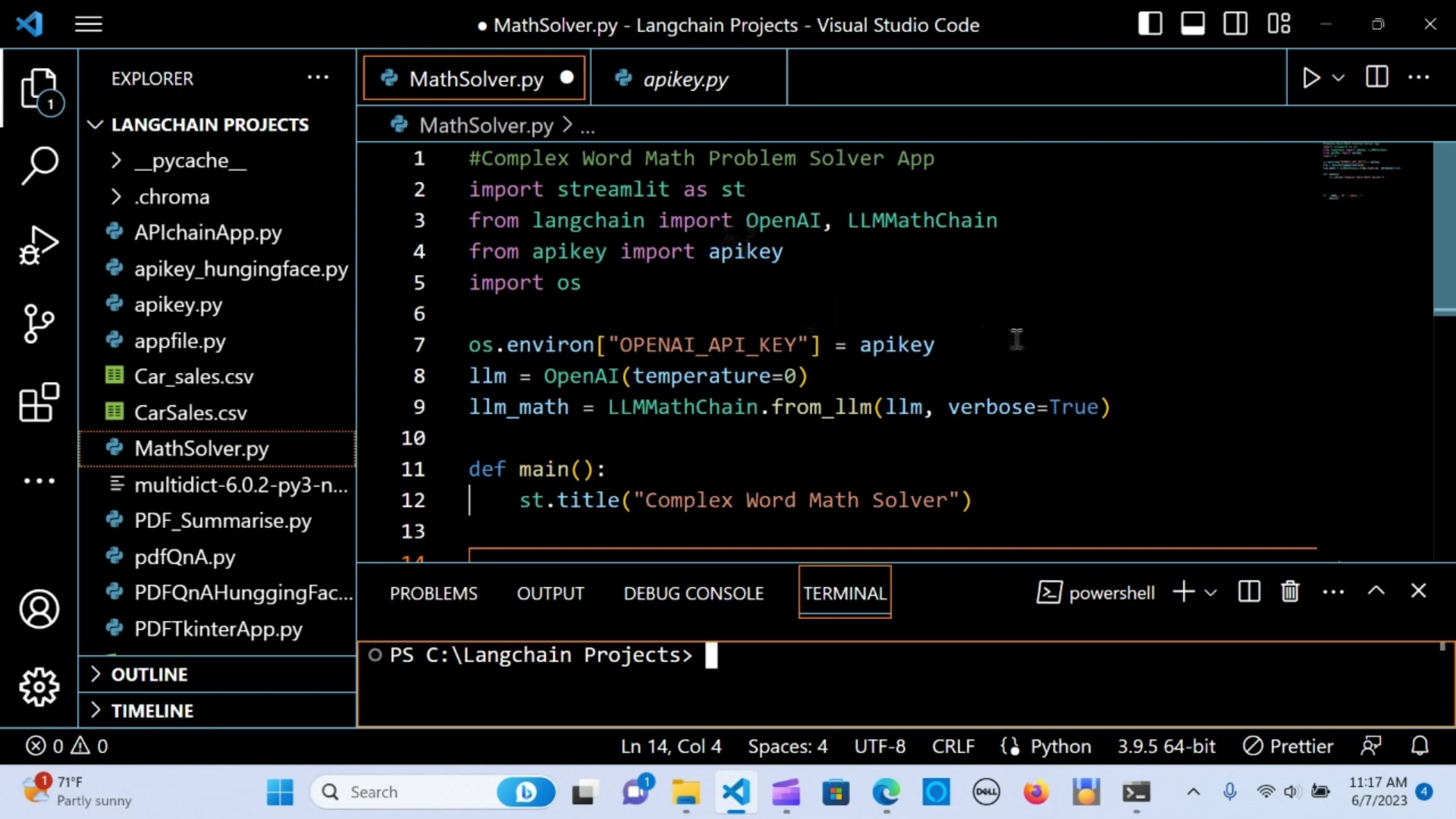
First, the application requires installation of some necessary packages. This combination offers a flexible and powerful way to solve complex math problems. Central to this is natural language processing which converts human language into a format understandable by the system.
This is valuable for educational settings, professional environments, and personal use, effectively bridging the gap between complex word problems and understandable solutions. When integrated well, users can expect timely and precise answers. For those seeking efficiency in tackling math word problems, this innovative solution offers unmatched convenience and accuracy, making complex word math more approachable. This helps simplify both education and everyday problem solving, offering a practical tool for various math-related tasks.
Setting Up the Development Environment
Before diving into the code, it's crucial to set up your development environment. This involves installing the necessary Python packages and configuring your OpenAI API key.
To begin, ensure you have Python installed on your system. Next, open your terminal or command Prompt and install the required packages using pip:
pip install streamlit
pip install langchain
Installing these packages ensures that you have all the necessary tools to run the application smoothly. Without these installations, the application will likely fail or produce unexpected errors.
Next, you need to configure your OpenAI API key. Store it securely by setting it as an environment variable. This prevents the API key from being exposed in your code. You can set the environment variable like this:
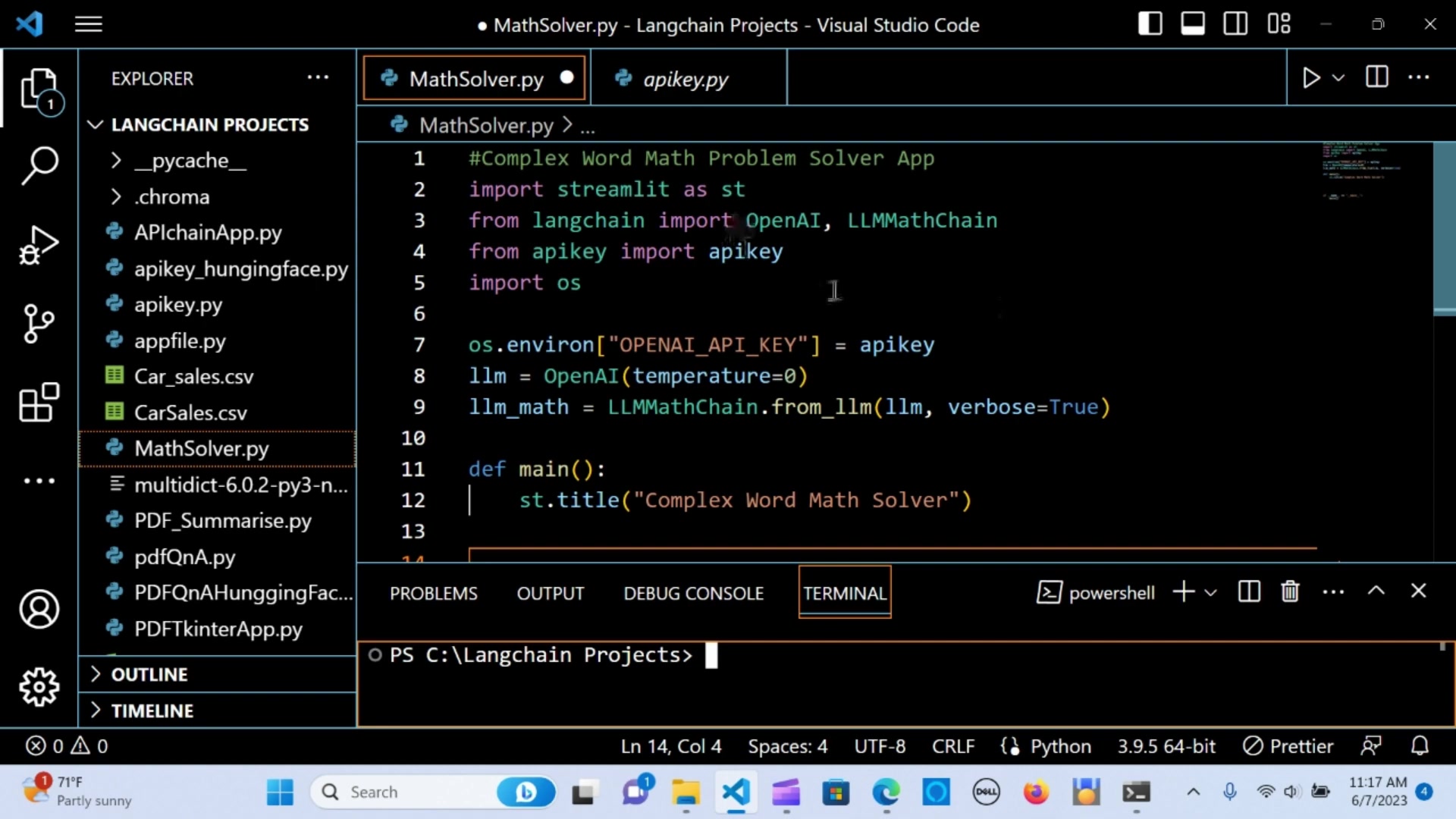
import os

os.environ["OPENAI_API_KEY"] = "YOUR_API_KEY"
Replace YOUR_API_KEY with your actual OpenAI API key. Securing your API key is paramount to avoid unauthorized usage and billing surprises. Proper setup ensures that you can access OpenAI's powerful language models to process and solve complex word problems effectively, making math problem-solving much easier.
Step-by-Step Guide to Using the Application
Entering Your Math Word Problem
To use the application, start by entering your math word problem in the text input field.
Ensure that the problem is clearly stated and contains all necessary information. For example, you could enter:
John has 5 apples. He gives 2 to Mary. How many apples does John have left?Properly formulating your problem is essential for the application to accurately interpret and solve it. Clear and concise input will yield the most reliable results, supporting effective complex word math solving. Check your wording and numerical data to ensure accuracy. If any part of the math problem is unclear, it could lead to a wrong answer. By entering your math word problem with precision, you can utilize this application to its fullest potential.
Reviewing the Solution
After entering the problem and pressing Enter, the application will process your input and display the solution. Carefully review the solution to ensure it makes sense and answers the question posed in the word problem.
The solution will be displayed in a clear and understandable format. If the solution seems incorrect, double-check your input to ensure there are no errors or ambiguities. Remember, the accuracy of the solution depends heavily on the clarity of the input problem. Reviewing the solution carefully can improve your comprehension and problem-solving skills, making math problem-solving an insightful exercise. If issues persist, consider simplifying your problem or rephrasing it for clearer interpretation. Testing various inputs will help enhance your understanding of how the application works.








Most people like































Report
Please select a reason for reporting
- 13 Reasons to Switch from Snapchat to Text Messaging
- 7 Powerful Speech to Text Apps to Boost Productivity
- 10 Best Speech to Text Tools for Effortless Transcription
- 13 Free Tools to Easily Transcribe Audio to Text
- 15 Surprising Ways Google's Speech-to-Text Boosts Productivity
- 7 Best Free Online Audio to Text Transcription Tools
- 9 Tips to Transcribe Speech to Text Faster and Better
- 13 Best Speech to Text Software for Windows 10 in 2023
- 7 Tips for Choosing the Best Transcriber for Audio to Text
- 11 Reasons Why Dragon Speech-to-Text Apps are Game-Changers
- 6 Secrets to Enhance Your Speech to Text Transcription
- 6 Brilliant Ways to Boost Productivity with Talk-to-Text on Your MacBook
- 6 Ways Transcription Software Converts Audio to Text
- 8 Tips to Transcribe Speech to Text Like a Pro
- 6 Reasons IBM Watson Speech to Text is a Game-Changer
- 14 Powerful Ways Talk-to-Text Improves Your Workflow
- 12 Top Windows Speech-to-Text Software for Efficient Transcription
- 12 Game-Changing Benefits of Apple's Speech to Text Technology
- 9 Powerful Use Cases for AWS Speech to Text Technology
- 10 Easy Steps to Transcribe YouTube Videos to Text
- transcription audio en texte
- online audio transcription
- free audio file transcription
- free ai audio transcription
- audio transcription service
- audio transcription online free
- audio transcription free online
- audio to transcription software
- audio and transcript
- ai audio transcription free
- voice recording to text converter
- translate voice recording to text
- record voice to text
- audio recording to text converter
- voice recording and transcription
- chatgpt voice to text
- gmail voice to text
- speech to text reader
- speech to text ai free
- speech to talk
- How to Use AI Tools to Find Internal Linking Opportunities Across a Business Website
- Discover Your Perfect Haircut with AI Hairstyle Apps
- Free Reputation Calculator Tools: How They're Adapting to Score AI Visibility, Not Just Rankings
- Design Professional Flyers for Free on Your Phone
- Best Free Flyer Maker Apps for Android: Design Like a Pro
- How to Know If Your Business Is Ready for an AI Customer Service Agent
- Revolutionizing Storytelling: From Novels to Screenplays with AI
- Create Engaging Animated Explainer Videos with a Free AI Tool
- Stop Multi-Subscribing: Benchmark Top AI Visual Models in One Canvas
- Best Seedance 2.5 API Provider: Every Price on the Market, Checked at Source
- Top AI Social Media Management Tools: Automate Your Content Strategy
- Free AI Text to Video Generator: Create Stunning Videos from Text
- Discover 17 ChatGPT Alternatives: A Comprehensive Comparison
- Character.AI vs. Janitor AI: Which AI Chat Platform Reigns Supreme?
- Top Virtual Assistant Companies in 2026: Reviews, Pricing, and Plans Compared
- Unveiling FaceCheck.ID: Revolutionizing Reverse Image Searches with AI
- 11 Best AI Dialers in 2026: Features, Pricing, Pros and Cons
- How I Direct Consistent AI Clips: A Hands-On Guide to Multi-Model Generation
- A Realistic Review of the Photo Generator Image Tool
- Playwright MCP Server: Automated Web Testing with Agent Mode

Copyright ©2026 toolify