































Table of Contents
- Key Points
- Understanding AI in Content Creation
- Leveraging ChatGPT for Instructional Design
- Crafting Effective Prompts for ChatGPT
- ChatGPT Pricing
- The Good and the Bad of Using ChatGPT in Creativity
- Core Features of ChatGPT
- Use Cases for ChatGPT
- Frequently Asked Questions About ChatGPT
- Related Questions



Understanding AI in Content Creation
The Power of ChatGPT
ChatGPT is a powerful tool that instructional designers and content creators can use to accelerate their workflow. It can assist in brainstorming, outlining, and even drafting content. However, it's important to recognize that AI is not a replacement for human creativity but rather a tool to enhance it. Effective use of ChatGPT involves understanding its capabilities and limitations. A thoughtful approach ensures that the final product reflects human insight and Originality.

Addressing AI Issues: Bias and Inaccuracy
Before diving into the practical applications of ChatGPT, it's crucial to acknowledge potential pitfalls. AI-generated content is not Flawless. One significant concern is the potential for bias. AI models are trained on vast datasets, and if these datasets contain biases, the AI will inevitably perpetuate them. This can result in skewed or unfair representations, which is why careful review and editing are essential. Inaccuracy is another critical issue. AI models sometimes generate incorrect information, which can undermine the credibility of the content. Double-checking facts and verifying sources is imperative to ensure accuracy.

Key Considerations:
- Bias: Ensure the AI-generated content is free from any kind of bias.
- Inaccuracy: Verify all the information for correctness.
The Human Touch: Adding Originality and Context
AI-generated content can sometimes be generic and machine-like.
It may lack the unique voice, style, and emotional depth that characterize human-created content. To overcome this, it's essential to infuse AI-generated content with a human touch. Adding personal insights, anecdotes, and a distinctive writing style can transform a bland piece into something truly engaging. Remember, AI serves as a starting point, but the final product should reflect your unique perspective and expertise. AI is the spark, but the human element is the flame that ignites creativity.
Leveraging ChatGPT for Instructional Design
Scenario: Creating an Onboarding Video
Let's consider a practical Scenario: creating an onboarding video for new employees to explain the company's 401(k) policy. Traditionally, this process might involve extensive research, drafting, and revisions. However, with ChatGPT, you can significantly accelerate the process. Begin by crafting a detailed prompt that outlines the video's objectives, target audience, and key information points. The more specific your Prompt, the better the AI's output will be.
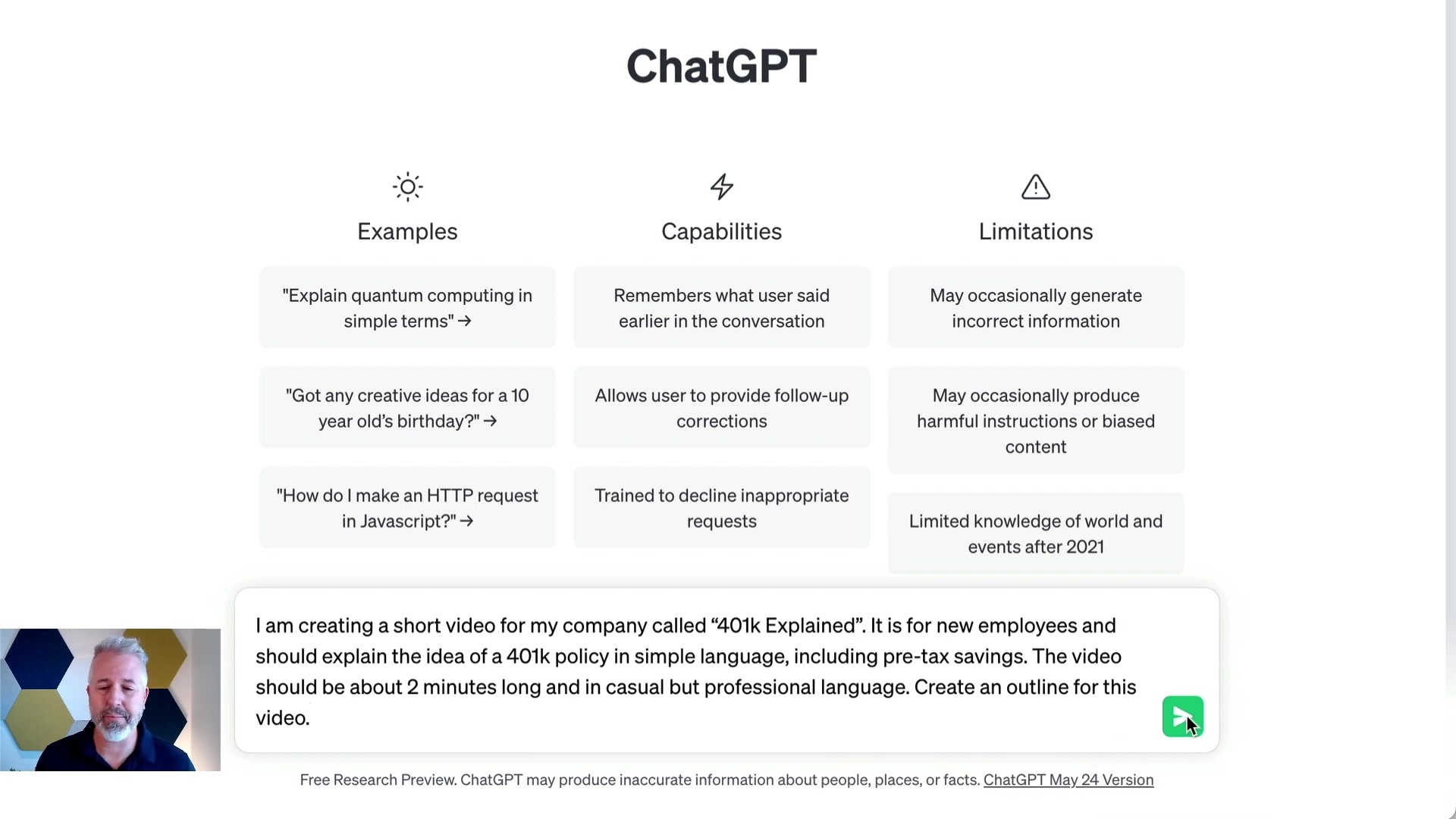
Here's an example of a prompt:
"Create a short video for my company called '401k Explained'. It is for new employees and should explain the idea of a 401k policy in simple language, including pre-tax savings. The video should be about 2 minutes long and in casual but professional language. Create an Outline for this video."
Generating an Outline with ChatGPT
Once you have a well-defined prompt, paste it into ChatGPT and let it generate an outline. The AI can quickly produce a structured framework that includes key sections, talking points, and even suggestions for visual aids. Review the outline carefully and make any necessary adjustments. Remember, the AI's output is a starting point; you can always refine and customize it to better suit your needs.
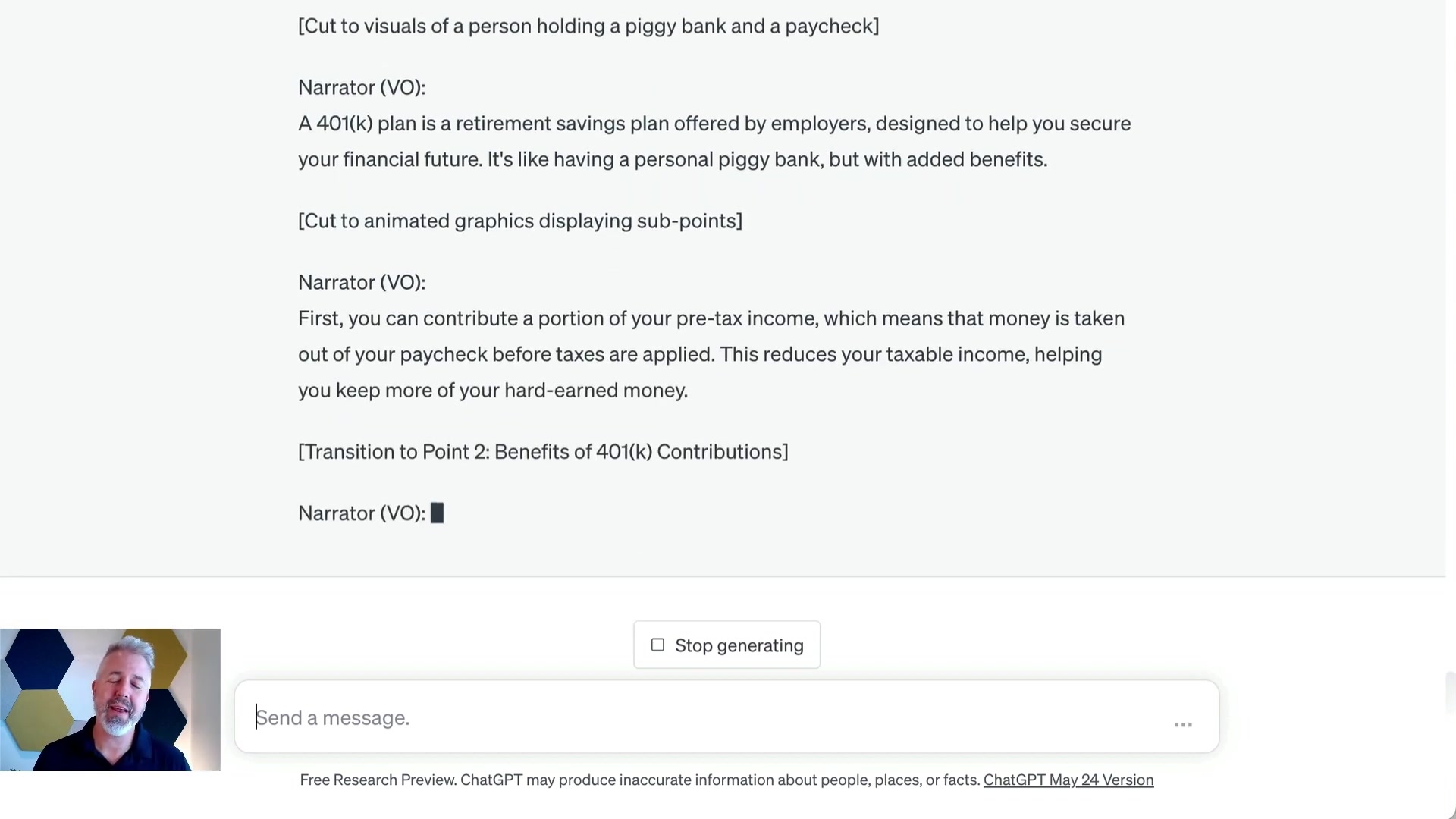
Example Outline Generated by ChatGPT:
- Title: 401(k) Explained - A Simple Guide to Building Your Financial Future
- Introduction: Briefly introduce the purpose and importance of the video. Set the tone as casual yet professional, creating a friendly and engaging atmosphere.
- Section 1: What is a 401(k)? Define a 401(k) plan in simple terms. Explain that it's a retirement savings plan offered by employers. Emphasize the benefits of starting early and contributing regularly.
- Section 2: How does a 401(k) work? Discuss the mechanics of a 401(k) plan. Explain that it's a tax-advantaged account where you can contribute a portion of your pre-tax income. Highlight the significance of pre-tax savings, which reduce your taxable income.
- Section 3: Benefits of contributing to a 401(k): Discuss the advantages of participating in a 401(k) plan. Explain how employer matching works and the benefits of taking full advantage of it. Emphasize the power of compounding and long-term growth potential.
- Section 4: Contribution limits and vesting: Briefly cover the contribution limits imposed by the IRS. Explain vesting and its importance. Discuss the different vesting schedules and how they impact your retirement savings.
- Section 5: Investment options: Introduce the concept of investment options within a 401(k) plan. Explain the importance of diversification. Briefly mention different investment vehicles such as stocks, bonds, and mutual funds.
- Section 6: Accessing 401(k) funds and maximizing savings: Discuss accessing funds and maximizing your 401(k) savings. Understand withdrawal rules and penalties. Explore exceptions for early withdrawals if needed. Take advantage of education resources and Seek financial advice.
- Conclusion: Summarize the main points covered in the video. Encourage new employees to embrace their employer's 401(k) plan. Highlight the long-term benefits of starting early and being consistent.
- Outro: Thank viewers for watching. Provide additional resources or contact information for further assistance. End with an encouraging message, emphasizing their potential for financial success.
Generating a Video Script
With a detailed outline in HAND, you can prompt ChatGPT to generate a video script. Specify the desired tone, length, and style to guide the AI's output. For instance, you might ask for a casual yet professional script with a 300-WORD limit. After the script is generated, scrutinize it carefully. Make edits to ensure accuracy, Clarity, and engagement. Infuse the script with your unique voice and perspective.
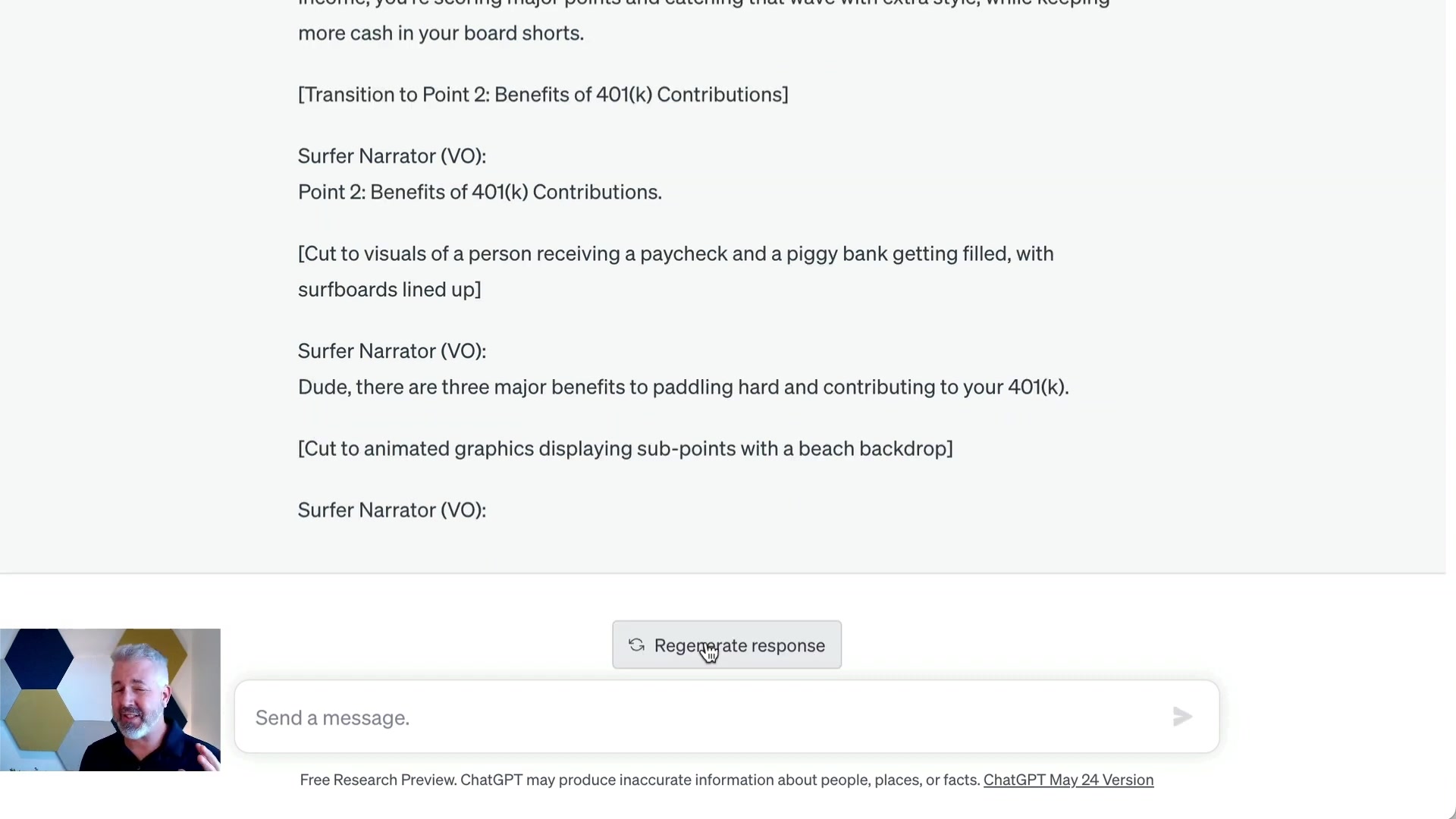
Example Prompt:
"Write a video script for the outline that has 300 words and in a casual but professional style."
Customizing Content for Different Audiences
One of ChatGPT's greatest strengths is its adaptability. You can tailor content to suit different audiences by adjusting your prompts. For example, you can request a script for a five-year-old, a fifteen-year-old, and a fifty-year-old. The AI will adapt its language, tone, and examples to resonate with each age group.
Example Prompt:
"Let's go back to the video script. I'd like three new scripts, but for different audiences: a five year old, a fifteen year old, and a fifty year old."
Visual Storyboarding
ChatGPT can even assist with visual storyboarding. Prompt it to suggest visuals that complement the script. For example, it can suggest animations, charts, or real-life footage that effectively illustrates key concepts. By combining AI-generated visuals with human creativity, you can create a visually engaging and informative video. It can suggest animations, charts, or real-life footage that effectively illustrates key concepts.
Here are some key points that the presenter is conveying with the content:
- Generate multiple versions in different languages to reach a global audience.
- Generate storyboards to Visualize scenes and animated graphics to illustrate points.
- Refine and perfect the content to meet specific organizational needs and branding guidelines.







Most people like






























Report
Please select a reason for reporting
- 13 Reasons to Switch from Snapchat to Text Messaging
- 7 Powerful Speech to Text Apps to Boost Productivity
- 10 Best Speech to Text Tools for Effortless Transcription
- 13 Free Tools to Easily Transcribe Audio to Text
- 15 Surprising Ways Google's Speech-to-Text Boosts Productivity
- 7 Best Free Online Audio to Text Transcription Tools
- 9 Tips to Transcribe Speech to Text Faster and Better
- 13 Best Speech to Text Software for Windows 10 in 2023
- 7 Tips for Choosing the Best Transcriber for Audio to Text
- 11 Reasons Why Dragon Speech-to-Text Apps are Game-Changers
- 6 Secrets to Enhance Your Speech to Text Transcription
- 6 Brilliant Ways to Boost Productivity with Talk-to-Text on Your MacBook
- 6 Ways Transcription Software Converts Audio to Text
- 8 Tips to Transcribe Speech to Text Like a Pro
- 6 Reasons IBM Watson Speech to Text is a Game-Changer
- 14 Powerful Ways Talk-to-Text Improves Your Workflow
- 12 Top Windows Speech-to-Text Software for Efficient Transcription
- 12 Game-Changing Benefits of Apple's Speech to Text Technology
- 9 Powerful Use Cases for AWS Speech to Text Technology
- 10 Easy Steps to Transcribe YouTube Videos to Text
- transcription audio en texte
- online audio transcription
- free audio file transcription
- free ai audio transcription
- audio transcription service
- audio transcription online free
- audio transcription free online
- audio to transcription software
- audio and transcript
- ai audio transcription free
- voice recording to text converter
- translate voice recording to text
- record voice to text
- audio recording to text converter
- voice recording and transcription
- chatgpt voice to text
- gmail voice to text
- speech to text reader
- speech to text ai free
- speech to talk
- How SEO and Marketing Dashboards Empower Agencies to Drive Results
- How to Use AI Tools to Find Internal Linking Opportunities Across a Business Website
- Discover Your Perfect Haircut with AI Hairstyle Apps
- Free Reputation Calculator Tools: How They're Adapting to Score AI Visibility, Not Just Rankings
- Design Professional Flyers for Free on Your Phone
- Best Free Flyer Maker Apps for Android: Design Like a Pro
- How to Know If Your Business Is Ready for an AI Customer Service Agent
- Revolutionizing Storytelling: From Novels to Screenplays with AI
- Create Engaging Animated Explainer Videos with a Free AI Tool
- Stop Multi-Subscribing: Benchmark Top AI Visual Models in One Canvas
- Top 5 Cold Email Software: Maximize Your Outreach in 2025
- Magic School AI: Revolutionizing Quiz & Assessment Generation
- Create Your Own Email Bot and Automate Your Email Tasks
- Beyond Pure Prompts: Optimizing Production with 'Text With Reference' Generation
- Stop Using Boring TTS: My Honest Deep Dive Into VideoAI and the Hunt for the Perfect Custom Voices
- AI & Elections: Defending Democracy Against Misinformation
- Navigating Political Discourse: AI, Deepfakes, and Reality Checks
- Detecting Political Bias in News Articles: A Powerful AI Algorithm
- AI Bias Unveiled: Political Leanings in ChatGPT & Beyond
- Revolutionize Learning: Discover Quizzes AI for Engaging Interactive Quizzes

Copyright ©2026 toolify