


Aftershoot
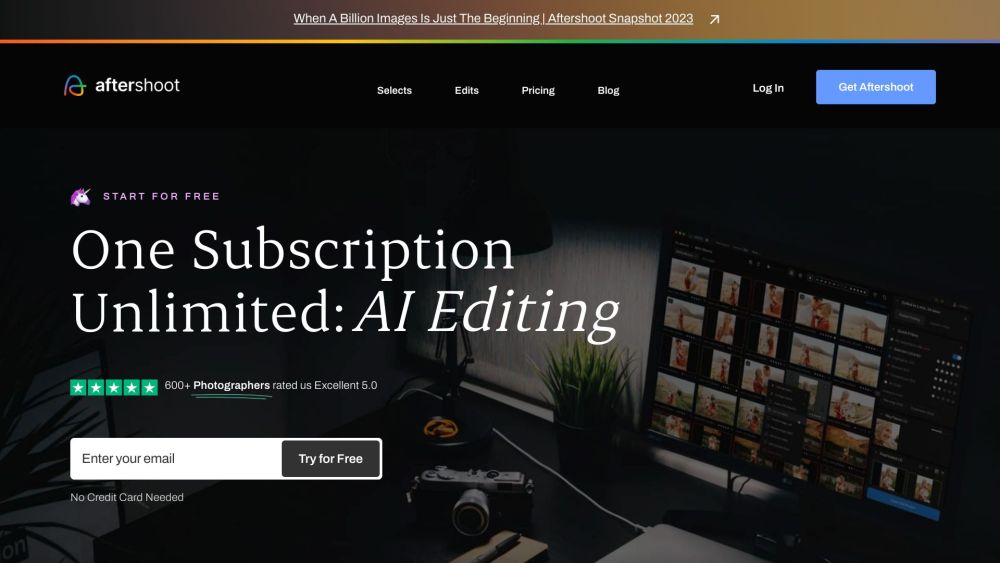




What is Aftershoot?
Aftershoot is an AI-powered photo culling and editing software designed for professional photographers. It streamlines the post-processing workflow by automating tasks such as selecting images, applying consistent edits, and soon, retouching. Aftershoot aims to save photographers time, allowing them to focus on shooting, growing their business, and maintaining a better work-life balance.
How to use Aftershoot?
To use Aftershoot, download and install the application on your Windows or MacOS computer. The AI will then analyze and rate your images based on your unique style, highlighting top shots and flagging less desirable ones. You can train the AI further by making culling and editing choices, which the AI learns from to better match your preferences. After culling, you can apply pre-built AI styles or train the AI on your own edits to create a personalized editing profile.
Aftershoot's Core Features
AI-powered photo culling
AI-assisted editing
AI retouching (coming soon)
Personalized AI editing profiles
Duplicate detection
Integration with various platforms (Lightroom, Capture One, etc.)
Aftershoot's Use Cases
Culling and editing wedding photos
Streamlining portrait photography workflow
Automating post-processing for high-volume shoots
Maintaining consistent editing styles across multiple shoots
FAQ from Aftershoot
Why Aftershoot?
What are the suggested system requirements for running Aftershoot?
How does Aftershoot work and how to get started?
What image formats does Aftershoot process?
What makes Aftershoot different from other AI culling and editing software?
What cameras does Aftershoot support?
What is Aftershoot's pricing model?
Can I have just a Culling or just an Editing Subscription?
Aftershoot Company
Aftershoot Company name: Aftershoot Pvt Ltd .
More about Aftershoot, Please visit the about us page(https://aftershoot.com/about/).
Aftershoot Login
Aftershoot Login Link: https://account.aftershoot.com/auth
Aftershoot Sign up
Aftershoot Sign up Link: https://account.aftershoot.com/auth?signup=true
Aftershoot Pricing
Aftershoot Pricing Link: https://account.aftershoot.com/pricing/
Aftershoot Facebook
Aftershoot Facebook Link: https://www.facebook.com/aftershootco/
Aftershoot Youtube
Aftershoot Youtube Link: https://www.youtube.com/@aftershoot
Aftershoot Tiktok
Aftershoot Tiktok Link: https://www.tiktok.com/@aftershootco
Aftershoot Twitter
Aftershoot Twitter Link: https://www.twitter.com/aftershootco/
Aftershoot Instagram
Aftershoot Instagram Link: https://www.instagram.com/aftershootco/
Aftershoot Pinterest
Aftershoot Pinterest Link: https://www.pinterest.com/AfterShootCo/
Aftershoot Reviews (0)
Aftershoot Pricing
Selects
$10 / month
Unlimited Culling Only Plan, billed annually
Essentials
$20 / month
Edit with Aftershoot’s Pre-built Marketplace Styles, billed annually
Pro
$40 / month
Unlimited Culling and Editing - with your own Personal AI Editing Profile, billed annually
Max
$60 / month
Perfect for High Volume Photography, billed annually, includes 5 Personal AI Editing Profiles
For the latest pricing, please visit this link: https://account.aftershoot.com/pricing/
Analytic of Aftershoot
Aftershoot Website Traffic Analysis
Geography
Top 5 Regions


Aftershoot Launch embeds
Use website badges to drive support from your community for your Toolify Launch. They're easy to embed on your homepage or footer.



Alternative of Aftershoot

 15.85%
Social Listening