


Auto Swipe
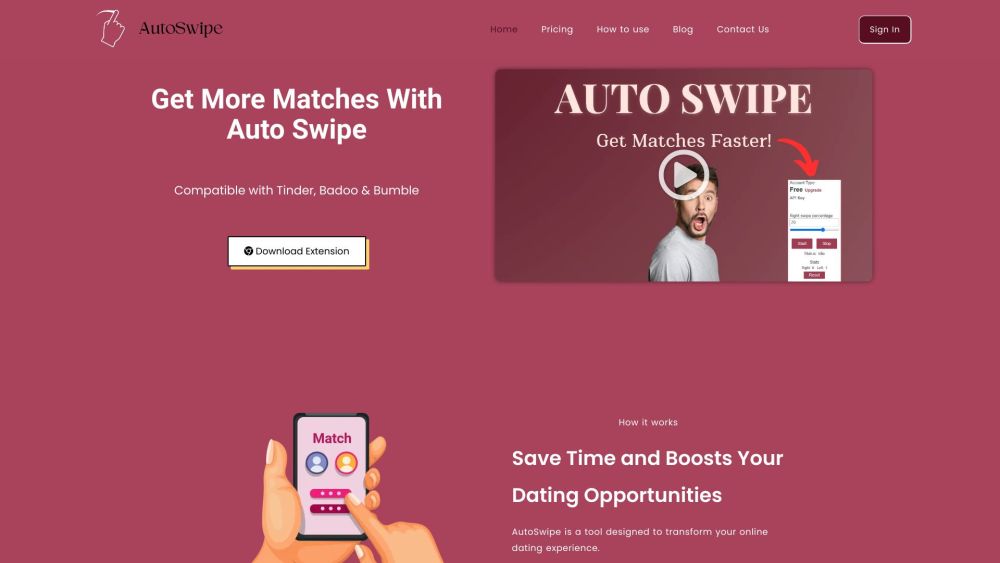



What is Auto Swipe?
Auto Swipe is a Chrome extension designed to automate swiping on dating platforms like Tinder, Badoo, and Bumble. It saves users time by automatically swiping based on set preferences, increasing the chances of matches. The extension offers features like swipe speed control, right swipe percentage adjustment, and age range settings.
How to use Auto Swipe?
1. Install the Auto Swipe Chrome Extension. 2. Set up Auto Swipe by opening your account, copying the API key from your dashboard, opening the dating website, and pasting the API key into the extension. 3. Start the extension and let it automatically swipe.
Auto Swipe's Core Features
Automated swiping on Tinder, Badoo, and Bumble
Swipe speed control
Right swipe percentage adjustment
Age range settings
Swipe statistics
Auto Swipe's Use Cases
Automating the process of finding potential matches on dating apps to save time.
FAQ from Auto Swipe
What is Autoswipe and how does it work?
What platforms does Autoswipe work on?
Do I have to keep my browser open for Autoswipe to work?
What happens if I match with someone I'm not interested in?
Auto Swipe Support Email & Customer service contact & Refund contact etc.
More Contact, visit the contact us page(https://autoswipe.io/contact-us/)
Auto Swipe Pricing
Auto Swipe Pricing Link: https://autoswipe.io/pricing/
Auto Swipe Reviews (0)
Auto Swipe Pricing
Free Download
$ 0 Monthly
150 swipes per day, Swipe Speed Control, Right Swipe Percentage, Set Age range, Swipe Statistics
Premium
Contact for Pricing
Download Premium
For the latest pricing, please visit this link: https://autoswipe.io/pricing/
Analytic of Auto Swipe
Auto Swipe Website Traffic Analysis
Auto Swipe Launch embeds
Use website badges to drive support from your community for your Toolify Launch. They're easy to embed on your homepage or footer.



Alternative of Auto Swipe

Auto Swipe Comparisons
More Content About Auto Swipe

10 Tips for Crafting the Perfect AI-Powered Tinder Profile
By Asher on April 14 2024
Master the art of online dating with these 10 expert tips for creating an irresistible AI-powered Tinder profile!
Social Listening