



BuildMap - Chrome Extension
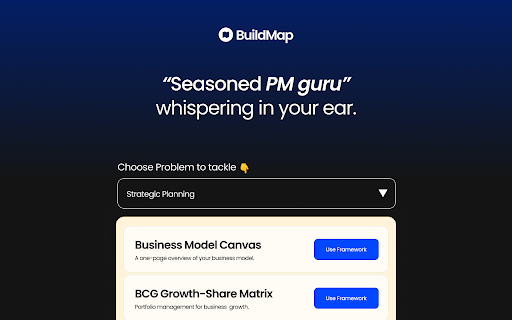





What is BuildMap ai chrome extension?
BuildMap is a Google Chrome extension designed to help project managers nail their projects with laser-focused precision. It provides frameworks and resources to streamline project management, reduce iterations, and increase confidence in meetings. The extension offers a 5-step process to access problem statements, frameworks, and templates, making project management more efficient and effective.
How to use BuildMap ai chrome extension?
1. Install the extension from the Chrome Web Store. 2. Open the extension and select a problem statement from the dropdown menu. 3. Choose a relevant framework. 4. Use the 'Use Template' button to copy the framework. 5. Paste the content into your workspace.
BuildMap ai chrome extension's Core Features
Access to curated problem statements
Variety of project management frameworks
Easy template copying
Resource goldmine with relevant links
BuildMap ai chrome extension's Use Cases
Streamlining project timelines
Reducing project iterations
Improving meeting confidence
Simplifying PRD writing
FAQ from BuildMap
What does BuildMap do?
How do I use BuildMap?
Analytic of BuildMap AI Chrome Extension
BuildMap Active Users
Total Installed User
Alternative of BuildMap AI Chrome Extension
More Content About BuildMap
12 Essential Tips for Successful Project Management
By Adelaide on May 18 2024
Master Project Success: 12 Essential Tips!
13 Innovative AI Project Ideas to Showcase Your Maker Skills
By Samyak Goswami on June 06 2024
Unlock Your Maker Potential: Explore 13 Cutting-edge AI Projects!
11 Essential Tips for a Successful AI Assistant Project
By Genevieve on July 05 2024
Master Your AI Assistant: 11 Key Success Tips!