


Commabot
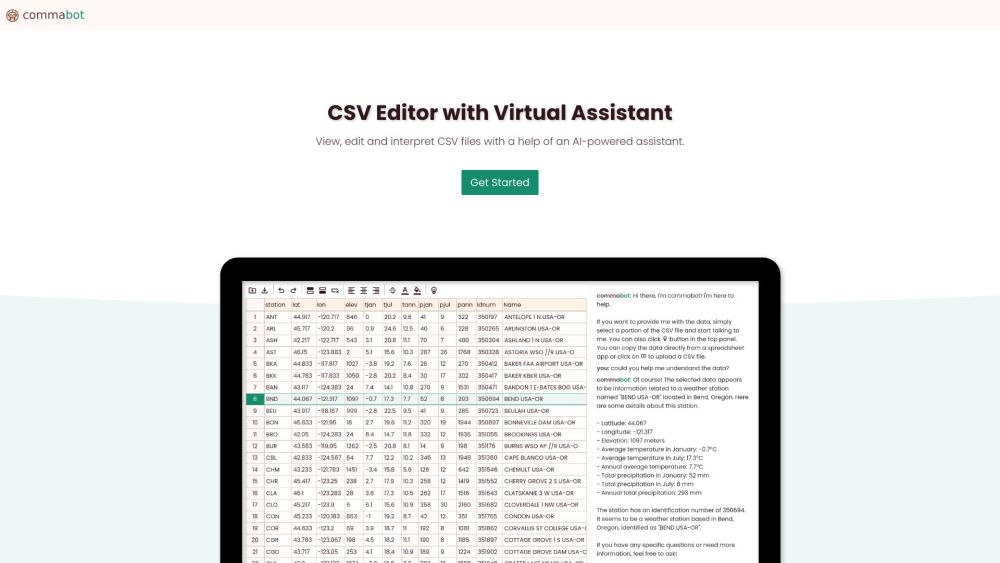


What is Commabot?
Commabot is an online CSV editor with a virtual assistant. It allows users to view, edit, and interpret CSV files with the help of an AI-powered assistant. The platform provides an intuitive spreadsheet interface for editing, data operations for organizing and extracting information, and AI assistance for data queries, statistical analyses, and trend forecasting. It also supports seamless transitions between different data formats.
How to use Commabot?
Use Commabot by uploading a CSV file, then utilize the spreadsheet interface to edit the data. The AI assistant can be used to interpret data queries, provide statistical analyses, and suggest data clean-up methods.
Commabot's Core Features
Online CSV Editing
AI Virtual Assistant
Data Transformation and Conversion
Commabot's Use Cases
Organizing large datasets
Extracting specific information from CSV files
Streamlining data for analysis
Forecasting trends based on data
FAQ from Commabot
What can Commabot's AI assistant do?
What data formats does Commabot support?
Commabot Company
Commabot Company name: Commabot Technologies .
Commabot Reviews (0)
Analytic of Commabot
Commabot Website Traffic Analysis
Commabot Launch embeds
Use website badges to drive support from your community for your Toolify Launch. They're easy to embed on your homepage or footer.



Alternative of Commabot

Social Listening