


FireCut AI
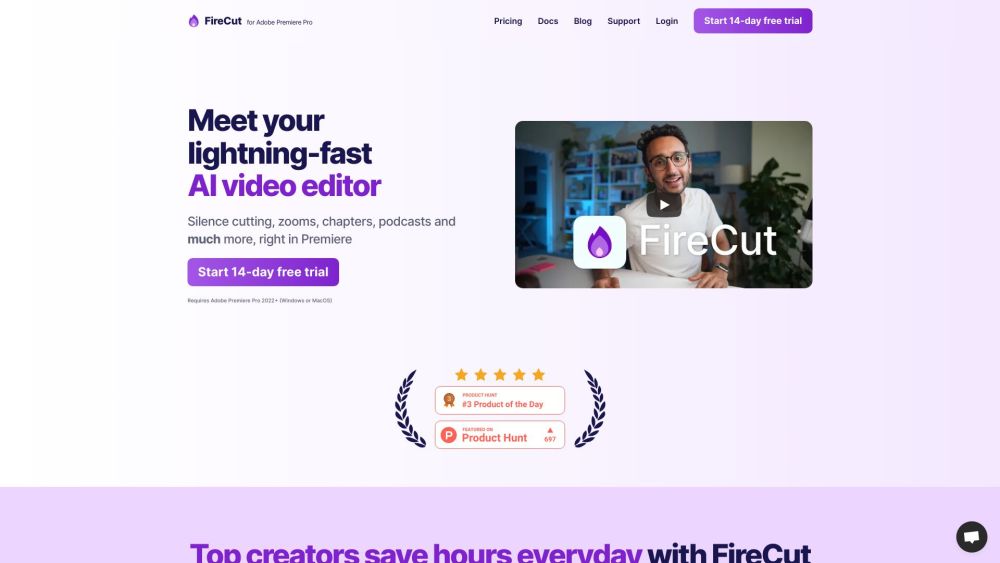


What is FireCut AI?
FireCut AI is a co-pilot for Adobe Premiere Pro that automates boring tasks such as cutting silences, removing repeated takes, adding captions, detecting chapters, and more. It boosts editing productivity by seamlessly integrating AI into the workflow, speeding up repetitive tasks like cleaning up footage, adding zoom cuts, and detecting chapters. FireCut also offers FireCut Shorts, a browser-based video editor for creating viral shorts with features like silence cutting, captions, B-roll integration, and audio enhancement.
How to use FireCut AI?
To use FireCut for Premiere Pro, install the plugin and use it within Adobe Premiere Pro 2022+. For FireCut Shorts, simply open the tool in your browser and upload your video.
FireCut AI's Core Features
Silence cutting
Automatic captions in 50+ languages
Zoom cuts
Chapter detection
B-roll integration (powered by Storyblocks)
Audio enhancement (powered by AIcoustics)
Filler word removal
Profanity removal
Repetition removal
AI Speech Generation
FireCut AI's Use Cases
Automating repetitive video editing tasks
Creating engaging captions for social media videos
Quickly editing podcasts
Generating viral short videos
Cleaning up footage and removing silences
Adding dynamic zoom cuts
Optimizing videos for YouTube SEO with chapter detection
FAQ from FireCut AI
What is FireCut AI?
What are the key features of FireCut AI?
Does FireCut AI offer a free trial?
What are the limitations of FireCut Shorts?
What languages are supported by FireCut AI?
FireCut AI Support Email & Customer service contact & Refund contact etc.
Here is the FireCut AI support email for customer service: [email protected] .
FireCut AI Company
FireCut AI Company name: FireCrafts Ltd. .
FireCut AI Login
FireCut AI Login Link: https://firecut.ai/accounts/dashboard/
FireCut AI Pricing
FireCut AI Pricing Link: https://firecut.ai/pricing/
FireCut AI Tiktok
FireCut AI Tiktok Link: https://www.tiktok.com/@streamstrat/video/7261391499835837722
FireCut AI Instagram
FireCut AI Instagram Link: https://www.instagram.com/p/Cu7NvZSAnsZ/
FireCut AI Reviews (0)
FireCut AI Pricing
FireCut Shorts
$29/mo (monthly) or $19/mo (yearly)
Browser-based video editor, 25 videos/month, up to 5 mins per clip
FireCut Plugin
$34/mo (monthly) or $24/mo (yearly)
Premiere Pro plugin with all features
FireCut Plugin + AI Speech Generation
$44/mo (monthly) or $34/mo (yearly)
Premiere Pro plugin with all features and AI Speech Generation
For the latest pricing, please visit this link: https://firecut.ai/pricing/
Analytic of FireCut AI
FireCut AI Website Traffic Analysis
Geography
Top 5 Regions


FireCut AI Launch embeds
Use website badges to drive support from your community for your Toolify Launch. They're easy to embed on your homepage or footer.



Alternative of FireCut AI


FireCut AI Comparisons
More Content About FireCut AI
11 Tips for Streamlining Adobe Speech to Text in Premiere Pro
By Lily on August 18 2024
Master Adobe Premiere Pro's speech to text feature with these 11 essential tips for a smooth and efficient workflow. Boost your video editing game now!
7 Stunning Creations from Adobe's AI Generator
By Amelia on March 29 2024
Discover 7 breathtaking creations from Adobe's AI Generator - Toolify AI. Don't miss out on these stunning works of art!
Social Listening