Sponsored by
Crazyrouter



Fooocus Infotext Chrome Extension - Chrome Extension
0
0 Reviews
0 Saved
Introduction:
Chrome extension for Fooocus to copy image infotext to clipboard.
Updated Time
Nov 14 2023
Active Users
52

APIMart
AI API, 99.9% SLA. Your AI, Always On.Most models offer cost savings of 20–60%; nanobanana pro api costs only 0.03.

YouArt
Agentic Creative OS

PoYo.AI
High concurrency. Stable AI API. Better pricing.

MenuForma
AI-powered digital QR menu and online ordering platform for restaurants.

Flowith 2.0
AI Creation Workspace for knowledge transformation and collaboration with AI models.

Fooocus Infotext Chrome Extension AI Chrome Extension Information
What is Fooocus Infotext Chrome Extension ai chrome extension?
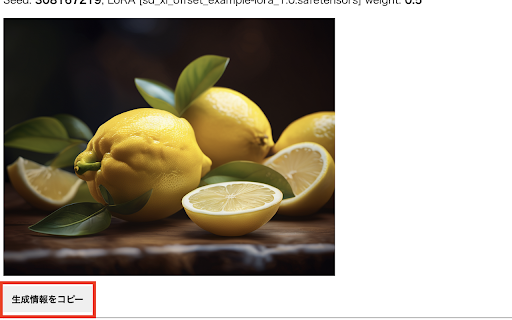
This Chrome extension enhances the Fooocus image generation AI tool by adding a button to the log screen that copies the generated image information in infotext format to the clipboard. This allows users to easily transfer image generation parameters between Fooocus and other software like Stable Diffusion web UI, facilitating seamless workflow integration.
How to use Fooocus Infotext Chrome Extension ai chrome extension?
Install the Chrome extension. Open the Fooocus log screen. A button will appear to copy the image infotext to the clipboard.
Fooocus Infotext Chrome Extension ai chrome extension's Core Features
Adds a 'Copy Infotext' button to the Fooocus log screen.
Copies image generation parameters in infotext format.
Enables interoperability between Fooocus and Stable Diffusion web UI.
Fooocus Infotext Chrome Extension ai chrome extension's Use Cases
#1
Transfer image generation settings from Fooocus to Stable Diffusion web UI for consistent results.
#2
Share image generation parameters with other users for collaboration.
#3
Archive image generation settings for future reference and reproducibility.
FAQ from Fooocus Infotext Chrome Extension
What is infotext?
Does this extension work with other browsers besides Chrome?
Where can I find the Fooocus log screen?
PoloX AI - Design and create in agent conversations and an infinite canvas.
AI workspace for generating and editing images, videos, and creative assets
Try Now
AD
Masonry AI
One prompt, every AI model: compare image and video generation across all platforms in a canvas
Try Now
AD
Analytic of Fooocus Infotext Chrome Extension AI Chrome Extension
Fooocus Infotext Chrome Extension Active Users
Total Installed User
52 (7)
Alternative of Fooocus Infotext Chrome Extension AI Chrome Extension
Open site
8.0K users