Sponsored by
APIMart



Fusebase Clarity - Chrome Extension
4.4
58 Reviews
0 Saved
Introduction:
Screen recording tool that automatically creates guides with AI-powered editing and sharing.
Updated Time
Apr 15 2026
Active Users
4.0K

Velo
AI video infrastructure to explain, train, and sell faster.

Vmake Labs Video Enhancer
Vmake Labs Video Enhancer uses AI to improve video quality, restore details, reduce blur, and upscale videos to 8K.

APIMart
AI API, 99.9% SLA. Your AI, Always On.

iMean AI Trip Planner
AI trip planner that creates personalized itineraries, finds cheap flights and hotels, and helps you plan an entire trip in one chat.

Free
Agentkit
AI agents trained on business content for support, lead capture, and automation

Fusebase Clarity AI Chrome Extension Information
What is Fusebase Clarity ai chrome extension?
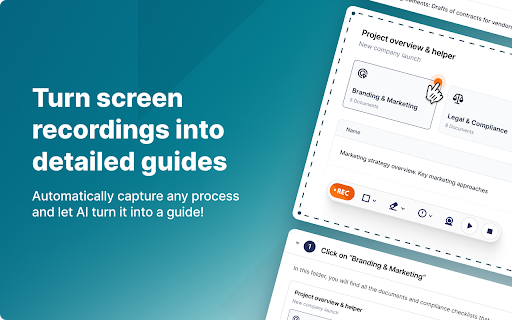
Fusebase Clarity automatically creates guides with screenshots and descriptions of actions by recording your screen. It allows you to edit descriptions with an AI assistant, add new elements like tips, tables, and files using a powerful editor, and share guides with friends and colleagues or create your own knowledge base.
How to use Fusebase Clarity ai chrome extension?
Record your screen, and Fusebase Clarity will automatically generate a guide. Edit the descriptions using the AI assistant, add elements using the editor, and share the guide with others.
Fusebase Clarity ai chrome extension's Core Features
Automatic guide creation from screen recordings
AI-powered description editing
Powerful editor for adding elements
Easy sharing and knowledge base creation
Fusebase Clarity ai chrome extension's Use Cases
#1
Creating training materials for new employees
#2
Documenting software workflows for users
#3
Sharing how-to guides with colleagues
#4
Building a knowledge base for internal or external use
FAQ from Fusebase Clarity
How does Fusebase Clarity create guides?
Can I edit the descriptions in the generated guide?
What types of elements can I add to the guide?
How can I share the guides I create?
YouArt
Agentic Creative OS
Try Now
AD
APIMaster
GPT up to 95% off + $20 trial. Fingerprint-verified APIs. Low-cost and stable.
Try Now
AD
Analytic of Fusebase Clarity AI Chrome Extension
Fusebase Clarity Active Users
Total Installed User
4.0K
Alternative of Fusebase Clarity AI Chrome Extension
Website
Freemium
Free Trial
Contact for Pricing
AI SOPAI TutorialAI Documents GeneratorAI Knowledge Base
Open site
 50.77%
28.2K
50.77%Direct (54.12%)
Referrals (21.44%)
SearchOrganic (15.36%)
