Sponsored by
ThumbnailCreator.com



GPT2Markdown - Chrome Extension
3.7
10 Reviews
0 Saved
Introduction:
Chrome extension to export ChatGPT conversations to Markdown format.
Updated Time
Apr 29 2023
Active Users
766

iDox.ai Guardrail
Real-time AI guardrails that prevent sensitive data exposure in AI tools, copilots, and autonomous AI agents.

Miro
AI innovation Workspace

Flowith 2.0
AI Creation Workspace for knowledge transformation and collaboration with AI models.

PaioClaw
Managed, secure platform for deploying and automating OpenClaw AI assistants in 60 seconds.

Nextbrowser
Automate logins, scraping, outreach, and more — just by chatting with AI.

GPT2Markdown AI Chrome Extension Information
What is GPT2Markdown ai chrome extension?
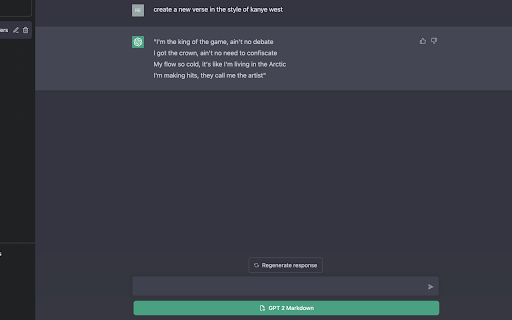
GPT2Markdown is a Chrome Extension that allows users to export their ChatGPT conversations locally in Markdown format. This enables easy importing into apps like Notion or storage on external hard drives. The extension is open source and available on GitHub.
How to use GPT2Markdown ai chrome extension?
Install the GPT2Markdown Chrome Extension. After installation, navigate to ChatGPT. A GPT2Markdown button will appear, allowing you to export the current conversation with one click. You may need to reload the page for the button to appear.
GPT2Markdown ai chrome extension's Core Features
Export ChatGPT conversations to Markdown format
Use ChatGPT's auto-labeling to name files
Open source
One-click export
GPT2Markdown ai chrome extension's Use Cases
#1
Storing ChatGPT conversations in Notion
#2
Archiving ChatGPT conversations on an external hard drive
#3
Documenting research or brainstorming sessions with ChatGPT
FAQ from GPT2Markdown
What format does GPT2Markdown export conversations in?
Is GPT2Markdown open source?
Does GPT2Markdown collect user data?
Why doesn't the GPT2Markdown button appear immediately?
Runable
Runable is a general AI agent that can execute any task, from building web apps, slides, reports, and documents to generating images, videos, and podcasts, all in one place. It doesn’t just create it connects. Runable integrates with thousands of your favorite apps so you can simply ask it to do the work for you.
Try Now
AD
Raccoon AI
The AI Coworker for Apps, Research, Docs & Everything Else. Raccoon AI is a collaborative AI agent and workspace for getting real work done. You describe what you need and build it together with an AI agent that has its own computer, terminal, browser, and internet. You see every thought, every file it creates, every decision it makes. You steer when it drifts. You ship when it's right. Deploy web apps. Run deep research. Analyze data. Create pitch decks, videos, images, documents and more.
Try Now
Analytic of GPT2Markdown AI Chrome Extension
GPT2Markdown Active Users
Total Installed User
766 (10)
Alternative of GPT2Markdown AI Chrome Extension
Website
Freemium
Free
AI WorkflowAI App BuilderAI AgentAI Developer ToolsPrompt EngineeringNo-Code&Low-CodeAI APIAI ChatbotAI Assistant
Open site
--
Mail (0.00%)
GenAi (0.00%)
Direct (0.00%)
Website
Contact for Pricing
AI WorkflowAI Document ExtractionAI Productivity ToolsAI For Data AnalyticsAI APIAI Accounting
Open site
 100.00%
--
100.00%Direct (39.55%)
SearchOrganic (30.87%)
Referrals (10.47%)
Website
Paid
AI WorkflowAI ChatbotAI Customer ServiceAI MarketingAI SalesAI Web ScrapingAI Task ManagementAI Accounting
Open site
--
Direct (41.33%)
SearchOrganic (33.98%)
Referrals (9.43%)