Sponsored by
APIMart



Image to Text & ESC Exit App - Chrome Extension
5
1 Reviews
0 Saved
Introduction:
Extract text from images and exit with ESC.
Updated Time
Mar 10 2021
Active Users
22

Renamer.ai
AI tool that renames and organizes files by automatically reading their actual content.

APIMart
AI API, 99.9% SLA. Your AI, Always On.Most models offer cost savings of 20–60%; nanobanana pro api costs only 0.03.

ThumbnailCreator.com
AI tool for creating stunning YouTube thumbnails quickly.

Vmake Labs Video Enhancer
Vmake Labs Video Enhancer uses AI to improve video quality, restore details, reduce blur, and upscale videos to 8K.

AdsCreator.com
AI Ad Creation Tool - Just Paste your Website URL & get Professional AI Ads

Image to Text & ESC Exit App AI Chrome Extension Information
What is Image to Text & ESC Exit App ai chrome extension?
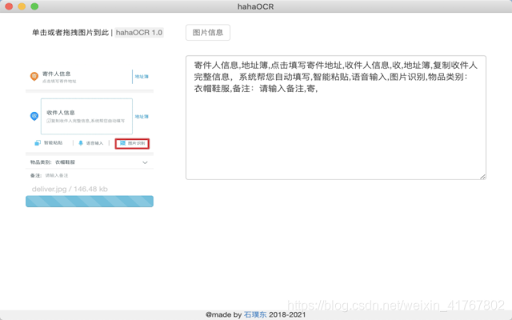
This application allows users to extract text from images and convert it into editable text. Users can upload images by clicking a button and exit the application by pressing the 'ESC' key.
How to use Image to Text & ESC Exit App ai chrome extension?
Click the upload button to select an image. The application will automatically extract the text from the image and display it. Press the 'ESC' key to exit the application.
Image to Text & ESC Exit App ai chrome extension's Core Features
Image to text conversion
ESC key exit functionality
Image to Text & ESC Exit App ai chrome extension's Use Cases
#1
Extracting text from scanned documents
#2
Converting images of text into editable formats
#3
Quickly exiting the application using the ESC key
FAQ from Image to Text & ESC Exit App
How do I upload an image?
How do I exit the application?
What image formats are supported?
YouArt
Agentic Creative OS
Try Now
AD
Agentkit
AI agents trained on business content for support, lead capture, and automation
Try Now
AD
Analytic of Image to Text & ESC Exit App AI Chrome Extension
Image to Text & ESC Exit App Active Users
Total Installed User
22
