Sponsored by
APIMaster



Image-To-Text-OCR-extension-for-ChatGPT - Chrome Extension
4.2
13 Reviews
0 Saved
Introduction:
Chrome extension for quick and private OCR directly into ChatGPT.
Updated Time
Sep 23 2024
Active Users
6.0K

Renamer.ai
AI tool that renames and organizes files by automatically reading their actual content.

APIMaster
GPT up to 95% off + $20 trial. Fingerprint-verified APIs. Low-cost and stable.

APIMart
AI API, 99.9% SLA. Your AI, Always On.

iMean AI Trip Planner
AI trip planner that creates personalized itineraries, finds cheap flights and hotels, and helps you plan an entire trip in one chat.

Free
PoYo.AI
High concurrency. Stable AI API. Better pricing.

Image-To-Text-OCR-extension-for-ChatGPT AI Chrome Extension Information
What is Image-To-Text-OCR-extension-for-ChatGPT ai chrome extension?
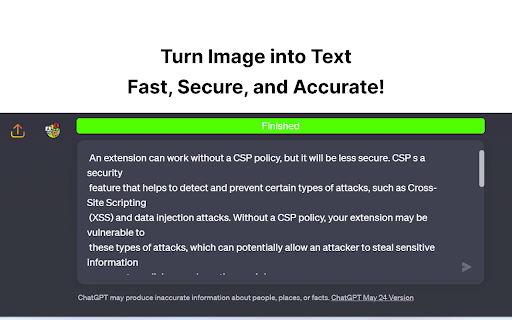
This Chrome extension allows users to quickly and easily extract text from images and paste it directly into the ChatGPT textbox. It supports multiple languages and uses Tesseract.js for local OCR processing, ensuring user privacy. It also offers an optional integration with Pieces.app for enhanced precision and format retention, particularly for code.
How to use Image-To-Text-OCR-extension-for-ChatGPT ai chrome extension?
Upload an image file, drag and drop an image, or paste a screenshot from your clipboard (Ctrl+V) into the ChatGPT textbox. The extension will automatically convert the image to text and populate the textbox.
Image-To-Text-OCR-extension-for-ChatGPT ai chrome extension's Core Features
Optical Character Recognition (OCR) directly in the browser
Integration with ChatGPT
Support for multiple languages
Optional integration with Pieces.app for enhanced OCR
Image-To-Text-OCR-extension-for-ChatGPT ai chrome extension's Use Cases
#1
Extracting text from images to use in ChatGPT conversations
#2
Converting screenshots of code into editable text
#3
Quickly transcribing text from images without switching between multiple tools
FAQ from Image-To-Text-OCR-extension-for-ChatGPT
How does the extension ensure my privacy?
What if I need more accurate OCR, especially for code?
Where can I find the source code for the extension?
YouArt
Agentic Creative OS
Try Now
AD
PostMcpAi
AI-powered social media publishing across seven networks
Try Now
AD
Analytic of Image-To-Text-OCR-extension-for-ChatGPT AI Chrome Extension
Image-To-Text-OCR-extension-for-ChatGPT Active Users
Total Installed User
6.0K
Alternative of Image-To-Text-OCR-extension-for-ChatGPT AI Chrome Extension
Website
Freemium
AI OCRAI Document ExtractionAI TranscriptionAI Documents GeneratorAI Note TakerAI Writing Assistants
Open site
--
Mail (0.00%)
GenAi (0.00%)
Direct (0.00%)
Open site
917 users
Website
Contact for Pricing
AI OCRAI Image RecognitionAI Task ManagementAI Productivity ToolsAI AssistantAI Workflow
Open site
 100.00%
--
100.00%Direct (37.92%)
SearchOrganic (32.62%)
Referrals (11.68%)