


Perfect Wiki
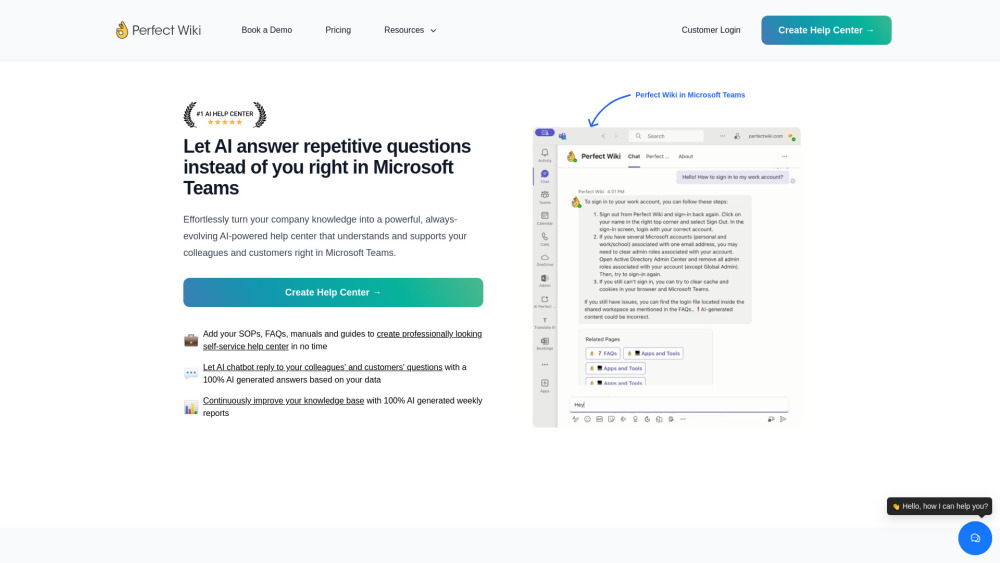


What is Perfect Wiki?
Perfect Wiki is an AI-powered help center that integrates with Microsoft Teams, allowing users to effortlessly turn company knowledge into a powerful, always-evolving resource. It enables AI to answer repetitive questions, create self-service help centers, and improve knowledge bases with AI-generated reports.
How to use Perfect Wiki?
Add SOPs, FAQs, manuals, and guides to create a self-service help center. Use the Knowledge Bot to answer questions with AI-generated answers. Review weekly AI-generated reports to improve the knowledge base.
Perfect Wiki's Core Features
AI Knowledge Bot
AI Editor Assistant
Weekly AI-Powered Reports
Integration with Microsoft Teams
Single Sign-On with Microsoft
Version Control
Permissions Management
Perfect Wiki's Use Cases
Creating internal knowledge bases for companies and teams
Providing self-service help centers for employees and customers
Training and onboarding new team members
Sharing SOPs, FAQs, and guidelines within Microsoft Teams
FAQ from Perfect Wiki
What is a wiki anyway?
How secure is Perfect Wiki?
Does Perfect Wiki has version control?
Can I lock the Perfect Wiki page from being edited?
Can I import content from Microsoft Teams built-in wiki or other sources?
Do I need to manually add members to Perfect Wiki?
Perfect Wiki Support Email & Customer service contact & Refund contact etc.
Here is the Perfect Wiki support email for customer service: [email protected] . More Contact, visit the contact us page(mailto:[email protected])
Perfect Wiki Company
Perfect Wiki Company name: IE Ilia Pirozhenko .
Perfect Wiki Company address: Georgia, Tbilisi.
More about Perfect Wiki, Please visit the about us page(https://perfectwikiforteams.com/about-us/).
Perfect Wiki Login
Perfect Wiki Login Link: https://perfectwikiforteams.com/install
Perfect Wiki Sign up
Perfect Wiki Sign up Link: https://perfectwikiforteams.com/install
Perfect Wiki Pricing
Perfect Wiki Pricing Link: https://perfectwikiforteams.com/pricing
Perfect Wiki Facebook
Perfect Wiki Facebook Link: https://www.facebook.com/perfectwiki
Perfect Wiki Linkedin
Perfect Wiki Linkedin Link: https://www.linkedin.com/company/perfect-wiki/
Perfect Wiki Twitter
Perfect Wiki Twitter Link: https://twitter.com/perfect_wiki
Perfect Wiki Reviews (0)
Perfect Wiki Pricing
Publisher
$390 annually
2 Knowledge Bases, 5 Editors Included, 250 Readers Included, AI Knowledge Bot, AI Editor Assistant, Branding, Standard Email Support
Pro
$790 annually
3 Knowledge Bases, 20 Editors Included, 350 Readers Included, AI Knowledge Bot + Customizations, AI Editor Assistant, Advanced Editing Features, Branding, Standard Email Support
Premium
$2390 annually
7 Knowledge Bases, 50 Editors Included, 500 Readers Included, AI Knowledge Bot + Customizations, AI Editor Assistant, Advanced Editing Features, Page Verification, Branding + Ability to remove `Powered by Perfect Wiki` label, Scheduled Backups, Priority Email Support
For the latest pricing, please visit this link: https://perfectwikiforteams.com/pricing
Analytic of Perfect Wiki
Perfect Wiki Website Traffic Analysis
Geography
Top 1 Regions

Perfect Wiki Launch embeds
Use website badges to drive support from your community for your Toolify Launch. They're easy to embed on your homepage or footer.



Alternative of Perfect Wiki

Perfect Wiki Comparisons
More Content About Perfect Wiki
13 Voice Recognition Tips to Master Microsoft Word
By Nitish Singh on August 05 2024
Master Microsoft Word with these 13 Voice Recognition tips! Boost your productivity and efficiency with these simple yet effective strategies.
Social Listening