Sponsored by
APIMaster



Clyr - Chrome Extension
5
5 Reviews
0 Saved
Introduction:
Clyr automates receipt and invoice capture, matching, and categorization for streamlined expense management.
Updated Time
Oct 10 2024
Active Users
182

AuditTrail AI
AI-powered financial reconciliation platform for automated transaction matching and audit-ready documentation.

PoYo.AI
High concurrency. Stable AI API. Better pricing.

APIMaster
GPT up to 95% off + $20 trial. Fingerprint-verified APIs. Low-cost and stable.

APIMart
AI API, 99.9% SLA. Your AI, Always On.

iMean AI Trip Planner
AI trip planner that creates personalized itineraries, finds cheap flights and hotels, and helps you plan an entire trip in one chat.

Free
Clyr AI Chrome Extension Information
What is Clyr ai chrome extension?
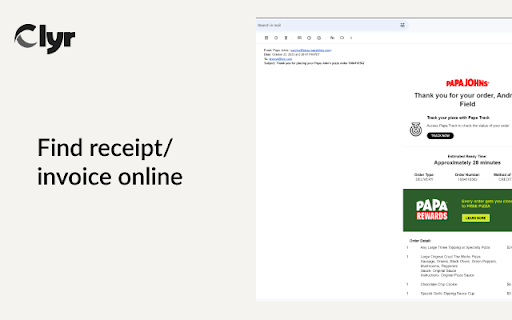
Clyr's Receipt and Invoice Capture is an extension designed to streamline expense and spend management. It automates the process of capturing, matching, and categorizing receipts and invoices, reducing a multi-step process to a quick, automated action.
How to use Clyr ai chrome extension?
1. Install the Clyr extension. 2. Log in or register for a Clyr account. 3. When you receive a receipt or invoice online, click the Clyr icon in your toolbar. 4. Snap the image, and it will be automatically matched and categorized in your Clyr account.
Clyr ai chrome extension's Core Features
Receipt and Invoice Capture
Seamless Integration with Accounting Platforms
Card Agnostic
Real-Time Notifications
Automated Matching & Smart Categorization
Clyr ai chrome extension's Use Cases
#1
Capture receipts and invoices directly from websites and emails.
#2
Automatically match receipts to transactions in your account.
#3
Categorize receipts using AI-powered algorithms.
FAQ from Clyr
How does Clyr integrate with accounting platforms?
How does Clyr handle card connections?
How does the automated matching and smart categorization work?
YouArt
Agentic Creative OS
Try Now
AD
Agentkit
AI agents trained on business content for support, lead capture, and automation
Try Now
AD
Analytic of Clyr AI Chrome Extension
Clyr Active Users
Total Installed User
182 (-8)
Alternative of Clyr AI Chrome Extension

Website
Paid
AI AccountingAI OCRAI Contract ManagementAI For Data AnalyticsAI For FinanceAI Document ExtractionAI WorkflowAI Productivity Tools
Open site
 56.62%
5.5K
56.62%Direct (38.62%)
SearchOrganic (33.28%)
Referrals (9.85%)