Sponsored by
APIMaster



Kive - Chrome Extension
3.7
3 Reviews
0 Saved
Introduction:
Smart asset platform for creators to collect, organize, and collaborate on creative assets.
Updated Time
May 27 2024
Active Users
870

Flowith 2.0
AI Creation Workspace for knowledge transformation and collaboration with AI models.

APIMaster
The only AI API marketplace that fingerprint-verifies every provider — aggregating the world's cheapest authentic API keys for OpenAI, Claude & DeepSeek at up to 90% off. The #1 alternative to OpenRouter for developers who need verified, affordable API access.

APIMart
AI API, 99.9% SLA. Your AI, Always On.

iMean AI Trip Planner
AI trip planner that creates personalized itineraries, finds cheap flights and hotels, and helps you plan an entire trip in one chat.

Free
PoYo.AI
High concurrency. Stable AI API. Better pricing.

Kive AI Chrome Extension Information
What is Kive ai chrome extension?
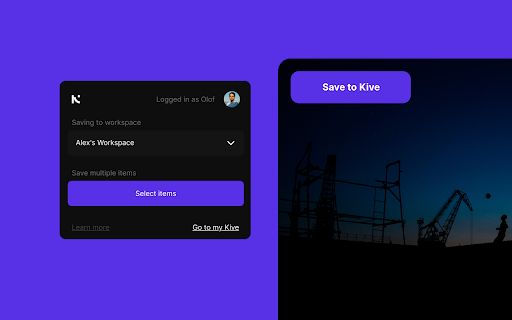
Kive is a smart asset platform for creators designed to collect creative references and assets in one place. It automatically organizes content with AI-tagging, magic sorting, and powerful search capabilities. Kive facilitates team collaboration and enables users to create visually appealing board presentations to pitch ideas effectively.
How to use Kive ai chrome extension?
Use the Save to Kive browser extension to save images and content from the web directly into your Kive workspace. Click the Save to Kive button on images or right-click to find the option in the menu. Alternatively, use the Kive button in your browser to save all images on a page. In Kive, you can create manual boards to organize your creative thoughts and send presentations to collaborators and clients.
Kive ai chrome extension's Core Features
AI-powered tagging and organization
Magic sorting into boards
Powerful search functionality
Team collaboration features
Board presentation creation
Kive ai chrome extension's Use Cases
#1
Collecting visual research and inspiration
#2
Organizing creative assets for projects
#3
Collaborating with teams on design projects
#4
Creating presentations for clients and stakeholders
FAQ from Kive
How do I save content to Kive?
How does Kive organize my saved content?
Can I create my own boards in Kive?
YouArt
Agentic Creative OS
Try Now
AD
PostMcpAi
AI-powered social media publishing across seven networks
Try Now
AD
Analytic of Kive AI Chrome Extension
Kive Active Users
Total Installed User
870
Alternative of Kive AI Chrome Extension
Website
Contact for Pricing
AI Knowledge ManagementAI Knowledge BaseAI For Data AnalyticsAI WorkflowAI Productivity Tools
Open site
--
Mail (0.00%)
GenAi (0.00%)
Direct (0.00%)