



Screenova - Chrome Extension


What is Screenova ai chrome extension?
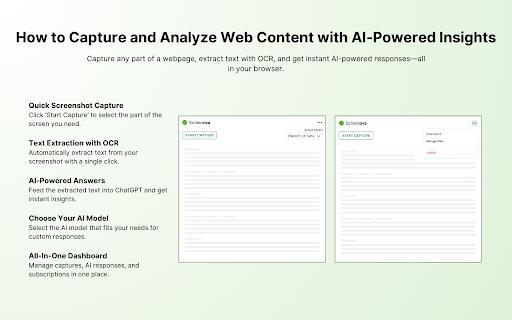
Screenova is a Chrome extension that enhances your browsing experience by allowing users to capture web page screenshots and use advanced AI and Optical Character Recognition (OCR) technology to extract, analyze, and transform text. Key features include generating explanations, summaries, and action items from screenshots, solving questions efficiently, and offering model selection from tools like ChatGPT 3.5 and 4. This tool simplifies workflow and boosts productivity by providing quick insights and text extraction from images.
How to use Screenova ai chrome extension?
Install the Screenova Chrome extension. Capture a screenshot of a webpage. Use the AI and OCR features to extract, analyze, and transform the text within the screenshot. Generate explanations, summaries, and action items. Select your preferred AI model (ChatGPT 3.5 or 4) for enhanced analysis.
Screenova ai chrome extension's Core Features
Screenshot capture
AI-powered text extraction and analysis
Optical Character Recognition (OCR)
Text transformation
Explanation and summary generation
Action item creation
Model selection (ChatGPT 3.5 and 4)
Screenova ai chrome extension's Use Cases
Quickly extract text from images and screenshots.
Generate summaries of articles or documents.
Identify action items from meeting notes or presentations.
Solve questions efficiently using AI analysis of visual content.
FAQ from Screenova
What is Screenova?
What are the key features of Screenova?
How does Screenova improve productivity?
