


Seedance Ai


What is Seedance Ai?
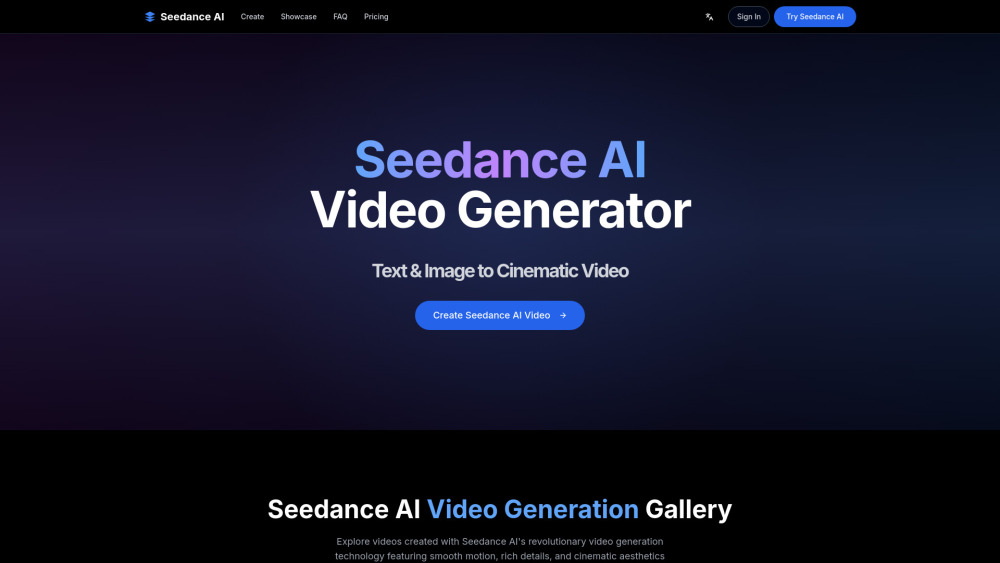
Seedance AI is an advanced AI video generator that enables users to create stunning cinematic videos from both text prompts and images. It features revolutionary video generation technology known for smooth motion, rich details, and cinematic aesthetics. The platform supports multi-modal video generation, diverse stylistic expressions ranging from photorealism to cyberpunk illustration, and boasts fast performance, generating high-quality videos in approximately 41 seconds. Seedance AI claims to offer superior motion quality and faster generation compared to tools like Veo 3 and Sora, making it suitable for transforming ideas into professional, dynamic visual content.
How to use Seedance Ai?
To use Seedance AI, simply provide text prompts or images. The AI technology will then process your input to generate cinematic videos with smooth motion, rich details, and professional quality.
Seedance Ai's Core Features
Multi-Modal Video Generation (from text prompts or images)
Diverse Stylistic Expression (photorealism to cyberpunk illustration)
Fast & Superior Performance (generates videos in ~41 seconds)
Superior motion quality and cinematic aesthetics
High-quality video output (up to 1080p resolution)
Advanced artistic controls and style preservation (Premium/Enterprise plans)
Seedance Ai's Use Cases
Creating stunning cinematic videos from text and images
Generating mountain landscape videos with cinematic camera movements
Producing cinematic urban videos with dynamic movements
Bringing characters to life with lifelike character animations
Transforming ocean concepts into flowing video animations
Creating beautiful countryside videos with natural movement
Generating breathtaking alpine videos with smooth motion and atmospheric effects
Animating artwork for personal or commercial projects
FAQ from Seedance Ai
What makes Seedance AI different from other AI video generators?
How does Seedance AI generate videos from text and images?
Is Seedance AI suitable for professional creative projects?
How many credits do free users get?
Who owns the content I generate?
Seedance Ai Support Email & Customer service contact & Refund contact etc.
Here is the Seedance Ai support email for customer service: [email protected] . More Contact, visit the contact us page(mailto:[email protected])
Seedance Ai Company
Seedance Ai Company name: Seedance AI .
Seedance Ai Company address: .
More about Seedance Ai, Please visit the about us page().
Seedance Ai Login
Seedance Ai Login Link: https://seedance-ai.ai/login
Seedance Ai Sign up
Seedance Ai Sign up Link: https://seedance-ai.ai/create
Seedance Ai Pricing
Seedance Ai Pricing Link: https://seedance-ai.ai/pricing
Seedance Ai Reviews (0)
Seedance Ai Pricing
Free
$0/forever
Experience AI video generation features. Includes 100 credits (registration bonus), generates approximately 10-second videos, up to 1080p resolution, basic text-to-video, no credit card required.
Basic
$239.90/Yearly
Perfect for personal users and small projects. Monthly average $19.99. Includes 13.0K credits, up to 30 minutes of video per month, up to 720p resolution, standard text-to-video, basic editing tools, and standard customer support.
Professional
$335.90/Yearly
Perfect for professional creators and medium-sized businesses. Monthly average $27.99. Includes 39.0K credits, up to 120 minutes of video per month, up to 1080p resolution, advanced text-to-video, advanced editing tools, priority customer support, and a commercial use license.
Enterprise
$863.90/Yearly
Perfect for large enterprises and teams. Monthly average $71.99. Includes 130.0K credits, up to 1080p resolution, AI-enhanced video editing, expert team support, a dedicated account manager, custom branding features, and a commercial use license.
For the latest pricing, please visit this link: https://seedance-ai.ai/pricing
Analytic of Seedance Ai
Seedance Ai Website Traffic Analysis
Seedance Ai Launch embeds
Use website badges to drive support from your community for your Toolify Launch. They're easy to embed on your homepage or footer.




Social Listening