Sponsored by
Designkit Free Background Remover



Teamstand - Chrome Extension
5
11 Reviews
0 Saved
Introduction:
Teamstand organizes files from Gmail and Slack into automated folders for easy access.
Updated Time
Jan 28 2023
Active Users
102

Renamer.ai
AI tool that renames and organizes files by automatically reading their actual content.

Designkit Free Background Remover
Designkit offers free AI background removal for up to 100 images daily, with batch processing, custom backgrounds, and resizing.

APIMart
AI API, 99.9% SLA. Your AI, Always On.Most models offer cost savings of 20–60%; nanobanana pro api costs only 0.03.

Crazyrouter
The enterprise-grade, cost-effective AI API gateway that provides one API key to access 300+ AI models through OpenAI-compatible endpoints, with optimized routing for lower costs and easier integration.

Vmake Labs Video Enhancer
Vmake Labs Video Enhancer uses AI to improve video quality, restore details, reduce blur, and upscale videos to 8K.

Teamstand AI Chrome Extension Information
What is Teamstand ai chrome extension?
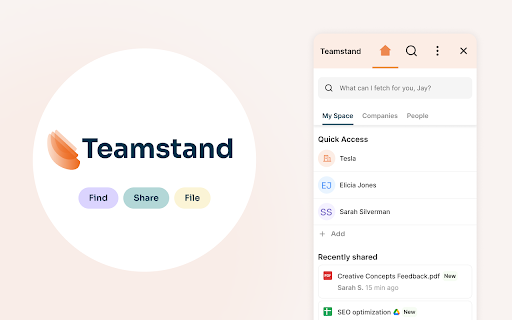
Teamstand is a tool designed to streamline the organization and access of files shared in Gmail and Slack. It automates the process of organizing digital assets, making it easier to find documents needed for client projects, team meetings, or business finances. The service integrates with Gmail as an extension and organizes attachments and files shared in Google Drive.
How to use Teamstand ai chrome extension?
Teamstand works as an extension embedded in Gmail. It automatically sorts digital assets from emails and chats into organized folders. Users can then easily search for and access these files directly from their browser window.
Teamstand ai chrome extension's Core Features
Automated file organization from Gmail and Slack
AI-powered sorting of digital assets
Robust encryption and permissions tools
Time-saving shortcuts for frequently used templates
Tagging and customization options
Version history management
Teamstand ai chrome extension's Use Cases
#1
Quickly access documents for client projects
#2
Efficiently manage files for team meetings
#3
Streamline the organization of business finances
#4
Share frequently used templates with team members
#5
Collaborate on documents with internal and external stakeholders
FAQ from Teamstand
What does Teamstand do?
How does Teamstand integrate with Gmail?
How secure is Teamstand?
How can I get support for Teamstand?
seedrouter
One API for image, video, language, and audio AI models
Try Now
AD
ThumbnailCreator.com
AI tool for creating stunning YouTube thumbnails quickly.
Try Now
AD
Analytic of Teamstand AI Chrome Extension
Teamstand Active Users
Total Installed User
102
Alternative of Teamstand AI Chrome Extension
Website
Freemium
Paid
Contact for Pricing
AI FilesAI PDFAI PDF SummarizerAI AnswerAI Document ExtractionAI Knowledge BaseAI SummarizerAI ChatbotAI OCRAI Research Tool
Open site
 20.44%
84.3K
20.44%Direct (46.86%)
SearchOrganic (37.27%)
Referrals (7.44%)