Sponsored by
YouArt



Transcribe YouTube Video - Chrome Extension
3.7
6 Reviews
0 Saved
Introduction:
Chrome extension for YouTube transcription, summarization, and navigation.
Updated Time
Apr 13 2025
Active Users
4.0K

Raccoon AI
The AI Coworker for Apps, Research, Docs & Everything Else. Raccoon AI is a collaborative AI agent and workspace for getting real work done. You describe what you need and build it together with an AI agent that has its own computer, terminal, browser, and internet. You see every thought, every file it creates, every decision it makes. You steer when it drifts. You ship when it's right. Deploy web apps. Run deep research. Analyze data. Create pitch decks, videos, images, documents and more.

Free
APIMart
AI API, 99.9% SLA. Your AI, Always On.

Agentkit
AI agents trained on business content for support, lead capture, and automation

YouArt
Agentic Creative OS

PostMcpAi
AI-powered social media publishing across seven networks

Transcribe YouTube Video AI Chrome Extension Information
What is Transcribe YouTube Video ai chrome extension?
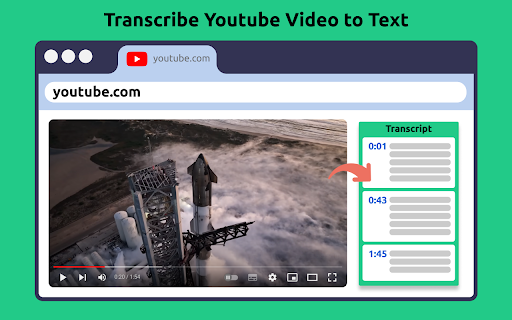
Transcribe YouTube Video is a Chrome extension designed to enhance your YouTube experience by transcribing videos, extracting subtitles, providing summaries, and enabling easy navigation through content. It leverages AI technology to transcribe and summarize videos in multiple languages, allowing users to quickly access and utilize the information contained within YouTube videos.
How to use Transcribe YouTube Video ai chrome extension?
1. Install the extension from the Chrome Web Store. 2. Open any YouTube video. 3. Access the extension panel to get the transcript, AI summary, and timeline navigation. 4. Download or copy the text as needed.
Transcribe YouTube Video ai chrome extension's Core Features
AI-powered transcription and summarization
Multi-language support
Time navigation with timestamps
Downloadable transcripts
Copy transcript to clipboard
Transcribe YouTube Video ai chrome extension's Use Cases
#1
Transcribing YouTube videos for research and analysis
#2
Summarizing lengthy videos to save time
#3
Creating accessible content for non-native speakers
#4
Repurposing video content into blog posts or articles
FAQ from Transcribe YouTube Video
How to get transcript of youtube video?
Is this app free?
How do I install the extension?
How does it work?
Can it transcribe videos in any language?
Is my privacy protected?
Tripo AI
AI-powered 3D model generator from images and text.
Try Now
AD
Skild Art
一站式 AI 视觉创作平台,为商业营销而生
Try Now
AD
Analytic of Transcribe YouTube Video AI Chrome Extension
Transcribe YouTube Video Active Users
Total Installed User
4.0K
Alternative of Transcribe YouTube Video AI Chrome Extension

Recommend To Learn
ai transcribe video to text
transcription video to text
speech to speech ai
speech to speech
chrome speech to text
to text to speech
transcription ai
youtube to text
youtube video transcription
transcription youtube
ai transcription
video to text
transcribe video to text extension
video transcription
voz
Text-To-Speech
Speech-To-Text
Technology
Text-to-speech
speech to text
seo assistant
Speech
SEO(116)
Voice-to-Text
Text-to-video
Summarization
Video
texto a voz