


Veo 3 AI Video Generator


What is Veo 3 AI Video Generator?
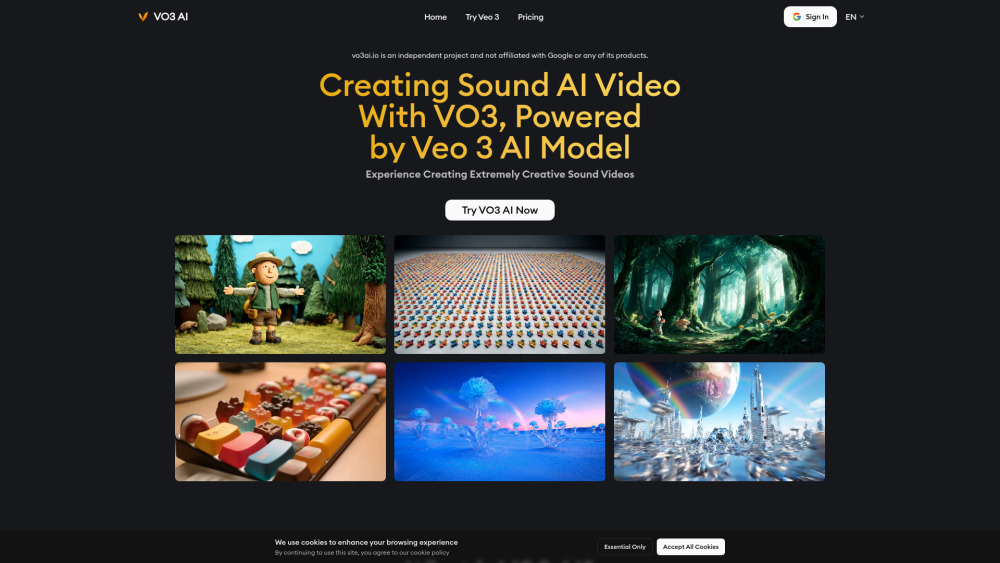
Veo 3 is Google's AI tool that generates videos with synchronized audio, including sound effects, dialogue, and ambient noise. It is the latest AI video generation tool designed to bring stories to life by creating videos with perfectly synced audio and realistic sound.
How to use Veo 3 AI Video Generator?
To create AI videos with Veo 3, follow these steps: 1. Sign Up or Log In to your account. 2. Enter Your Prompt by typing a text description or uploading images to describe the video you want. 3. Customize Audio by adding instructions for sound effects, dialogue, or ambient noise. 4. Generate and Review your video, then preview and download your AI-generated clip.
Veo 3 AI Video Generator's Core Features
Native Audio Generation (sound effects, ambient noises, dialogue)
Realistic Lip Sync (AI matches character speech with mouth movements)
Physics-Based Video Simulation (videos reflect real-world physics)
Multi-Input Prompts (text descriptions or image references)
Integration with Flow App (for cinematic clips)
Available on Vertex AI (for enterprise users)
Veo 3 AI Video Generator's Use Cases
Creating videos with perfectly synced audio, including sound effects, dialogue, and ambient noise.
Generating animated clips with accurate lip-sync for professional results.
Producing short-form content for platforms like TikTok that is 100% AI-generated.
Creating cinematic videos without requiring complex software skills.
Generating stand-up comedy videos with included dialogue.
Prototyping scenes quickly for filmmakers with synced audio and realistic visuals.
FAQ from Veo 3 AI Video Generator
What is Veo 3
Can Veo 3 generate videos longer than 8 seconds
Can I use Veo 3 for commercial projects
What types of audio can Veo 3 generate?
Can I use Veo 3 videos on social media?
Is Veo 3 easy to use for beginners?
How does Veo 3 compare to other AI video tools?
What makes Veo 3 different from other AI video tools?
Can I cancel my subscription anytime?
How are credits calculated within the app?
Can I use the generated videos commercially?
What is your refund policy?
Will my unused credits roll over to the next month or billing cycle?
Can I change my plan later?
How can I get technical support?
What should I do if I run out of my credits mid-month?
Veo 3 AI Video Generator Support Email & Customer service contact & Refund contact etc.
Here is the Veo 3 AI Video Generator support email for customer service: [email protected] . More Contact, visit the contact us page(https://vo3ai.io/)
Veo 3 AI Video Generator Company
Veo 3 AI Video Generator Company name: VO3 AI .
Veo 3 AI Video Generator Company address: .
More about Veo 3 AI Video Generator, Please visit the about us page().
Veo 3 AI Video Generator Login
Veo 3 AI Video Generator Login Link: https://vo3ai.io/Sign In
Veo 3 AI Video Generator Sign up
Veo 3 AI Video Generator Pricing
Veo 3 AI Video Generator Pricing Link: https://vo3ai.io/pricing
Veo 3 AI Video Generator Reviews (0)
Veo 3 AI Video Generator Pricing
Basic One-Time Package
$19.9
300 one-time credits
Pro One-Time Package
$39.9
1500 one-time credits
Max One-Time Package
$99.9
5000 one-time credits
Basic Monthly Plan
$29.9
1000 credits per month
Pro Monthly Plan
$49.9
3000 credits per month
Business Monthly Plan
$99.9
10000 credits per month
Basic Yearly Plan
$238.8
12000 credits per year
Pro Yearly Plan
$478.8
36000 credits per year
Business Yearly Plan
$1078.8
120000 credits per year
For the latest pricing, please visit this link: https://vo3ai.io/pricing
Analytic of Veo 3 AI Video Generator
Veo 3 AI Video Generator Website Traffic Analysis
Geography
Top 2 Regions


Veo 3 AI Video Generator Launch embeds
Use website badges to drive support from your community for your Toolify Launch. They're easy to embed on your homepage or footer.



Alternative of Veo 3 AI Video Generator

 18.83% 29.51%
Social Listening