































Table of Contents
- Key Points
- Unlocking the Power of Talking Avatars
- The Hybrid Approach: Step-by-Step [t:552]
- How to use your avatar once it has been created
- Assets Pack Access
- Pros and Cons of Avatar Creation methods
- Main features of a talking avatar
- Use cases with a channel avatar
- FAQ
- Related Questions


Unlocking the Power of Talking Avatars
The Rise of the Talking Avatar
In today's digital landscape, talking avatars are becoming increasingly popular for content creators, especially on YouTube. While many tutorials exist on avatar creation, few provide a comprehensive look at the benefits and methods for crafting effective avatars. Creating a talking avatar is more than just a trend; it's a strategic move that can significantly impact your channel's growth and branding.
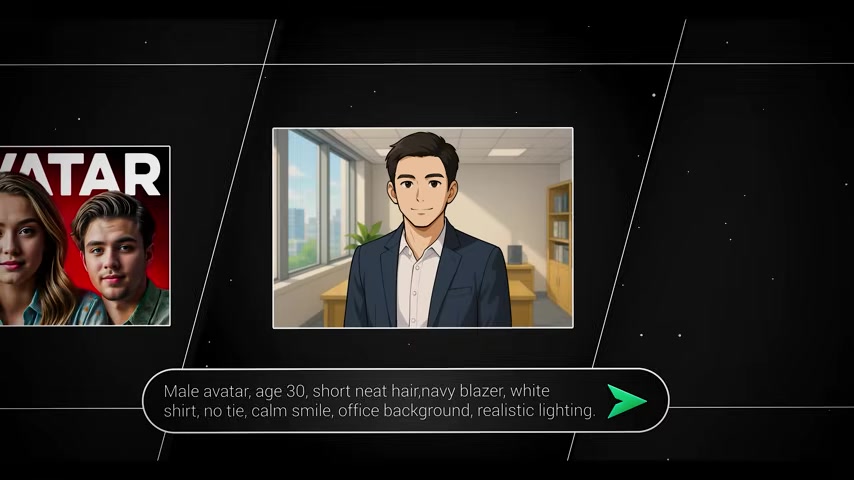
While it's easy to use AI to generate a character, it's more helpful to create a personal avatar that reflects your brands values.
Why Invest in a Talking Avatar? A talking avatar, beyond acting as a mere digital stand-in, actively helps you:
- Save Time and Effort During Video Editing: Editing can be mentally draining, especially when you're unsure of what visuals to add to enhance a scene. Using an avatar can act as a shortcut for mentally intensive and physically intensive projects.
- Build Authenticity and Trust: Viewers tend to trust channels with a human presence, even if it’s an animated one. This humanizes the content and creates a sense of connection, which is vital for building a loyal audience. Rather than a faceless channel, it is beneficial to use an avatar with a more personalized personality.
- Increase Brand Recall and Recognition: A uniquely designed avatar becomes instantly recognizable. Using a professional avatar that not only represents you and your persona but saves time during editing can increase channel brand recognition among your viewers.
- Enhance Visual Storytelling: Avatars can be versatile in visually communicating ideas. Using a channel's avatar in the thumbnail or product helps give a sense of recognizability and personality to help the channel connect with their audience.
- Foster an Emotional Connection: By creating an avatar that embodies your channel’s personality, you can tap into your audience's emotions and build a stronger connection with them.
Talking avatars are no longer a novelty. In a world increasingly saturated with content, they provide an edge, helping channels and creators stand out, connect, and grow.
Advantages of Talking Avatars: A Faceless Channel’s Secret Weapon
For faceless channels, a talking avatar is invaluable, offering distinct benefits that elevate your content strategy and audience engagement. Using a channel avatar is just as important as using a logo or having a brand in a face channel. It is less of a channel and more of a representative.
Key Advantages:
- Save Time Editing: An avatar in a faceless channel can save time and energy by allowing the avatar to represent parts of the video without exhausting resources.
- Authenticity & Trust: An avatar that is the face of the channel can help generate greater recognition and traffic for the channel.
- Recall Value: Viewers can increase their focus if an avatar is used correctly and has a great re call. Channels that utilize a unique channel avatar are easy to remember.
- Extra Perks: If you invest into a higher-end avatar or pay an expert to design the avatar, then visual storytelling, sponsorship opportunities and connection to an audience can occur Though there may be various aspects of this, it all still plays an important role.
Crafting Your Digital Persona: Key Considerations
Before diving into creating your talking avatar, its crucial to define your brand identity and how you want to be perceived by your audience. This will guide your creative choices and ensure your avatar aligns with your channel’s values. The following steps will outline the decisions you need to make before diving in and investing time into creating your avatar.
-
Character Personality: Do you want a personality that is a confident personality, a rebel persona, or a cool mysterious type? Having different personality styles can really help reflect what sort of brand you are representing.
-
Haircut: What sort of haircut are you planning on going with? The sort of haircut that the channel avatar is using can determine whether you are more bold or conservative in the persona your channel represents.
-
Facial Traits: Your character traits and avatar expressions will directly influence how the audience will react to your channel's brand identity. It is important to nail down facial traits.
-
Facial Shapes: Facial shapes are a very important consideration for avatar production. Use the style that fits your brand and channel personality.
-
Outfits: Choose an outfit that represents the brand and channels personality . The outfit should align with the message you are trying to send to your viewership.
Method 1: The Artist Route
This method utilizes the tool lasso to help create the avatars, and as a result, helps you create a unique avatar for your channel. This is all done without any code. Lasso is a pencil tool, and a pen tool. The advantage of this style is that it creates a bold avatar for the brand and persona you are creating
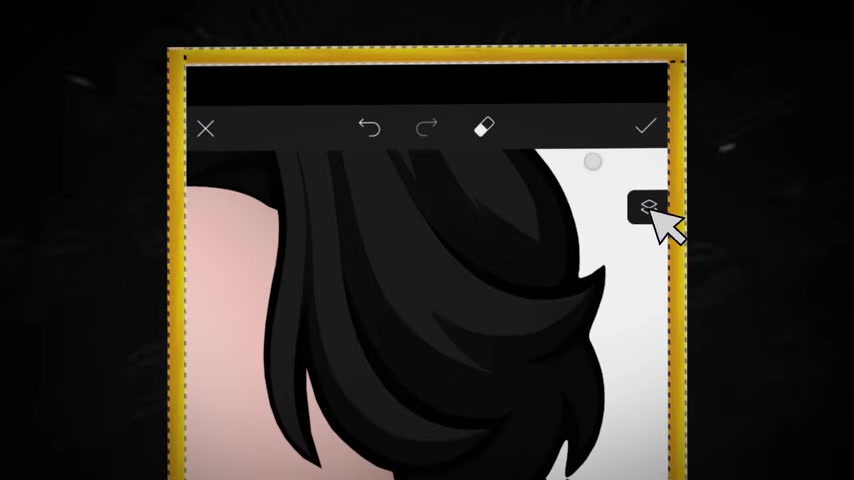
. This method is great for any sort of art style you like. However, if your drawing skills aren't up to par, creating such an image would be challenging or require help.
Method 2: Hybrid
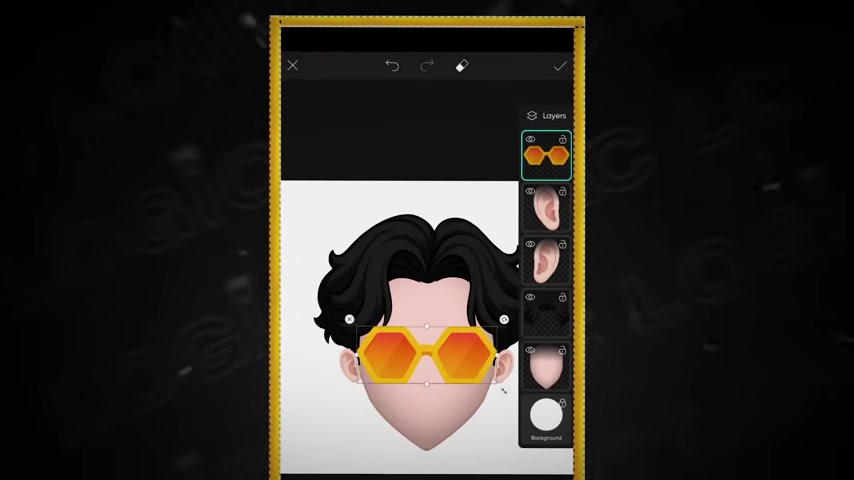
A hybrid version of creating an avatar is very useful for saving resources and energy. The advantage for creating a hybrid avatar is that you can alter the different types of components for the avatar image. Additionally, for your audience, the effort used in making it by hand may also come across as more endearing for your viewers. All you need are basic skills in image editing
.
Method 3: AI-Only Generation
Using an AI-Only avatar creator is the easiest possible way to create a talking avatar that represents the identity that you are representing for your channel. This makes it perfect for saving time, but if not managed correctly can also come off as tacky or poor design. Using prompt generation and working out from the Prompt that you are creating can help create a more personalized version of what an AI avatar can look like.
The Hybrid Approach: Step-by-Step [t:552]
Creating the Hybrid avatar
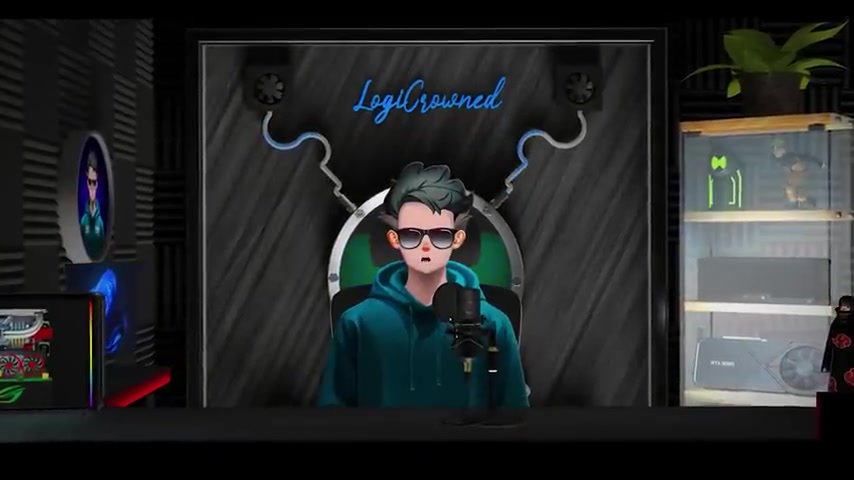
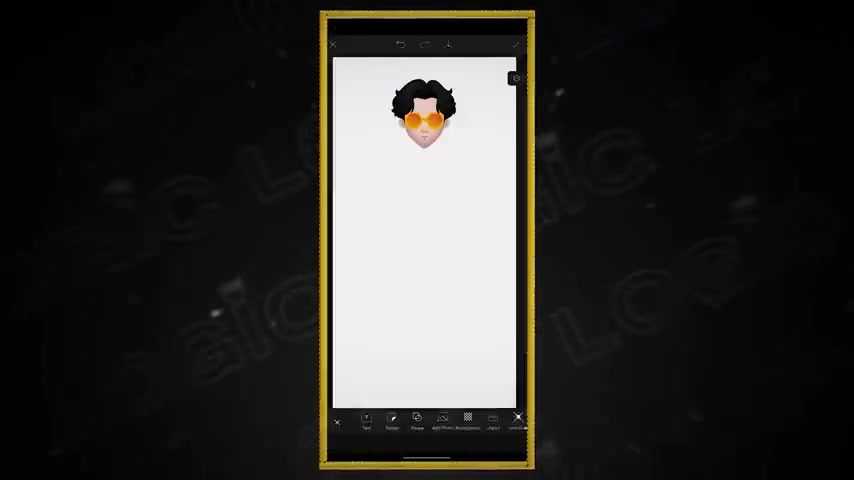
Let's create a hybrid avatar by piecing together pre-made assets in PicsArt, a mobile editing app. This approach combines speed with personalization, enabling you to craft a distinctive digital persona with a little bit of effort
.
1. Setting Up Your Canvas:
- Open PicsArt. Start by opening the PicArts App on your device.
- Adding a new Background. Using any sort of color, start a new background. A white background is recommended but feel free to experiment.
- Navigate to the menu. Find the add image option on PicArts and press the option.
2. Adding the shaded face shape:
- Select Shaded Face. Select a face that you like to use.
- Add image. Add the image to the avatar in the new canvas. You may need to increase the canvas size to make the face look properly.
- Adjust position. Remember to leave extra room on the top side for your hair asset!
3. Attaching a Hair Style asset:
- Select Hair. Start by adding the a good hair that fits the type of channel identity you are trying to produce
- Add the image. It is important to remember to line up the avatar head to the face and match with both scale and the image itself so it doesn't look too jarring.
- Adjust the Position.
4. Adding the Year asset:
- Select Year. Add an ear.
- Duplicating. This step will duplicate the ear so that one can be added to the other side. For this to work flip and rotate will be used later on the right side to get a proper ear position.
- Move duplicate onto Right Side.
5. Adding the Glasses asset:
- Select Glasses. Add Glasses that fit the type of persona the channel identity is going to be using.
- Move glasses to the face and mouth area.
6. Color Matching and Adding Mouth:
- Adjusting Color. Set the hue saturation so it fits and represents the overall appearance of the identity for the avatar
- Add and edit Mouth. Add and edit a mouth in order to fit your channel avatar. For extra customization, it is very possible and potentially better for the avatar's personality, to add a smile on the avatar as well.
- You are done! Now the persona's avatar has a solid form.
Assets Pack Access
How to Access Free Assets
According to the video, the avatar asset pack that was described in the blog is free. The avatar asset pack includes a diverse range of customizable parts from the assets pack with the magical prompt that was detailed
. You can access my Telegram channel and website in the description.






Most people like
































Report
Please select a reason for reporting
- 13 Reasons to Switch from Snapchat to Text Messaging
- 7 Powerful Speech to Text Apps to Boost Productivity
- 10 Best Speech to Text Tools for Effortless Transcription
- 13 Free Tools to Easily Transcribe Audio to Text
- 15 Surprising Ways Google's Speech-to-Text Boosts Productivity
- 7 Best Free Online Audio to Text Transcription Tools
- 9 Tips to Transcribe Speech to Text Faster and Better
- 13 Best Speech to Text Software for Windows 10 in 2023
- 7 Tips for Choosing the Best Transcriber for Audio to Text
- 11 Reasons Why Dragon Speech-to-Text Apps are Game-Changers
- 6 Secrets to Enhance Your Speech to Text Transcription
- 6 Brilliant Ways to Boost Productivity with Talk-to-Text on Your MacBook
- 6 Ways Transcription Software Converts Audio to Text
- 8 Tips to Transcribe Speech to Text Like a Pro
- 6 Reasons IBM Watson Speech to Text is a Game-Changer
- 14 Powerful Ways Talk-to-Text Improves Your Workflow
- 12 Top Windows Speech-to-Text Software for Efficient Transcription
- 12 Game-Changing Benefits of Apple's Speech to Text Technology
- 9 Powerful Use Cases for AWS Speech to Text Technology
- 10 Easy Steps to Transcribe YouTube Videos to Text
- transcription audio en texte
- online audio transcription
- free audio file transcription
- free ai audio transcription
- audio transcription service
- audio transcription online free
- audio transcription free online
- audio to transcription software
- audio and transcript
- ai audio transcription free
- voice recording to text converter
- translate voice recording to text
- record voice to text
- audio recording to text converter
- voice recording and transcription
- chatgpt voice to text
- gmail voice to text
- speech to text reader
- speech to text ai free
- speech to talk
- How to Use AI Tools to Find Internal Linking Opportunities Across a Business Website
- Discover Your Perfect Haircut with AI Hairstyle Apps
- Free Reputation Calculator Tools: How They're Adapting to Score AI Visibility, Not Just Rankings
- Design Professional Flyers for Free on Your Phone
- Best Free Flyer Maker Apps for Android: Design Like a Pro
- How to Know If Your Business Is Ready for an AI Customer Service Agent
- Revolutionizing Storytelling: From Novels to Screenplays with AI
- Create Engaging Animated Explainer Videos with a Free AI Tool
- Stop Multi-Subscribing: Benchmark Top AI Visual Models in One Canvas
- Best Seedance 2.5 API Provider: Every Price on the Market, Checked at Source
- Top AI Social Media Management Tools: Automate Your Content Strategy
- Free AI Text to Video Generator: Create Stunning Videos from Text
- Discover 17 ChatGPT Alternatives: A Comprehensive Comparison
- Character.AI vs. Janitor AI: Which AI Chat Platform Reigns Supreme?
- Top Virtual Assistant Companies in 2026: Reviews, Pricing, and Plans Compared
- Unveiling FaceCheck.ID: Revolutionizing Reverse Image Searches with AI
- 11 Best AI Dialers in 2026: Features, Pricing, Pros and Cons
- How I Direct Consistent AI Clips: A Hands-On Guide to Multi-Model Generation
- A Realistic Review of the Photo Generator Image Tool
- Playwright MCP Server: Automated Web Testing with Agent Mode

Copyright ©2026 toolify