































Table of Contents
- Key Points
- Introduction to EdrawMind AI Slides
- Key Functions of EdrawMind AI Slides
- Step-by-Step Guide to Using EdrawMind AI Slides
- EdrawMind Pricing
- EdrawMind AI Slides: Pros and Cons
- Key Features of EdrawMind
- Use Cases for EdrawMind
- FAQ
- Related Questions


Introduction to EdrawMind AI Slides
The Challenge of Presentation Design
Creating presentations can be a tedious task, often consuming countless hours on design details. Many find it challenging to Translate complex ideas into professional, visually appealing slides without getting bogged down in intricate design work. EdrawMind AI Slides addresses these challenges by providing an efficient, AI-driven solution that automates much of the design process. It allows users to focus on content creation rather than spending excessive time on aesthetics.
EdrawMind aims to streamline workflows, allowing individuals and teams to develop high-quality presentations quickly and effectively. The AI Slides feature acts as a virtual Design Assistant, understanding user input and generating customized slides that align with the intended message and audience. By automating repetitive design tasks, EdrawMind empowers users to concentrate on delivering impactful content, thereby maximizing the value of their presentations.
Key benefits of this innovative approach include:
- Significant time savings in presentation development.
- Enhanced visual appeal through AI-generated designs.
- Customizable templates for brand consistency.
- Easy content integration from existing documents.
- User-friendly interface for seamless workflow.
Overview of EdrawMind AI Slides Feature
EdrawMind's AI Slides feature is designed to revolutionize the presentation creation process. It offers several methods for generating presentations, including uploading existing documents or inputting specific topics for AI to develop. This flexibility makes it adaptable to various needs and skill levels.
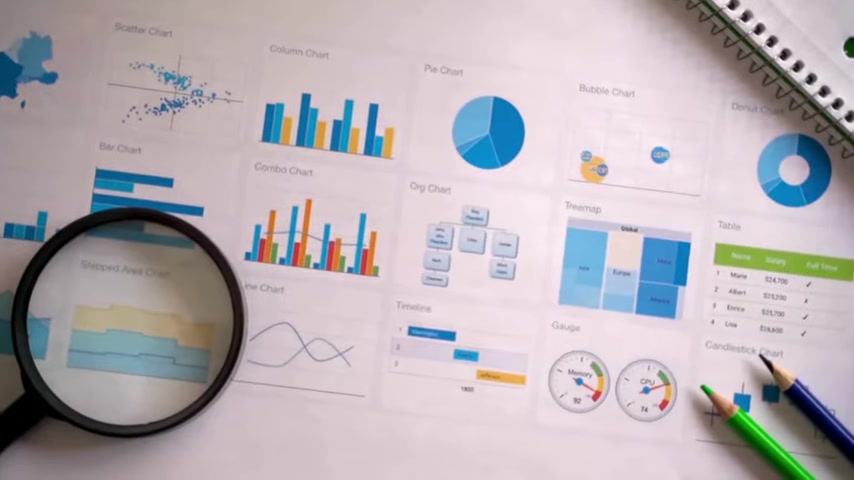
With just a single click, the AI algorithms transform raw data into polished, coherent slides, complete with appropriate formatting and graphics.
The core objective is to provide a seamless experience, enabling users to produce professional presentations with minimal effort. This feature simplifies the design workflow, making it accessible to those who may not have extensive design experience.
By using advanced algorithms, AI Slides creates visually appealing slides tailored to specific requirements. Whether preparing for a business meeting, classroom lecture, or creative project, this feature provides the perfect solution for effortless presentation design. The advanced features are designed to enhance the overall presentation, ensuring the message is delivered effectively and memorably.
Overall, the goal is to help you spend less time on slide design and more time refining your content and delivery.
Key Functions of EdrawMind AI Slides
Generating Slides with One Click
One of the primary functions of EdrawMind's AI Slides is the ability to generate complete presentations with just a single click. This functionality is designed for speed and efficiency, perfect for users who need to create presentations quickly.

The process involves inputting a topic or uploading a document, and the AI algorithm then generates a series of slides based on that information. This streamlined process dramatically reduces the time spent on initial design, enabling users to focus on refining the content.
- Ease of Use: The one-click generation feature is incredibly user-friendly, making it accessible to users of all skill levels.
- Efficiency: It drastically cuts down the time required to create a presentation, allowing users to meet tight deadlines.
- Flexibility: Users can start with a broad topic or a detailed document, and the AI will adapt to the available information.
This function is particularly beneficial in fast-paced environments where time is of the essence. Professionals can swiftly assemble presentations for meetings, educators can prepare lecture materials on the go, and anyone needing a quick presentation can rely on this feature to deliver results efficiently.
Uploading Documents for Instant Conversion
Another essential function of EdrawMind AI Slides is the capability to upload existing documents and instantly convert them into engaging presentations. This feature is particularly useful for users who already have written content and need to transform it into a visually compelling format.

Whether it’s a report, a whitepaper, or a simple text file, EdrawMind can convert it into a polished PowerPoint presentation with just a few clicks.
The process is straightforward:
- Upload the Document: Users simply upload their document to the EdrawMind platform.
- AI Conversion: The AI algorithms analyze the document and create an outline.
- Template Selection: Users select a template that suits their content and style.
- Generate Slides: The AI then populates the slides with content from the document, formatted according to the chosen template.
This conversion capability eliminates manual copy-pasting and formatting, saving considerable time and ensuring consistency across the presentation. It’s an ideal solution for repurposing existing content for different audiences or presentation formats.
Advanced Algorithms and Customization
EdrawMind AI Slides utilizes advanced algorithms to generate not only visually appealing but also highly relevant and tailored slides. These algorithms analyze user input, understand the context, and create presentations that meet specific needs.

The AI is designed to ensure that the final presentation is both aesthetically pleasing and informative.
- Visual Appeal: The AI considers design principles to create slides that are attractive and engaging.
- Content Relevance: The algorithms ensure that the content is presented in a clear, concise, and relevant manner.
- Customization: Users can further customize the slides by selecting different templates, adjusting formatting, and adding or modifying content.
These features ensure the final presentation effectively communicates the intended message and leaves a lasting impression on the audience. The combination of AI-generated design and user customization makes EdrawMind AI Slides a powerful tool for anyone looking to enhance their presentation skills.
Step-by-Step Guide to Using EdrawMind AI Slides
Step 1: Opening the EdrawMind Application
The first step is to open the EdrawMind application. If you don't have the application installed, you can download it from the link provided in the description. EdrawMind can be used for a range of different projects, such as Mind Mapping and brainstorming.

This guide concentrates on presentation creation. Once opened, you will see the main interface with various options and tools.
Step 2: Accessing AI Slides
To begin, select the 'Create' option. This will open a menu that displays multiple AI function exploration options. From the available options, choose 'AI Slides'. This will lead you to a page where you can start generating your presentation.
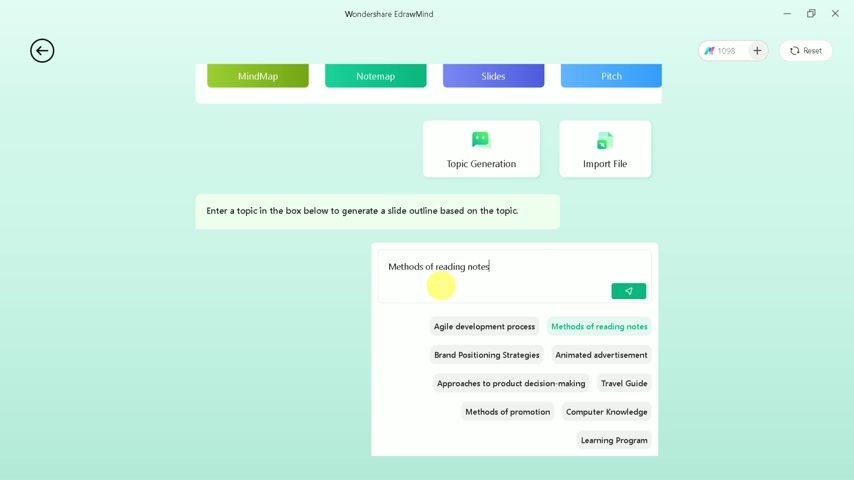
Step 3: Choosing a Presentation Method
On the AI Slides page, you have two primary options for creating your presentation: generating a presentation based on a custom topic, or uploading a file for conversion. For this Tutorial, we will select the first option, which involves creating slides from a custom topic.
This method allows you to input your ideas and have the AI generate a structured presentation based on those inputs.
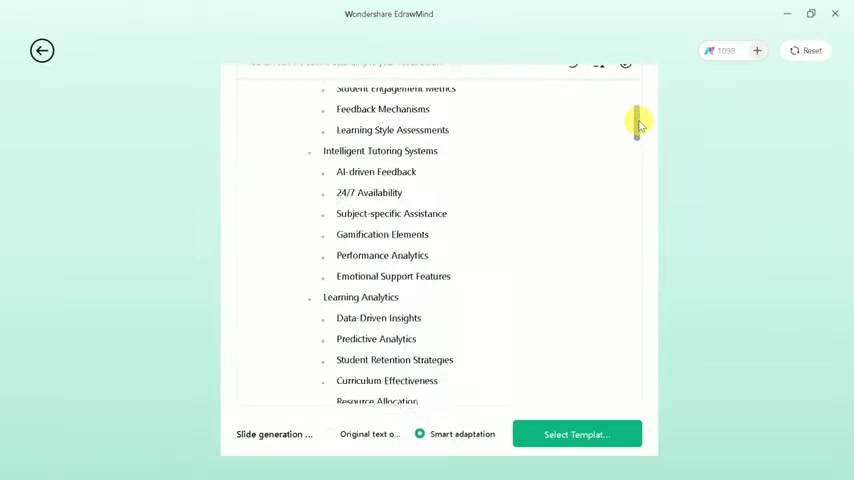
Step 4: Inputting Your Topic
Next, type your desired topic into the provided text box. For instance, let’s use the topic 'How AI is transforming Education'. Once you’ve entered your topic, hit enter or the 'Generate' button to initiate the AI processing.
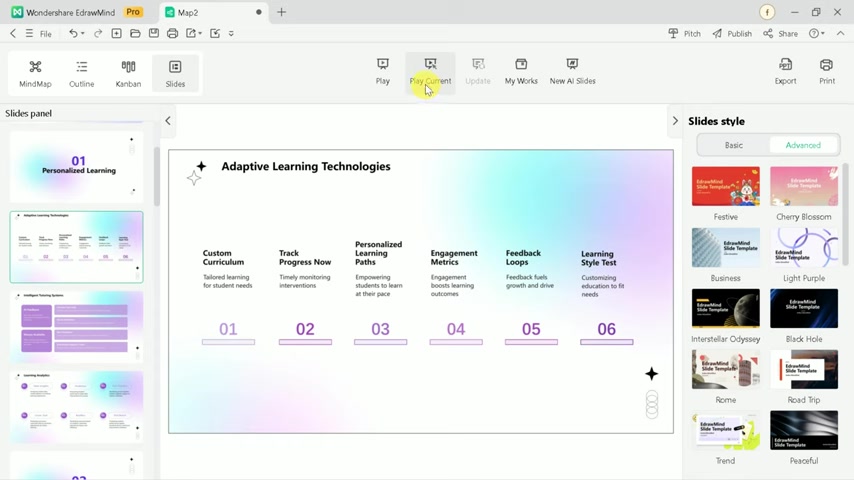
The AI will then generate a detailed outline for your presentation, highlighting key points and sections.
Step 5: Reviewing and Customizing the Outline
After the AI generates the outline, carefully review each section and sub-point. You can make manual changes to customize the outline to better fit your specific needs. If the initial outline doesn't meet your requirements, you can use the 'Regenerate Outline' option to create a new one instantly.
This ensures the content is aligned with your vision for the presentation.
Step 6: Customizing the Presentation
You can further customize the presentation by selecting either ‘Original Text’ or ‘Smart Adaptation’ for the content. 'Smart Adaptation' optimizes the phrasing and formatting to best suit the presentation’s context.
Once you've made your choice, proceed to template selection to customize the visual aspects of your presentation.
Step 7: Selecting a Template
In the template selection page, you’ll find a variety of professional templates ranging from minimalist to creative designs.
Choose a template that suits your presentation’s theme and style. Once selected, click ‘Generate’ to apply the template and let the AI process your inputs.
Step 8: Reviewing and Enhancing Slides
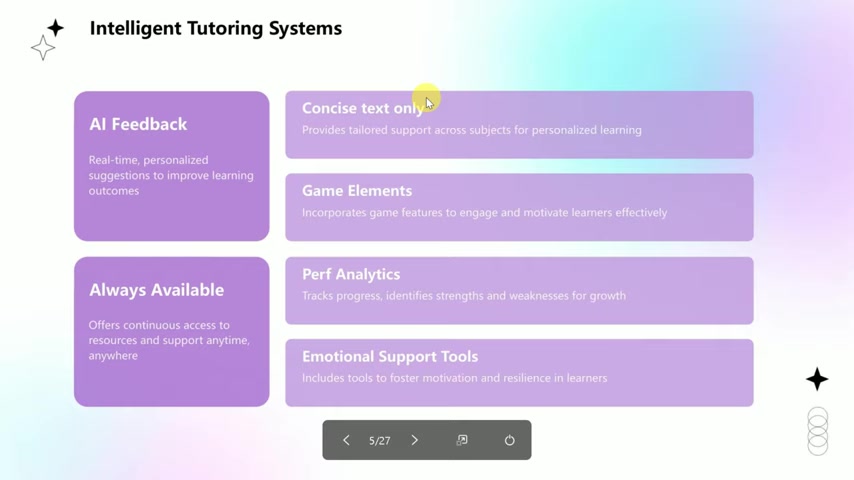
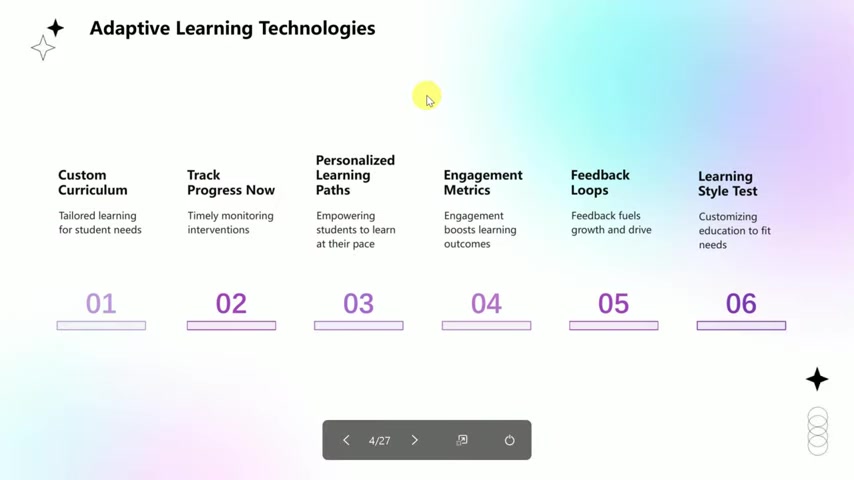
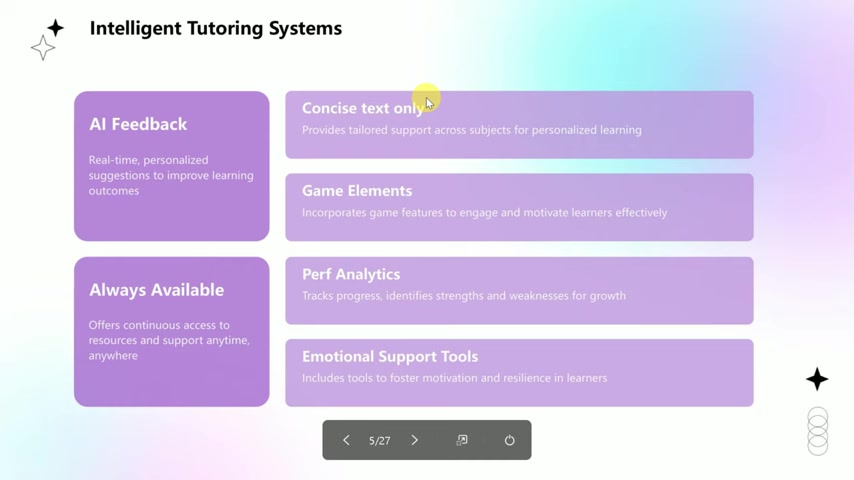
Once the AI has processed your input and applied the template, a polished presentation is ready for your review. To enhance usability, EdrawMind offers a playground feature, allowing you to view the presentation in full-screen mode.
This feature creates an immersive experience, making it easier to navigate between slides, preview transitions, and ensure the presentation flows seamlessly during delivery.
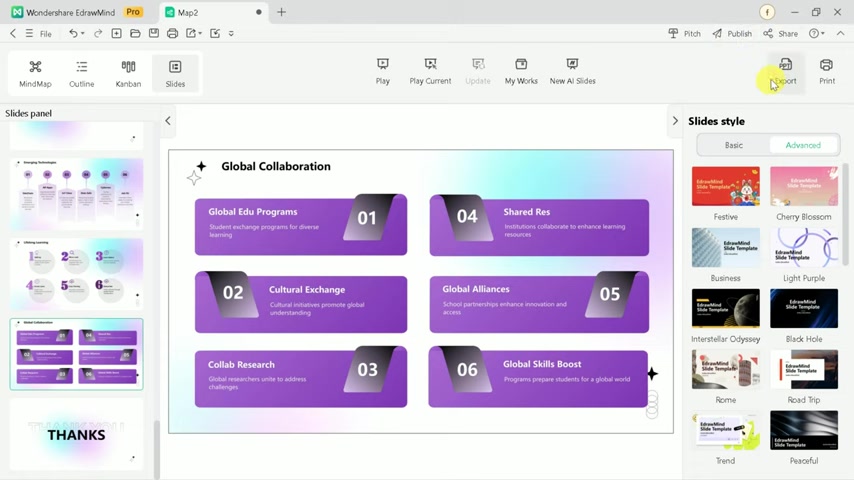
Step 9: Exporting Your Presentation
After you are satisfied with the final presentation, EdrawMind AI Slides offers a range of export options. You can export your presentation in various formats, including PPT, PDF, WORD, and more. This allows you to easily share your presentation with others or use it in different settings. With these simple steps, you can effectively use EdrawMind’s AI Slides feature to create stunning and professional presentations with ease.








Most people like
































Report
Please select a reason for reporting
- 13 Reasons to Switch from Snapchat to Text Messaging
- 7 Powerful Speech to Text Apps to Boost Productivity
- 10 Best Speech to Text Tools for Effortless Transcription
- 13 Free Tools to Easily Transcribe Audio to Text
- 15 Surprising Ways Google's Speech-to-Text Boosts Productivity
- 7 Best Free Online Audio to Text Transcription Tools
- 9 Tips to Transcribe Speech to Text Faster and Better
- 13 Best Speech to Text Software for Windows 10 in 2023
- 7 Tips for Choosing the Best Transcriber for Audio to Text
- 11 Reasons Why Dragon Speech-to-Text Apps are Game-Changers
- 6 Secrets to Enhance Your Speech to Text Transcription
- 6 Brilliant Ways to Boost Productivity with Talk-to-Text on Your MacBook
- 6 Ways Transcription Software Converts Audio to Text
- 8 Tips to Transcribe Speech to Text Like a Pro
- 6 Reasons IBM Watson Speech to Text is a Game-Changer
- 14 Powerful Ways Talk-to-Text Improves Your Workflow
- 12 Top Windows Speech-to-Text Software for Efficient Transcription
- 12 Game-Changing Benefits of Apple's Speech to Text Technology
- 9 Powerful Use Cases for AWS Speech to Text Technology
- 10 Easy Steps to Transcribe YouTube Videos to Text
- transcription audio en texte
- online audio transcription
- free audio file transcription
- free ai audio transcription
- audio transcription service
- audio transcription online free
- audio transcription free online
- audio to transcription software
- audio and transcript
- ai audio transcription free
- voice recording to text converter
- translate voice recording to text
- record voice to text
- audio recording to text converter
- voice recording and transcription
- chatgpt voice to text
- gmail voice to text
- speech to text reader
- speech to text ai free
- speech to talk
- How to Use AI Tools to Find Internal Linking Opportunities Across a Business Website
- Discover Your Perfect Haircut with AI Hairstyle Apps
- Free Reputation Calculator Tools: How They're Adapting to Score AI Visibility, Not Just Rankings
- Design Professional Flyers for Free on Your Phone
- Best Free Flyer Maker Apps for Android: Design Like a Pro
- How to Know If Your Business Is Ready for an AI Customer Service Agent
- Revolutionizing Storytelling: From Novels to Screenplays with AI
- Create Engaging Animated Explainer Videos with a Free AI Tool
- Stop Multi-Subscribing: Benchmark Top AI Visual Models in One Canvas
- Best Seedance 2.5 API Provider: Every Price on the Market, Checked at Source
- Top AI Social Media Management Tools: Automate Your Content Strategy
- Free AI Text to Video Generator: Create Stunning Videos from Text
- Discover 17 ChatGPT Alternatives: A Comprehensive Comparison
- Character.AI vs. Janitor AI: Which AI Chat Platform Reigns Supreme?
- Top Virtual Assistant Companies in 2026: Reviews, Pricing, and Plans Compared
- Unveiling FaceCheck.ID: Revolutionizing Reverse Image Searches with AI
- 11 Best AI Dialers in 2026: Features, Pricing, Pros and Cons
- How I Direct Consistent AI Clips: A Hands-On Guide to Multi-Model Generation
- A Realistic Review of the Photo Generator Image Tool
- Playwright MCP Server: Automated Web Testing with Agent Mode

Copyright ©2026 toolify