


AI Animate Image
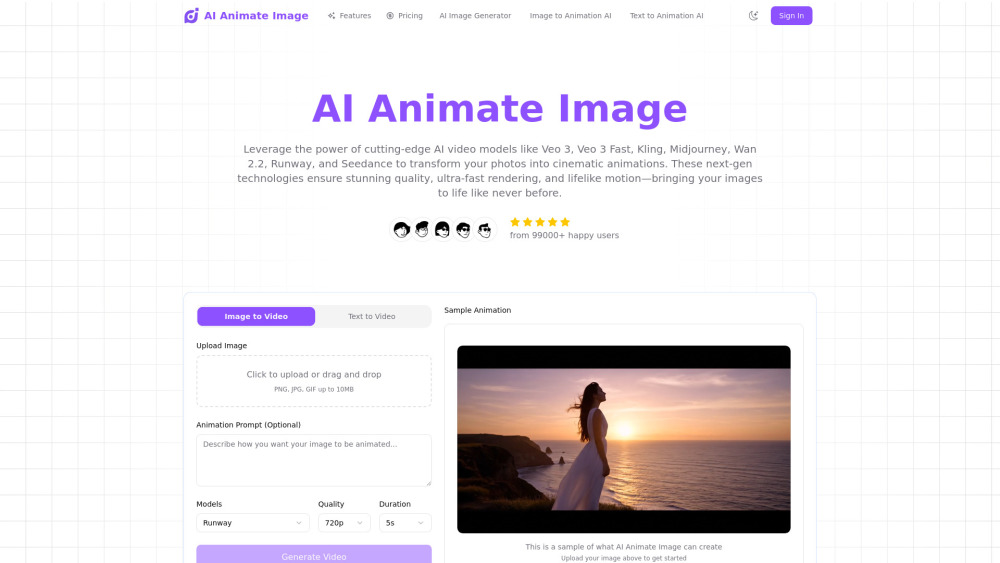


What is AI Animate Image?
AI Animate Image is an advanced online tool that leverages cutting-edge AI video models like Veo 3, Kling, and Runway to transform static images into stunning, lifelike animations. It provides a browser-based platform for content creators, marketers, and hobbyists to generate professional-quality animated content with ease, offering features like intelligent analysis of photos, natural motion effects, and high-resolution output. The tool aims to revolutionize how animated content is created from static images, delivering professional results without requiring technical expertise.
How to use AI Animate Image?
Using AI Animate Image involves three simple steps: First, upload your photo (JPEG, PNG, WebP, TIFF, and BMP formats are supported). Second, the AI intelligently processes the photo, identifying key features and applying natural motion patterns to create smooth animations. Third, download your professionally animated image, ready for immediate use on social media, websites, or presentations.
AI Animate Image's Core Features
Transforms static images into cinematic animations using advanced AI models.
Browser-based platform for instant online photo animation without software downloads.
Delivers cinema-quality animations with smooth transitions and natural movement.
Supports universal image types and major file formats (JPEG, PNG, WebP, TIFF, BMP).
Provides instant preview and real-time processing of animations.
AI Animate Image's Use Cases
Creating engaging social media content.
Developing eye-catching marketing materials and advertisements.
Enhancing presentations with dynamic visuals.
Producing animated thumbnails and promotional content for videos.
Transforming product photos into compelling showcases for e-commerce.
Generating professional animated images for client projects.
FAQ from AI Animate Image
What makes AI Animate Image the best AI photo animation tool?
Is AI Animate Image free to use?
Can I use AI Animate Image to turn photo into animation for any image type?
How do I use AI Animate Image?
Which file formats work with AI Animate Image?
How secure is my data when using AI Animate Image?
Can businesses use AI Animate Image for commercial animated image projects?
Is AI Animate Image suitable for beginners who want to turn photo into animation?
AI Animate Image Support Email & Customer service contact & Refund contact etc.
More Contact, visit the contact us page(https://www.aianimateimage.org/#contact)
AI Animate Image Company
AI Animate Image Company name: AI Animate Image .
AI Animate Image Company address: .
More about AI Animate Image, Please visit the about us page(https://www.aianimateimage.org/#about).
AI Animate Image Login
AI Animate Image Sign up
AI Animate Image Pricing
AI Animate Image Pricing Link: https://www.aianimateimage.org/pricing
AI Animate Image Reviews (0)
AI Animate Image Pricing
Starter
$4.9/USD
500 credits, valid for 1 month
Standard
$9.9/USD
1000 credits, valid for 1 month
Premium
$19.9/USD
2500 credits, valid for 1 month
Professional
$29.9/USD
3500 credits, valid for 2 months, Priority processing
Business
$49.9/USD
6500 credits, valid for 3 months, Priority processing, Premium support
Enterprise
$99.9/USD
15000 credits, valid for 6 months, Priority processing, Premium support, Early access to new features
For the latest pricing, please visit this link: https://www.aianimateimage.org/pricing
Analytic of AI Animate Image
AI Animate Image Website Traffic Analysis
Geography
Top 5 Regions


AI Animate Image Launch embeds
Use website badges to drive support from your community for your Toolify Launch. They're easy to embed on your homepage or footer.



Alternative of AI Animate Image
 19.27%
Social Listening