


Camtasia
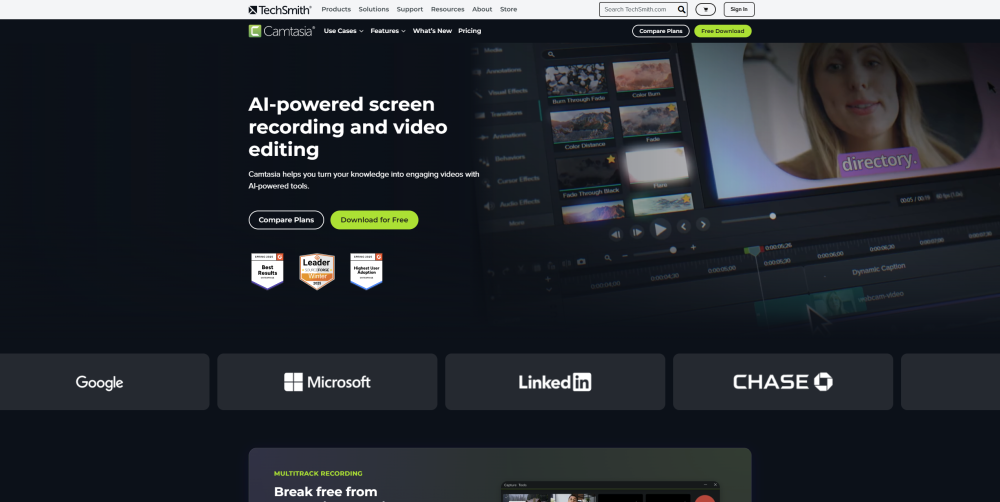


What is Camtasia?
Camtasia is a powerful yet easy-to-use video editor and screen recorder. Camtasia offers a range of plans designed to meet your video creation needs, making it easy to produce professional-looking videos quickly—even if you’ve never made a video before. Our AI-powered features, including Camtasia Rev, script generation, text-to-speech, translations, and avatar videos, streamline the video creation process. Whether you choose our Free, Essentials, Create, or Pro plan, Camtasia provides the tools and features you need to tell your story. Camtasia is easy enough for beginners yet powerful and versatile enough to be your video editing solution for life. Explore our plans and find the perfect fit for your video creation journey.
How to use Camtasia?
Easily create professional videos in three steps: Record your screen, webcam, and audio; Edit with drag-and-drop tools and AI-powered effects like auto captions and background removal; then Share directly to platforms like YouTube or Screencast. Perfect for tutorials, demos, and marketing content.
Camtasia's Core Features
AI-powered screen recording
Video editing (non-linear, drag-and-drop)
AI voice generation
AI script generation
Cursor editing and effects
Text-based video editing
Audio cleanup and advanced effects
Video background removal (AI-powered)
Dynamic captioning and subtitling
Collaboration and video review tools
Access to stock assets (music, video, photos, graphics)
Camtasia's Use Cases
Creating professional tutorials
Developing training videos
Producing software demos
Corporate training and employee onboarding
Software marketing content creation
Customer education
Educational content for educators
Technology training
YouTube Content Creators
FAQ from Camtasia
What are Camtasia’s minimum system requirements?
Does Camtasia have a free version?
Is Camtasia available on Mac and Windows?
Can Camtasia be used on multiple devices?
Does Camtasia include stock music and assets?
Can I collaborate with others on a Camtasia project?
Camtasia Reddit
Here is the Camtasia Reddit: https://www.reddit.com/r/Camtasia/
Camtasia Support Email & Customer service contact & Refund contact etc.
More Contact, visit the contact us page(https://www.techsmith.com/about/contact/)
Camtasia Company
Camtasia Company name: TechSmith Corporation .
Camtasia Company address: 14 Crescent Rd, East Lansing, MI 48823.
More about Camtasia, Please visit the about us page(https://www.techsmith.com/about/).
Camtasia Login
Camtasia Login Link: https://www.techsmith.com/signin?p=/camtasia/
Camtasia Sign up
Camtasia Pricing
Camtasia Pricing Link: https://www.techsmith.com/store/camtasia/
Camtasia Facebook
Camtasia Facebook Link: https://www.facebook.com/TechSmith/
Camtasia Youtube
Camtasia Youtube Link: https://www.youtube.com/user/ChannelTechSmith
Camtasia Tiktok
Camtasia Tiktok Link: https://www.tiktok.com/@techsmith_camtasia
Camtasia Linkedin
Camtasia Linkedin Link: https://www.linkedin.com/company/techsmith-corporation/
Camtasia Twitter
Camtasia Twitter Link: https://twitter.com/techsmith
Camtasia Instagram
Camtasia Instagram Link: https://www.instagram.com/techsmithcamtasia/
Camtasia Reddit
Camtasia Reddit Link: https://www.reddit.com/r/Camtasia/
Camtasia Reviews (0)
Camtasia Pricing
Camtasia Starter
Free
Create and share in minutes. Includes Online screen and camera recording, plus Camtasia Editor (watermarked).
Camtasia Essentials
$179.88 per year
Kick-start your video creation. Includes unlimited screen and camera recording, powerful video editing, and speech-to-text transcription.
Camtasia Create
$249 per year
Accelerate your video creation. Includes everything in Essentials, plus unlimited text-based video editing, AI-generated script from a prompt, audio cleanup, and 200+ voices and styles.
Camtasia Pro
$599 per year
Scale your video creation. Includes everything in Create, plus unlimited video reviews and collaboration, AI-translated scripts and captions, AI-generated video titles, descriptions, and chapters, AI-generated avatar videos, and 100M+ premium assets.
For the latest pricing, please visit this link: https://www.techsmith.com/store/camtasia/
Analytic of Camtasia
Camtasia Website Traffic Analysis
Geography
Top 5 Regions


Camtasia Launch embeds
Use website badges to drive support from your community for your Toolify Launch. They're easy to embed on your homepage or footer.



Alternative of Camtasia

 36.69%
Social Listening