



Spaceduck - Chrome Extension


What is Spaceduck ai chrome extension?
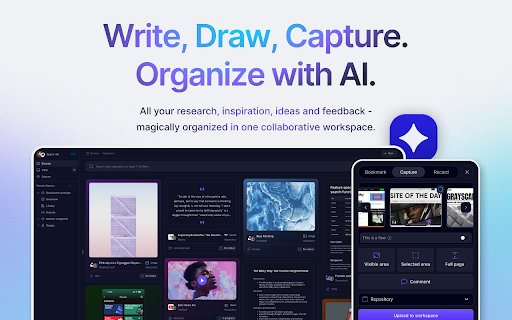
Spaceduck is an innovative extension designed to revolutionize how teams capture, manage, and collaborate on visual data. It offers a comprehensive suite of screenshot capabilities, allowing users to effortlessly capture everything from specific page areas to entire user flows across websites and apps. Beyond simple screenshot capture, Spaceduck stands out with its advanced AI-powered repository management system. This system automatically organizes, tags, names, and describes your screenshot collection, making it incredibly easy to locate any item with a simple natural language search.
How to use Spaceduck ai chrome extension?
Use Spaceduck to capture screenshots of web pages or apps, then leverage its AI to automatically organize, tag, and describe them. Share screenshots with your team for collaborative analysis and feedback.
Spaceduck ai chrome extension's Core Features
Screenshot capture (specific areas, full pages, user flows)
AI-powered repository management (automatic organization, tagging, naming, description)
Natural language search
Team collaboration features (sharing, discussion, feedback)
Spaceduck ai chrome extension's Use Cases
Capturing critical moments for discussion
Organizing visual data efficiently
Sharing insights with your team
Streamlining idea generation
Housing research
Sharing work-in-progress
Tracking feedback
FAQ from Spaceduck
What types of screenshots can Spaceduck capture?
How does Spaceduck organize screenshots?
How does Spaceduck improve team collaboration?
Analytic of Spaceduck AI Chrome Extension
Spaceduck Active Users
Total Installed User
Alternative of Spaceduck AI Chrome Extension
 84.79%