


Pipio


What is Pipio?
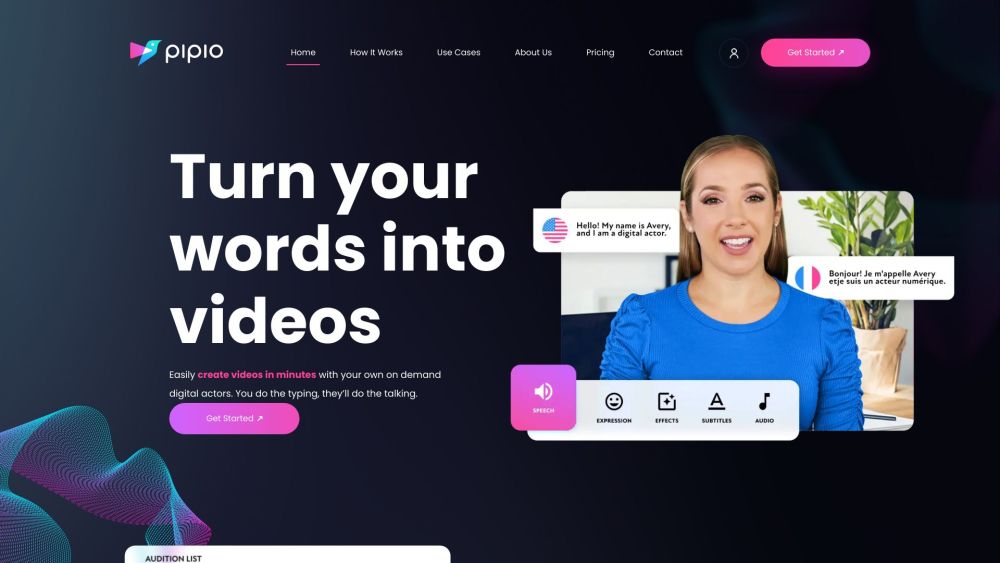
Pipio is an AI-powered video production platform that enables users to create professional videos in minutes using on-demand digital actors. It offers over 100 realistic virtual spokespeople that can be customized and speak in 40+ languages with diverse accents. Pipio eliminates the need for expensive camera crews, talent, or agencies, putting a video production studio at the user's fingertips for marketing, sales, eLearning, training, and more.
How to use Pipio?
Users type in their script, select an AI avatar, and Pipio generates a video with the avatar speaking the text. The platform also offers video dubbing, allowing users to translate videos while retaining the original voice.
Pipio's Core Features
AI Avatars
Text-to-Speech
Video Dubbing
API Integration
Custom Avatar Creation (Express and Studio)
AI Video Editor
Pipio's Use Cases
Marketing videos
Sales videos
Content creation
Training and learning videos
Personalized sales emails
Interactive sales proposals
Animated case studies
Product launch videos
Interactive social media content
Explainer videos
Customer testimonial videos
Talking head videos
Podcast visualizations
Personalized book trailers
Interactive onboarding videos
Virtual team-building exercises
Personalized learning path videos
Automated job description videos
FAQ from Pipio
Will unused credits be carried over to the next billing period?
When I unsubscribe from my pricing plan, do the remaining credits disappear?
Pipio Company
Pipio Company name: Pipio .
More about Pipio, Please visit the about us page(https://www.pipio.ai/about-us).
Pipio Login
Pipio Login Link: https://app.pipio.ai/login
Pipio Sign up
Pipio Sign up Link: https://app.pipio.ai/sign-up
Pipio Pricing
Pipio Pricing Link: https://www.pipio.ai/pricing
Pipio Facebook
Pipio Facebook Link: https://www.facebook.com/Pipio-107045604759103
Pipio Youtube
Pipio Youtube Link: https://www.youtube.com/channel/UCIOBkr9pnLvr6MIyRlpL1Qw
Pipio Linkedin
Pipio Linkedin Link: https://www.linkedin.com/company/pipiohq
Pipio Twitter
Pipio Twitter Link: https://twitter.com/PipioHQ
Pipio Instagram
Pipio Instagram Link: https://www.instagram.com/pipiohq/
Pipio Reviews (0)
Pipio Pricing
Free
$0
3 video credits, 1 Express Avatar included ($50 per additional Express Avatar purchase), 60+ AI avatars, 140+ AI voices, 40+ languages, Access to Pipio's AI Video Editor, Custom voice cloning
Pro
$16/month (yearly) or $20/month (monthly)
3 seats (additional $25/month per seat), 2 Express Avatars included ($50 per additional Express Avatar purchase), Watermark removal, Up to 1080p video export resolution, Priority video processing, Commercial licensing, API access
Team
$575/month (yearly) or $700/month (monthly)
Everything in Pro, plus: Unlimited seats, 1 Studio Avatar included (bulk pricing available for additional Studio Avatars), Higher priority video processing, Up to 4k video export resolution, AI video transcript and translation editing, Dedicated Slack support channel, Priority content moderation processing time
Enterprise
Custom
Everything in Team plus: 2 Studio Avatars included, Unlimited video creation, Highest priority video processing, Priority support, Dedicated account manager, Future model updates and customizations included, Custom business contract and invoicing
For the latest pricing, please visit this link: https://www.pipio.ai/pricing
Analytic of Pipio
Pipio Website Traffic Analysis
Geography
Top 5 Regions


Pipio Launch embeds
Use website badges to drive support from your community for your Toolify Launch. They're easy to embed on your homepage or footer.



Alternative of Pipio
 52.34% 9.61%
Social Listening